v 2.0 — March 2023 Altanium Delta5
118 System Setup - Main 1 and Main 2 Settings
10.1 System Setup - Main 1 and Main 2 Settings
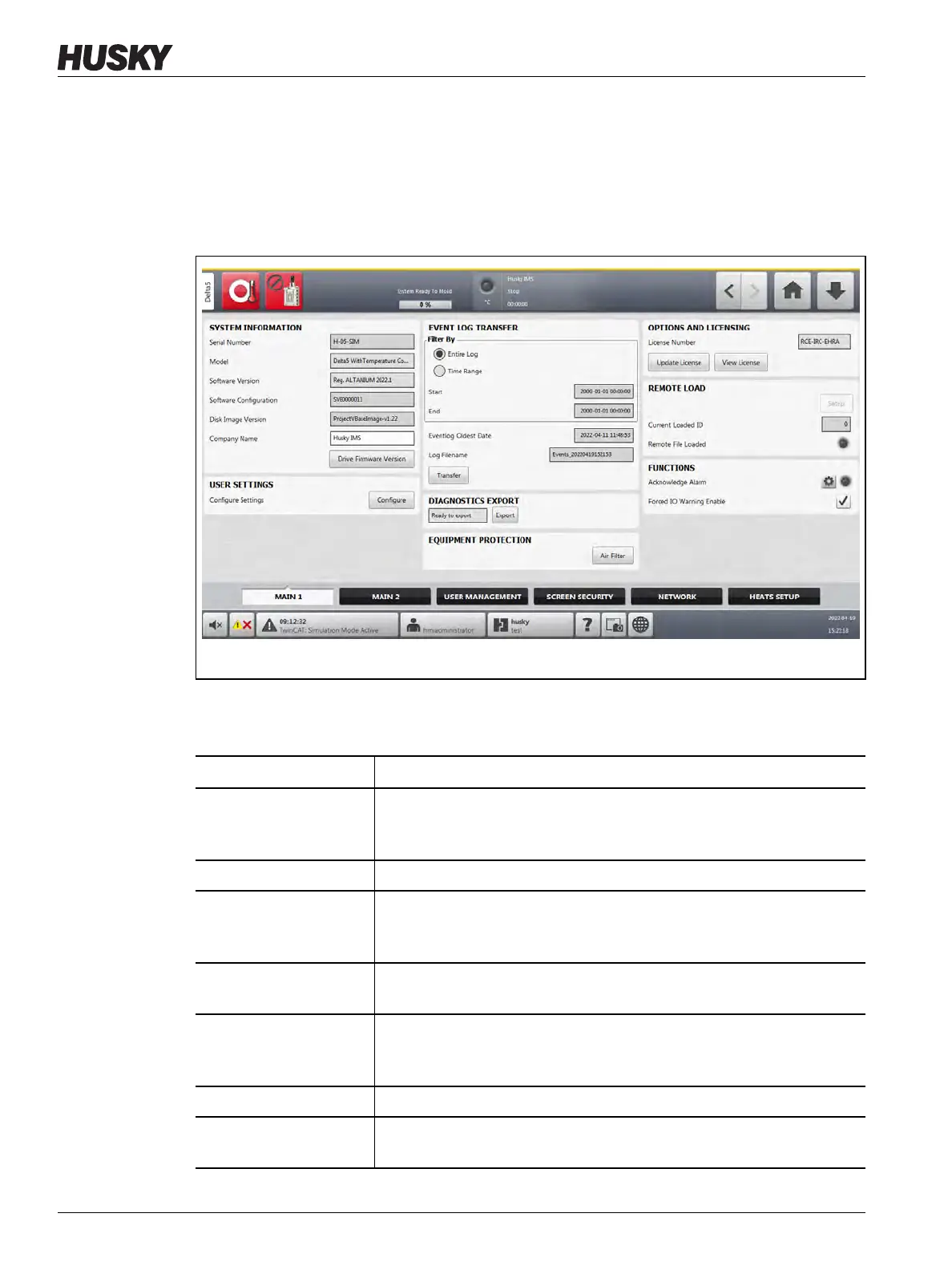
Touch the System Setup button on the Home screen to see the System Setup screen.
Touch the Main 1 tab at the bottom of the System Setup screen to see the setup and
informational items. Refer to Figure 10-1.
The setup and informational items on the Main 1 screen are described in Table 10-1.
Figure 10-1 System Setup - Main 1 Screen
Table 10-1 System Setup - Main 1 Screen Items Descriptions
Item Description
Serial Number The serial number is for information only. It is a number given to the
system when it is manufactured. Husky support may ask for this number
when they need to troubleshoot or upgrade the Altanium.
Model The controller model name.
Software Version The software version that is loaded onto the Altanium. This is for
information only. Husky support may ask for this number when they
need to troubleshoot or upgrade the Altanium.
Software Configuration This identifies the configuration of the software for your Altanium
controller and is shown for information only.
Disk Image Version The disk image used to load the software onto the Altanium. This is for
information only. Husky support may ask for this number when they
need to troubleshoot or upgrade the Altanium.
Company Name The company name displayed on the status bar.
Drive Firmware Version Touch this button to see a list of the firmware versions installed for the
servo axes on the system. The IP addresses for the axes are also shown.


 To Next Page