Wired Network 121
User Guide v 2.0 — March 2023 System Setup
10.2.1 Wired Network
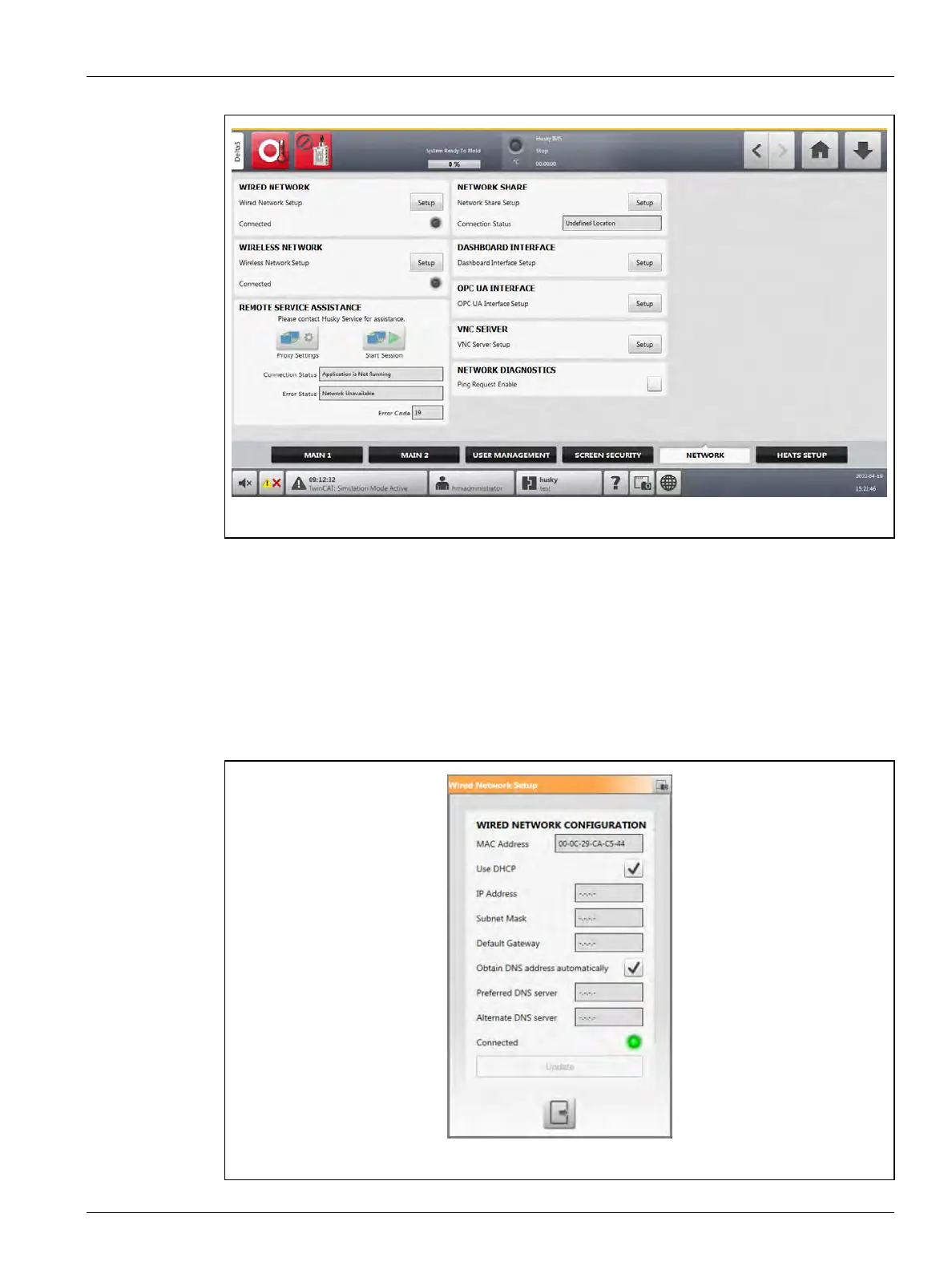
To change the network settings for a wired network, do the steps that follow:
1. On the System Setup screen, touch the Network tab.
2. Touch the Setup button in the WIRED NETWORK section of the screen.
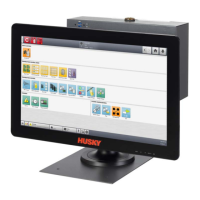
The Wired Network Setup dialog shows. Refer to Figure 10-4.
Figure 10-3 Network Setup Screen
Figure 10-4 Wired Network Setup Dialog


 To Next Page