v 2.0 — March 2023 Altanium Delta5
226 Color Change and Thermal Sensitive Resin Example
13.4.2.1 Color Change and Thermal Sensitive Resin Example
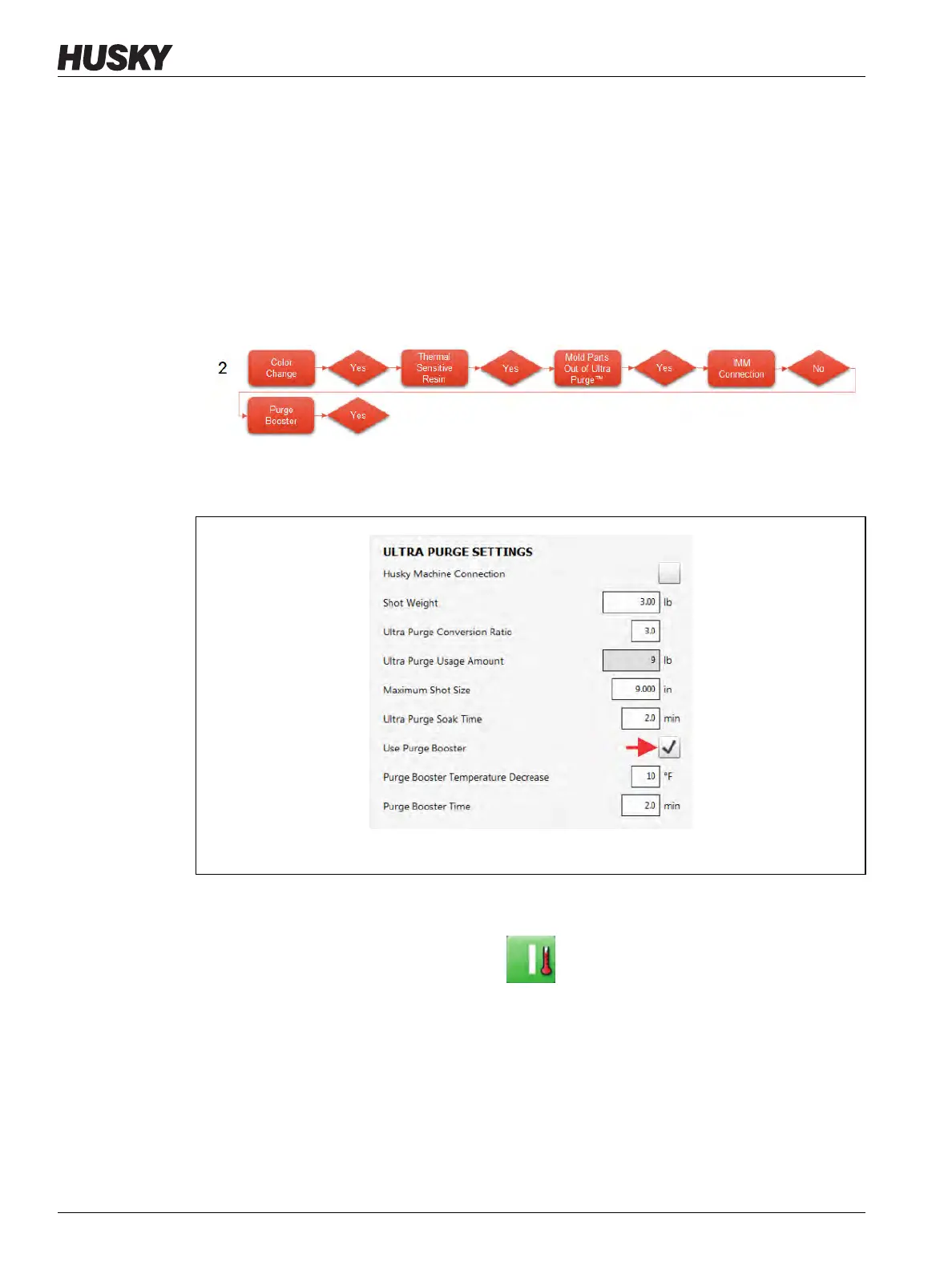
The steps and figures that follow show the instructions only for sequence #2 in the process
flowcharts (Figure 13-21), as displayed on the Altanium controller’s screens. All four
sequences in Figure 13-21 must be done to complete the purge, but the steps that follow
guide you through sequence #2 as an example.
NOTE: As you start each sequence in Figure 13-21, look through the sequence steps to see if
the "Husky Machine Connection" or "Ultra Purge Booster" settings should be enabled
or not enabled. Set them, as necessary, before you touch the Ultra Purge Sequence
panel Start button.
1. Configure the settings in the Ultra Purge Settings panel for the resin that you will use.
2. Touch the Use Purge Booster checkbox, so a check mark shows (refer to Figure 13-22).
3. Touch the system Start button, if necessary.
4. Wait for the system status to show Running mode, if necessary.
5. Touch the Ultra Purge Sequence panel Start button.
Figure 13-22 Enable Use Purge Booster



 To Next Page