v 2.0 — March 2023 Altanium Delta5
246 Heats Digital Inputs
A list of the usual input signals from the IMM is shown in Table 14-3.
For Servo Digital Inputs, you have the options to Invert the input signal and to use Force to
set the signal state to:
• None
• Low
• High
14.3.2 Heats Digital Inputs
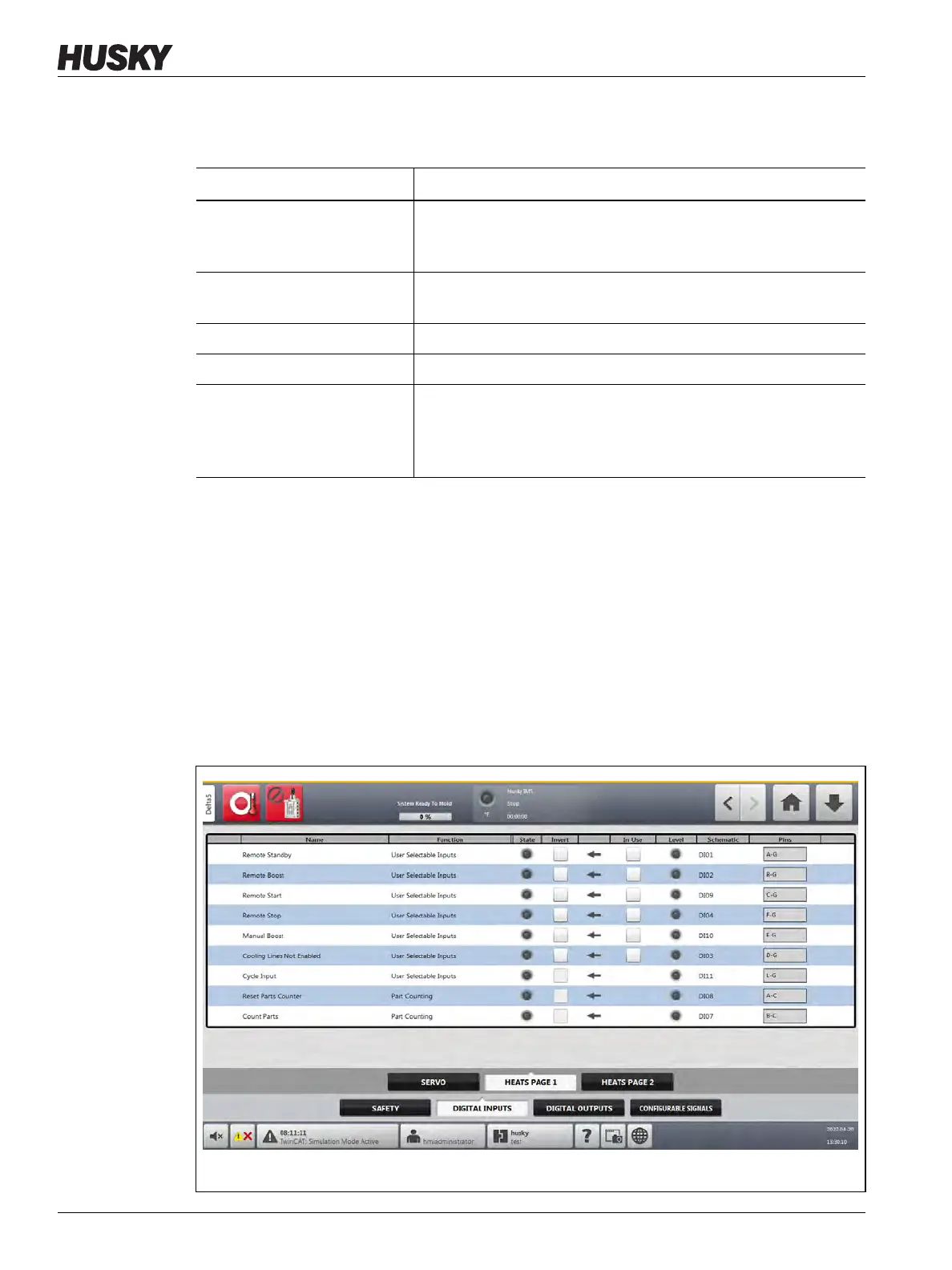
The Heats tabs (Heats Page 1 and Heats Page 2) show screens with the digital inputs from the
IMM that are related to heats operation. Refer to Figure 14-2.
Table 14-3 Servo Digital Input Signals from the IMM
Signal Description
IMM In Auto This signal is TRUE when the IMM is in automatic cycle mode.
When the IMM is in automatic cycle mode, the servos cannot
change from Engaged mode. This prevents accidental cycle stops.
External At Temperature This signal is TRUE when all heat zones are within their specified
tolerance range.
Valve Gates Open Command This signal is used to start the Valve Gates Open operation.
Valve Gates Close Command This signal is used to start the Valve Gates Close operation.
External Permit Calibration This signal must be TRUE to start valve stem calibration. If this
signal lost (not TRUE) during calibration, the calibration sequence
is cancelled. This prevents calibration when damage can occur,
such as when the mold is closed with parts in the cavities.
Figure 14-2 Digital Inputs Screen (Heats Page 1)



 To Next Page