v 2.0 — March 2023 Altanium Delta5
254 Logic Function
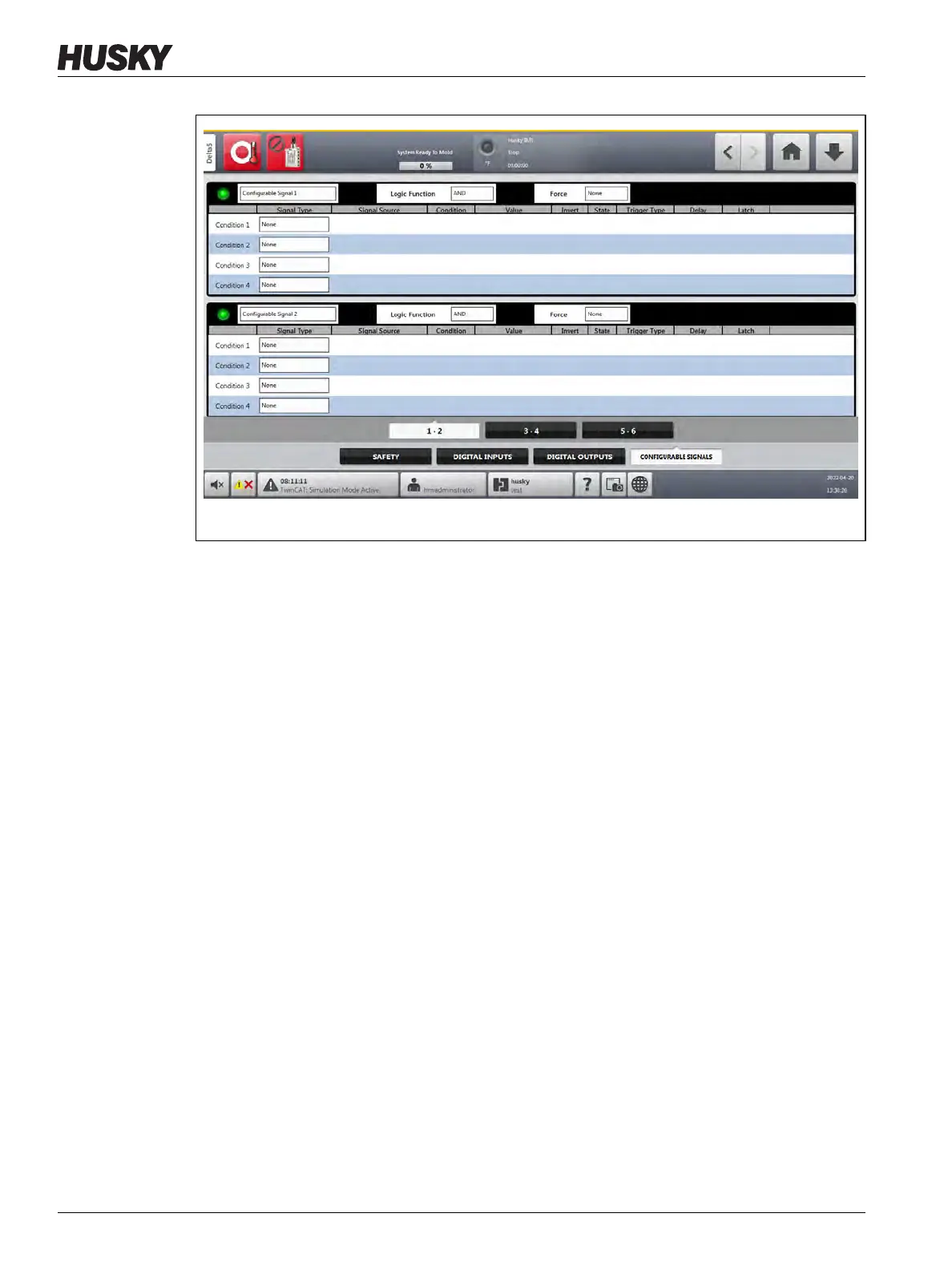
The three tabs at the bottom of the Configurable Signals screen give access to the signals.
There are two configurable signals on each tab.
14.5.1 Logic Function
When set to AND, the configurable signal is TRUE only when all conditions are TRUE. When
set to OR, the configurable signal is TRUE when one or more conditions are TRUE.
When set to LATCHING, a configurable signal is TRUE when a specified event occurs. The
signal stays TRUE until another event sets it FALSE.
When the LATCHING logic function is selected, each condition row will show a Latch action
that you can set to Latch or Unlatch.
When a condition row is TRUE, one of the Latch actions that follows occurs:
• If set to Latch, the configurable signal is set to TRUE.
• If set to Unlatch, the configurable signal is set to FALSE.
The configurable signal then stays in this state until a different condition row changes it.
A configurable signal with more than one condition is evaluated in the order that the
conditions are listed, top to bottom. Thus, it is possible that the configurable signal becomes
latched and then unlatched at the same time. The final signal (TRUE or FALSE) is set by the
last action that was evaluated.
Figure 14-5 Configurable Signals Screen



 To Next Page