v 2.0 — March 2023 Altanium Delta5
200 Data Collection Start Conditions
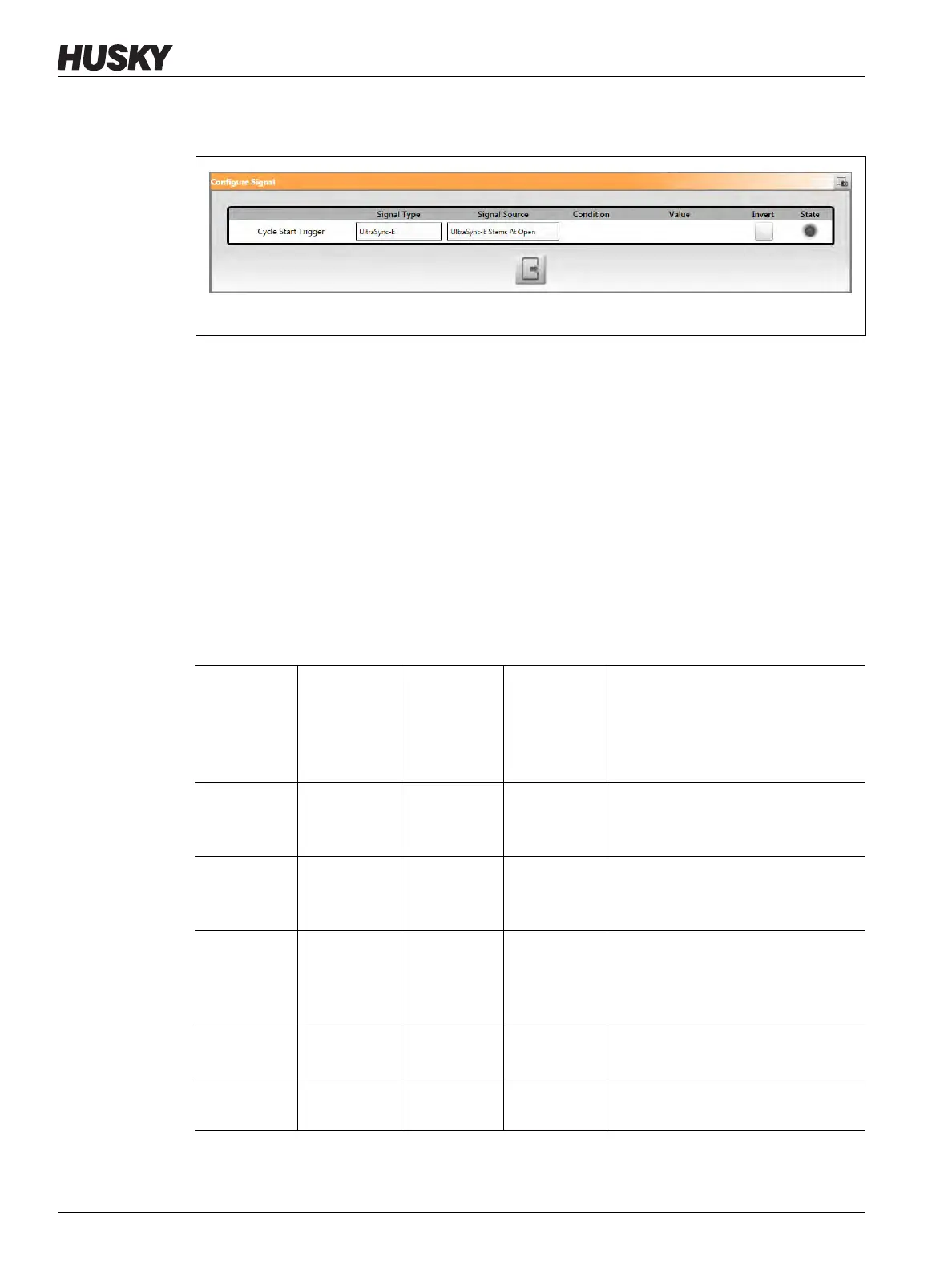
3. Touch the Cycle Start Trigger gear button. The Configure Signal dialog window shows
(refer to Figure 12-10).
4. Select the signal type and related source, condition, and value to configure a start signal.
5. Touch the Heats Running checkbox, so the check mark shows, if applicable.
6. Touch the servo control system Engaged checkbox, so the check mark shows, if
applicable.
For example, if UltraSync-E is installed on your system, it will show as UltraSync-E
Engaged.
12.4.3.1 Data Collection Start Conditions
Table 12-4 shows the data collection start conditions with specified operations enabled and
disabled.
Figure 12-10 Configure Cycle Start Trigger Window
Table 12-4 Cycle Mode - Conditions to Start (UltraSync-E or Altanium Servo Control Installed)
Heats
Running
Condition
Enabled
UltraSync-E
Engaged
Condition
Enabled
Mold Servo
Controller
Engaged
Condition
Enabled
Cycle Mode
Conditions
Selection
Shown on
Screen
Conditions to Start
Yes Yes No Yes Start signal goes High AND heats are
turned On and At Temperature AND
UltraSync-E is engaged
Yes No Yes Yes Start signal goes high AND heats are
turned on and At Temperature AND
Mold Servo Controller is engaged
Yes Yes Yes Yes Start signal goes high AND heats are
turned on and are At Temperature
AND UltraSync-E is engaged AND
Mold Servo Controller is engaged
No Yes No No Start signal goes high AND
UltraSync-E is engaged
No No Yes No Start signal goes high AND mold
servo controller is engaged


 To Next Page