Cycle Input Connection 215
User Guide v 2.0 — March 2023 Color Change
13.2 Cycle Input Connection
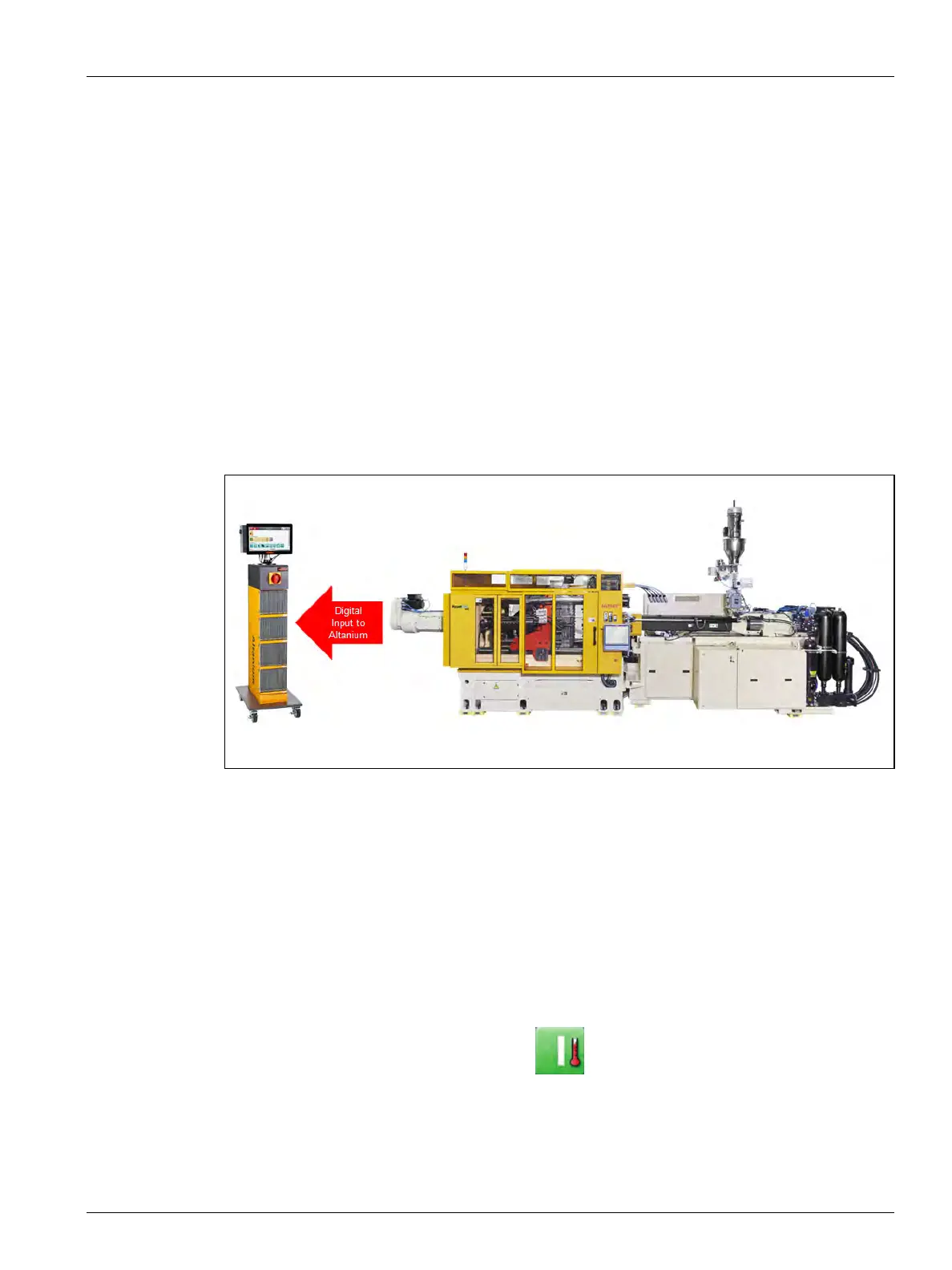
A digital connection between the Altanium controller and the injection molding machine
maximizes the effectiveness of the color change feature by establishing an input to the
controller to count the number of injection cycles. This connection is optional and is made
using a discrete digital input (dry contact closure) to the Altanium controller from the
injection molding machine.
The output from the machine must be connected to a cyclical signal that is triggered during
each injection cycle. Some suggested outputs would be:
• Start of Injection
• Mold Open/Closed
• Ejector In/Out
NOTE: This cycle input connection is supported by the Altanium with any molding machine,
regardless of manufacture.
13.3 Start the Ultra Purge Process
Do the steps that follow to start the Ultra Purge process (refer to Figure 13-4):
1. Configure the settings in the Ultra Purge Settings panel for the resin that you will use.
2. Touch the system Start button.
3. Wait for the system status to show Running mode.
4. Touch the Ultra Purge Sequence panel Start button.
The Ultra Purge process will guide you through the steps.
Figure 13-3 Cycle Input Connection



 To Next Page