v 2.0 — March 2023 Altanium Delta5
110 Clear Alarms
9.7.3 Clear Alarms
If an error occurs, the Altanium starts an audible and visual alarm, and shows the alarm
condition on the Alarms screen.
To clear an alarm, do what follows:
NOTE: Before resetting an alarm, correct the source of the alarm.
• To silence an audible alarm, touch the Silence Horn button.
• To reset the alarm light and acknowledge the alarm, touch the Reset Alarms button.
9.8 Event History Screen
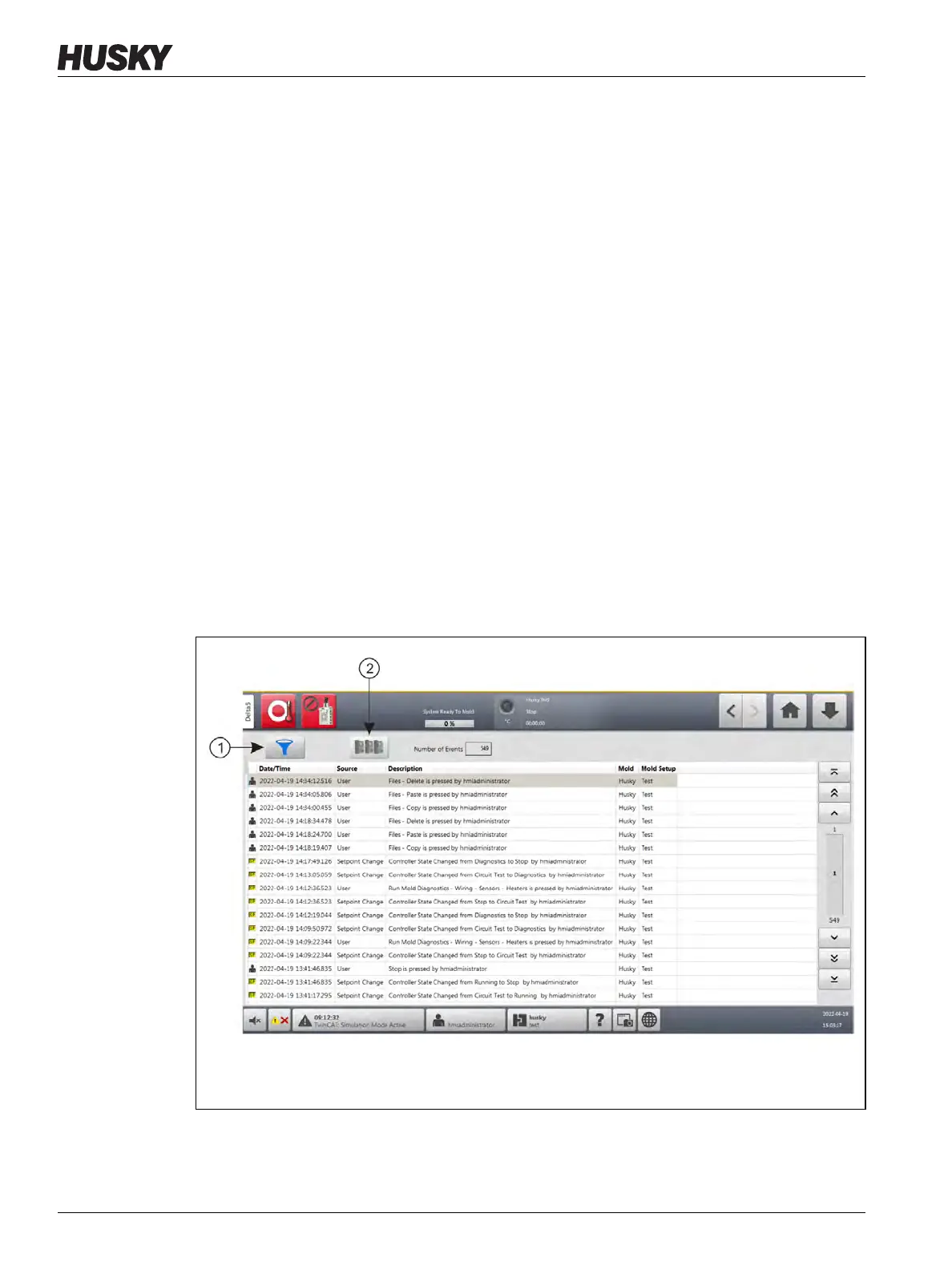
The Event History screen lists the zone alarms, alarms, warnings, setpoint changes, setup
changes, Human Machine Interface (HMI) startup, and out of specification events that have
occurred. Refer to Figure 9-2.
To view the Event History screen, touch Event History button from the Home screen.
NOTE: For a description of the alarm conditions displayed on the Event History screen and
Alarm Summary screen, refer to Section 9.10. For a description of the abort conditions
displayed on the Event History screen and Alarm Summary screen, refer to
Section 9.11.
Figure 9-2 Event History Screen
1. Filter Button 2. Card Layout Screen Button



 To Next Page