Screen Security - Heats Page 2 Screen 43
User Guide v 2.0 — March 2023 Security and Administration
5.1.2.4 Screen Security - Heats Page 2 Screen
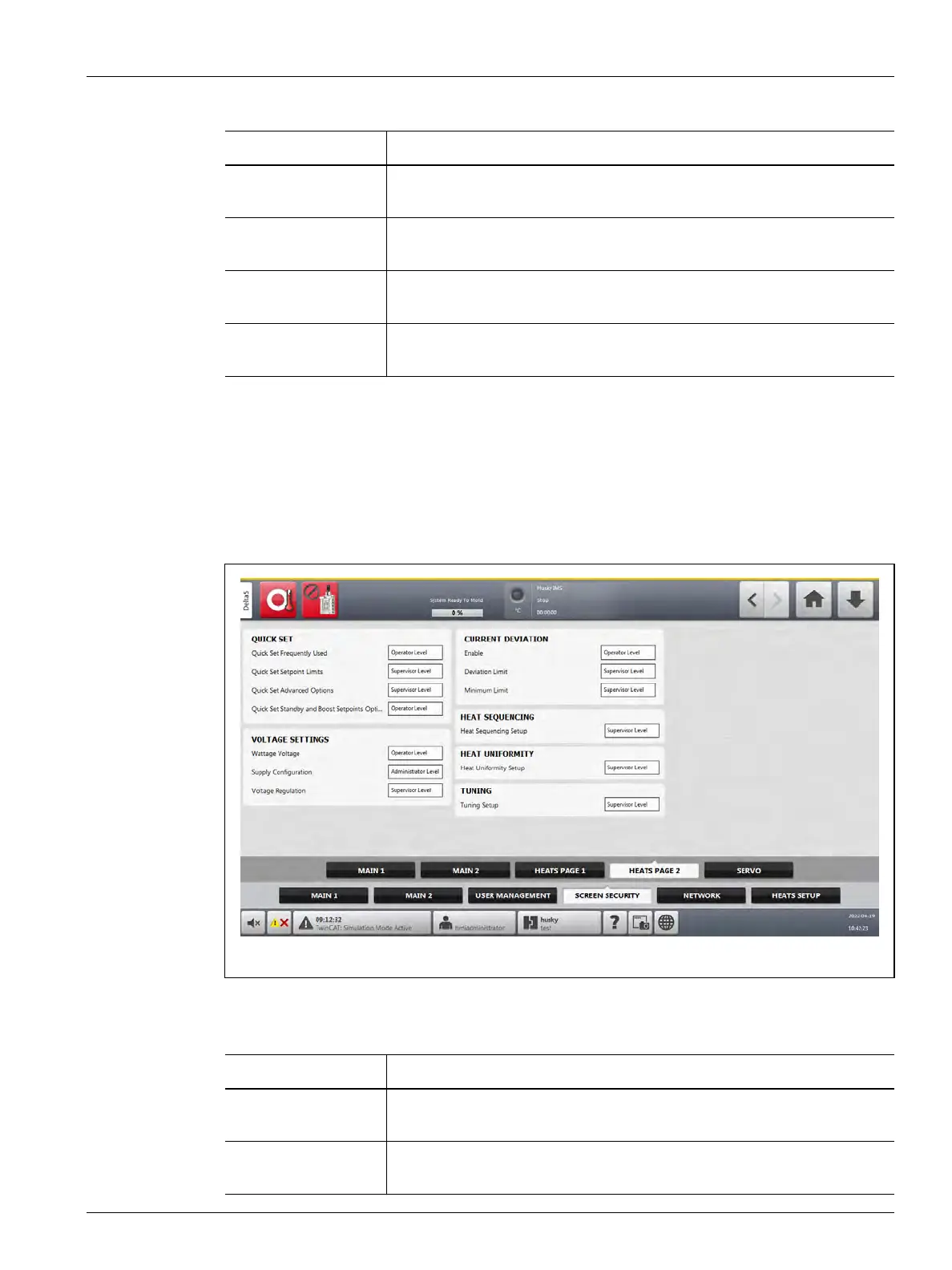
Touch the Screen Security tab on the System Setup screen and then touch the Heats Page
2 tab to see the Heats Page 2 screen user role items. Touch the field next to each item and
then select the user role for that item in the dialog window that shows.
Figure 5-6 shows the Heats Page 2 screen.
Table 5-6 describes the user role items.
Bake Out Enable Select the user role that can enable or disable the bake out function on the
Heats Setup tab of the System Setup screen.
Bake Out Setup Select the user role that can configure the bake out fields on the Heats
Setup tab of the System Setup screen.
Auto Following
Enable
Select the user role that can enable the Auto Following function on the
Heats Setup tab of the System Setup screen.
Autos Following
Setup
Select the user role that can set up Auto Following Power Limit percentage
on the Heats Setup tab of the System Setup screen.
Table 5-5 Screen Security - Heats Page 1 Screen (Continued)
Item Description
Figure 5-6 Screen Security - Heats Page 2 Screen
Table 5-6 Screen Security - Heats Page 2 Screen
Item Description
Quick Set Frequently
Used
Select the user role that can change the fields in the Frequently Used drop-
down list on the Quick Set screen.
Quick Set Setpoint
Limits
Select the user role that can change the fields in the Setpoint Limits drop-
down list on the Quick Set screen.



 To Next Page