v 2.0 — March 2023 Altanium Delta5
54 Make a Zone Group
7.2 Make a Zone Group
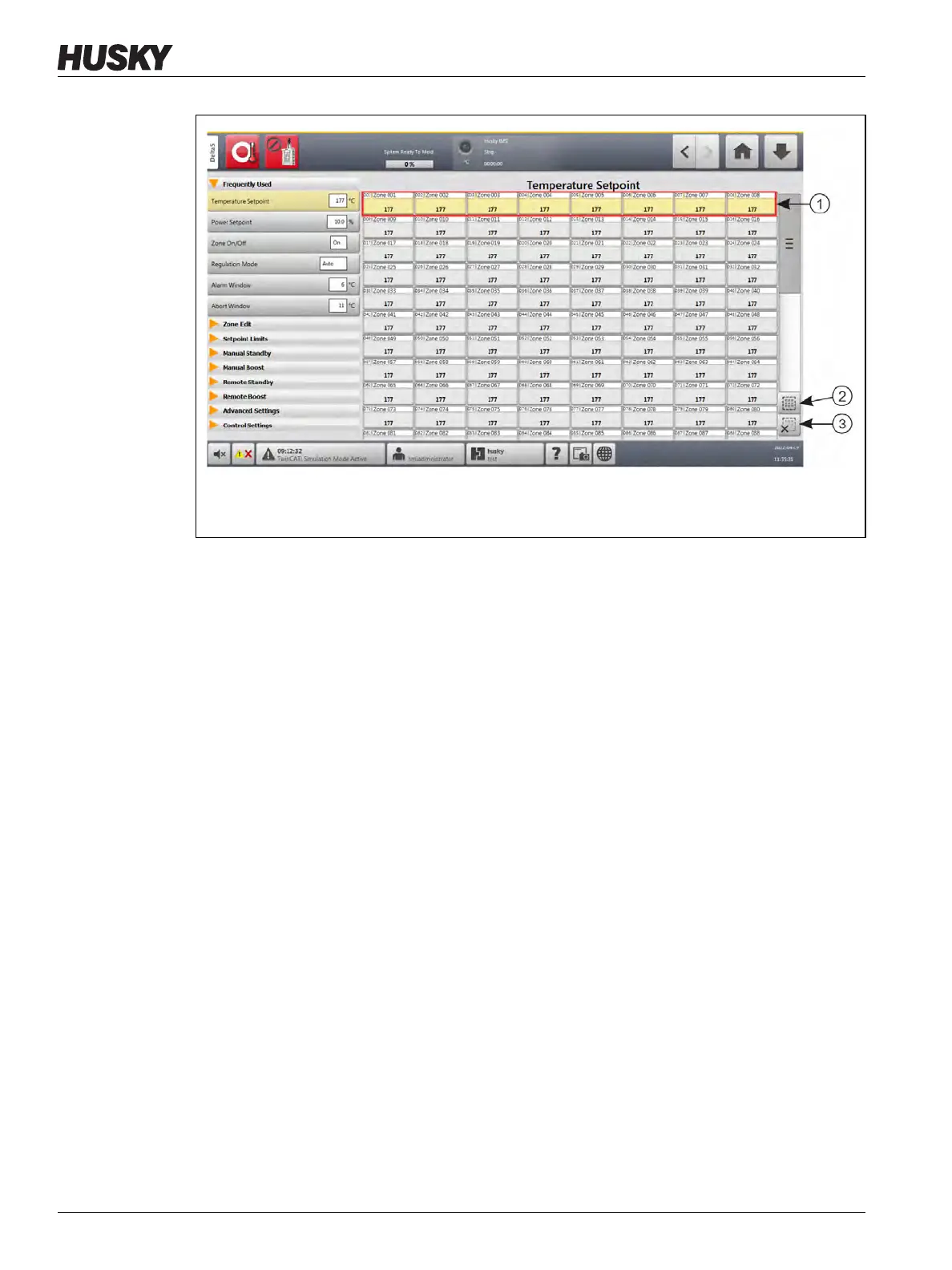
Use the Quick Set screen to select two or more zones to form a group. Refer to Figure 7-2.
To make a group of zones, do the steps that follow:
1. On the Quick Set screen, touch and hold the first zone for one second to select it.
2. Touch the last zone you want to be in the group to select it.
All zones in between the first and last zones that you selected will also be selected and
highlighted in yellow.
3. Touch the Zone Edit button.
4. Touch the Group Name field and type a group name.
A shortcut button to the new group will show at the bottom of the Quick Set screen.
Touch a group shortcut button and the zones in that group will be highlighted.
Figure 7-1 Quick Set Screen - Zone Selection
1. Blocked Zone 2. Select All Button 3. Clear All Button



 To Next Page