Save Process Data Setup 209
User Guide v 2.0 — March 2023 Data Recording
12.4.7 Save Process Data Setup
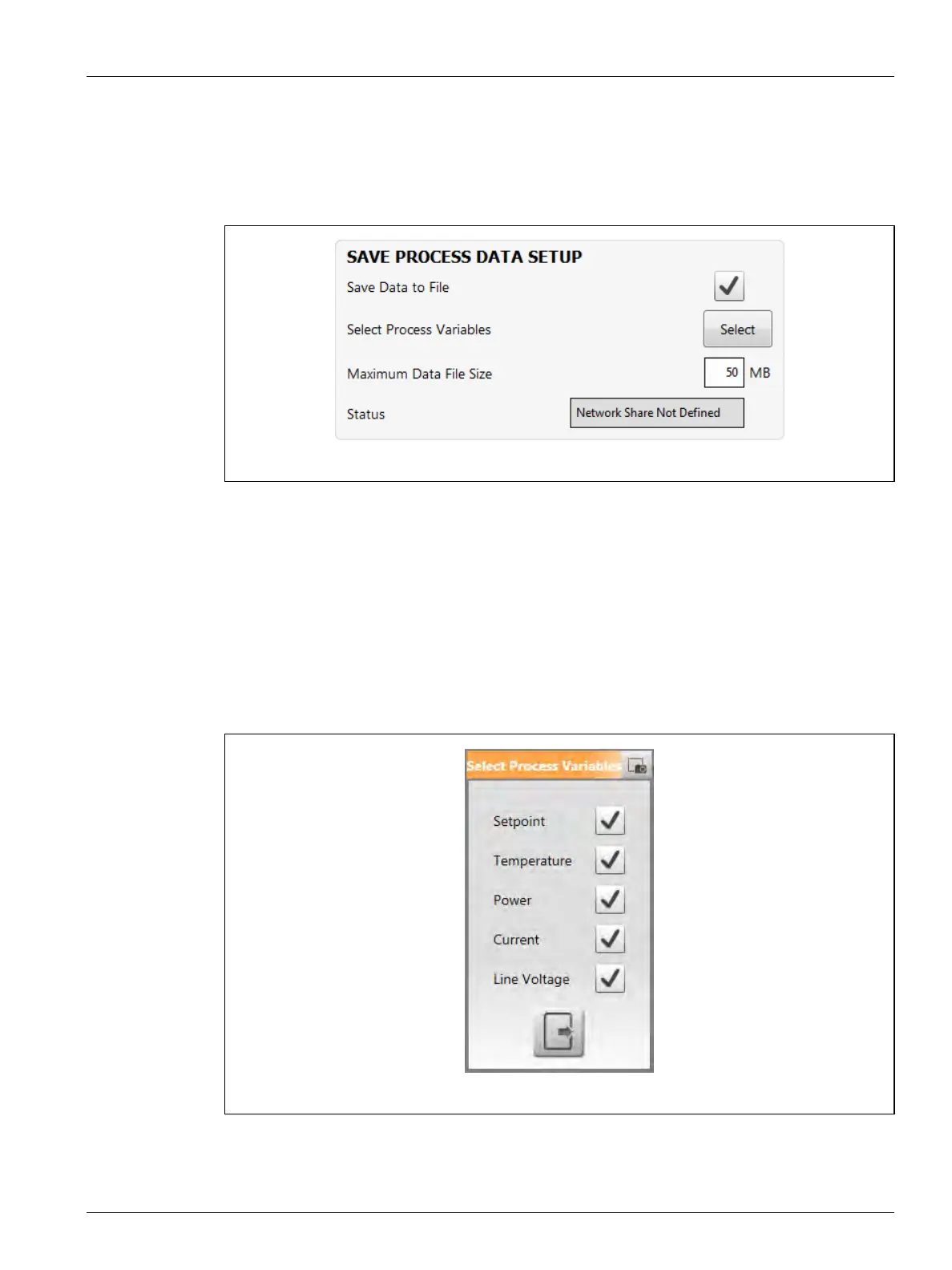
With the use of the Save Process Data Setup panel on the Setup tab of the Process Monitoring
screen, you can configure the Delta5 to save a process data file to a shared network directory.
Refer to Figure 12-11.
To save a process data file to a shared network directory, do the steps that follow:
1. From the Home screen, touch the Process Monitoring button.
2. Touch the Setup tab.
NOTE: If the Status field in the Save Process Data Setup panel shows "Network Share Not
Defined" (as shown in Figure 12-11), you must do the steps to connect the
controller to a network drive. Refer to Section 10.2.3.
3. In the Save Process Data Setup panel, touch the Select button that is next to Select
Process Variables.
The Save Process Variables window shows (refer to Figure 12-12).
4. Put a check mark next to the process variables that you want to save.
5. Touch the Exit button to close the list window.
Figure 12-11 Save Process Data Setup Panel
Figure 12-12 Select Process Variables Window



 To Next Page