v 2.0 — March 2023 Altanium Delta5
38 Set Screen Security
5.1.2 Set Screen Security
Use Screen Security to assign what user roles have access to specified features and
operations on the Altanium screens.
The sections that follow describe the screens on which user roles are assigned.
5.1.2.1 Screen Security - Main 1 Screen
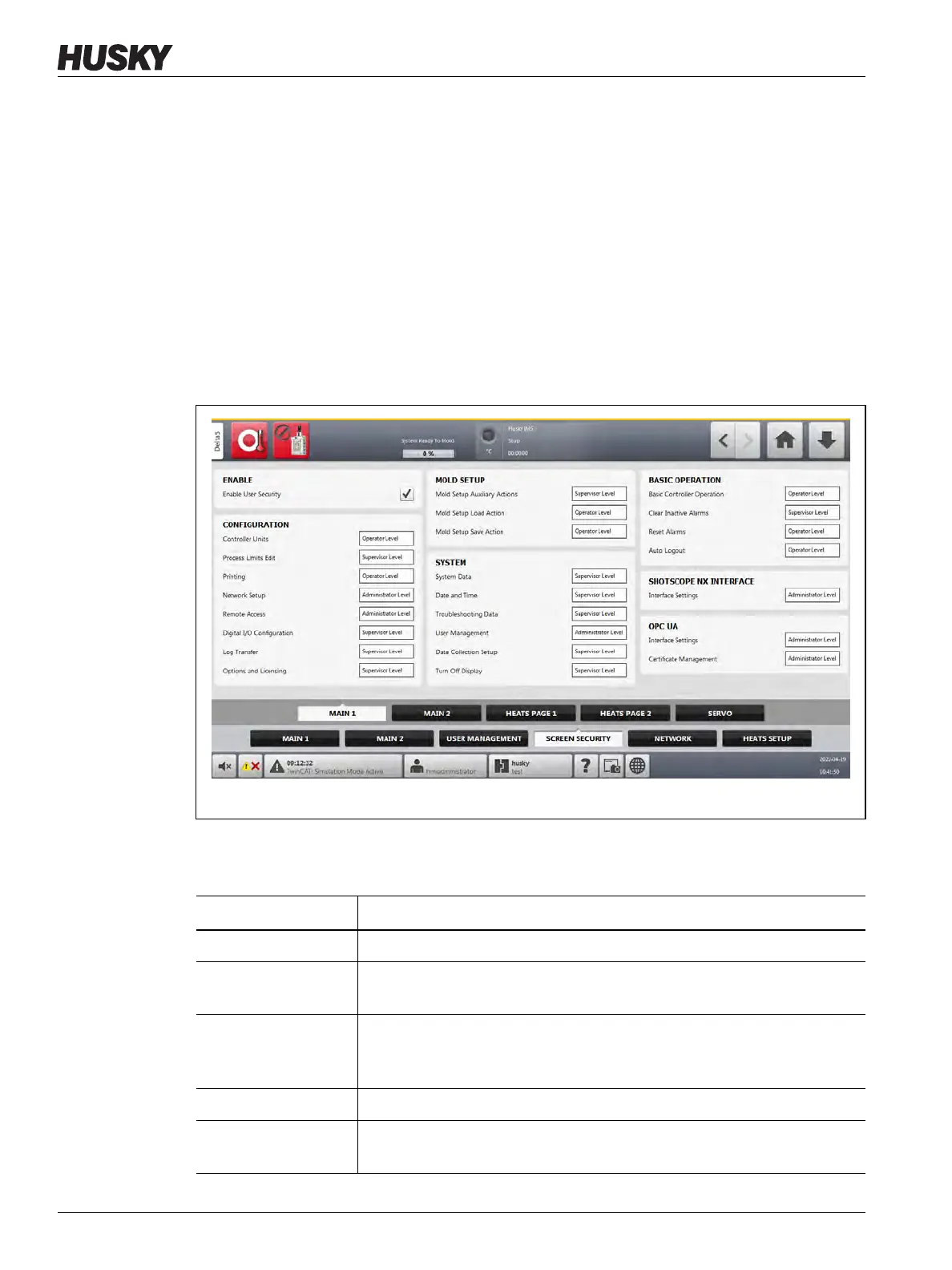
Touch the Screen Security tab on the System Setup screen and then touch the Main 1 tab
to see the Main 1 screen user role items. Touch the field next to each item and then select the
user role for that item in the dialog window that shows.
Figure 5-3 shows the Main 1 screen.
Table 5-3 describes the user role items.
Figure 5-3 Screen Security - Main 1 Screen
Table 5-3 Screen Security - Main 1 Screen
Item Description
Enable User Security Used to enable or disable user security as a whole.
Controller Units Select the user role that can change the controller units of measurement
and the Force Temperature Units parameter on the System Setup screen.
Process Limits Edit Select the user role that can operate functions on the Process Limits screen;
however, the Default user has permission to change the Grid Selection
field.
Printing Select the user role that can operate the print feature.
Network Setup Select the user role that can operate network setup functions and the
dashboard application parameters on the Network Setup screen.



 To Next Page