Multiple Zones Names 77
User Guide v 2.0 — March 2023 Making Adjustments
4. Touch the Accept button.
7.8.2.1 Multiple Zones Names
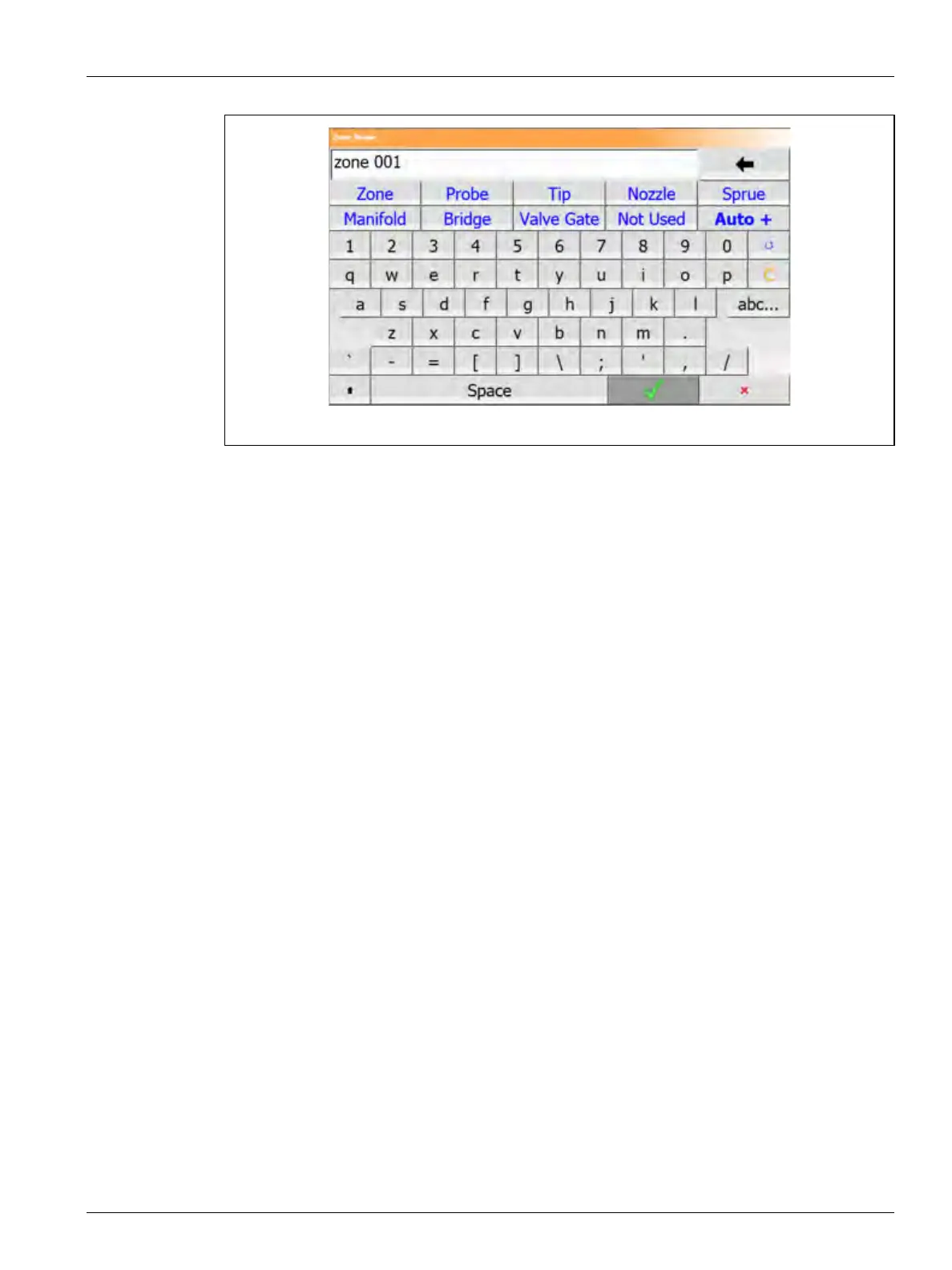
Use the Auto+ button to give names and numbers to two or more zones. The Auto+ button
will give numbers to the selected zones from 001 to n, where n is the number of zones
selected. For example, if seven zones are selected, the Auto+ button will give names to the
selected zones sequentially from 001 to 007.
To give numbers and names to two or more zones, do the steps that follow:
1. Select the zones to be renamed.
2. Touch the Zone Edit drop-down tab.
3. Touch the Zone Name field and type a new zone name for all the selected zones.
You can also select frequently used zone names with the use of the keys that follow:
• Zone
• Probe
• Tip
• Nozzle
• Sprue
• Manifold
• Bridge
• Valve Gate
• Not Used
4. Touch the Auto+ button.
Figure 7-15 Zone Name Dialog Window



 To Next Page