v 2.0 — March 2023 Altanium Delta5
274 Replace an Intelligent Control Card (ICC2 or ICC3)
16.3.1 Replace an Intelligent Control Card (ICC
2
or ICC
3
)
To replace an intelligent control card, do the steps that follow:
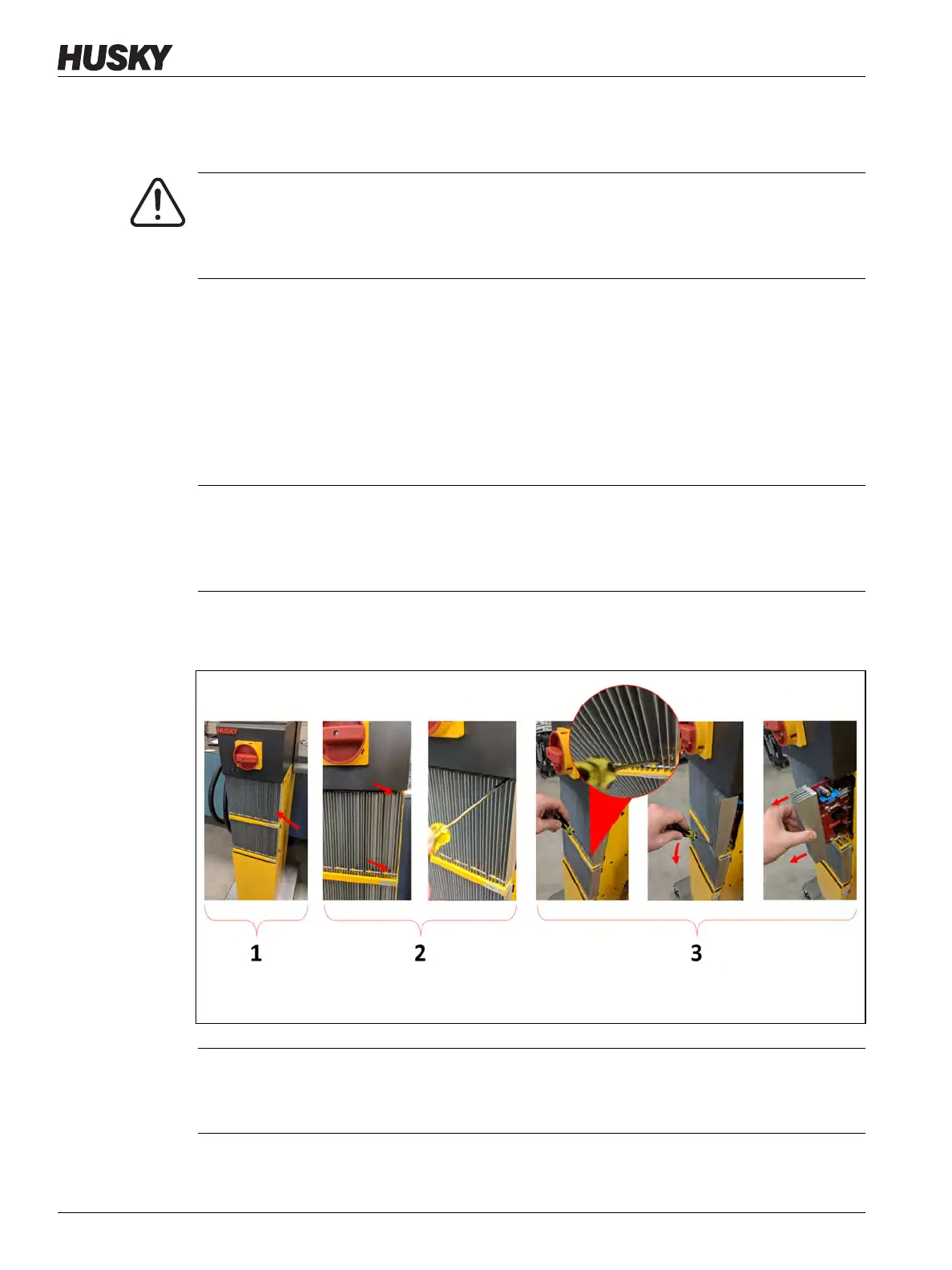
1. Find the Card Cage that contains the ICC
2
or ICC
3
that has the fault. Refer to number 1 in
Figure 16-10.
NOTE: You can use the on-screen Card Layout feature to help in find the card.
2. De-energize the system at the Altanium main power switch. Refer to Figure 16-2.
3. Lock out and tag the main power switch in accordance with local codes.
4. Loosen the upper and lower slotted fasteners on the heat sink from the female threads
in the cabinet. Refer to number 2 in Figure 16-10.
WARNING!
Electrical and mechanical hazard- risk of death, serious injury and/or damage to the
equipment. Turn off all power to the system and disconnect it completely from the
main input power.
CAUTION!
Mechanical failure mode - attempting to remove a card when the upper and lower
heatsink mounting screws are not fully disengaged from the female threads on the
cabinet can result in catastrophic damage to the card.
Figure 16-10 Replace an Intelligent Control Card
CAUTION!
The ICC
2
an ICC
3
cards are electrostatic discharge sensitive. Use a ground strap when
handling Altanium components.



 To Next Page