v 2.0 — March 2023 Altanium Delta5
270 Troubleshooting with the Card Layout Screen
16.2.1 Troubleshooting with the Card Layout Screen
The Card Layout screen can be accessed from the Event History screen to identify which card
or component on a card is related to an alarm error. For example, to identify an open fuse, do
the steps that follow:
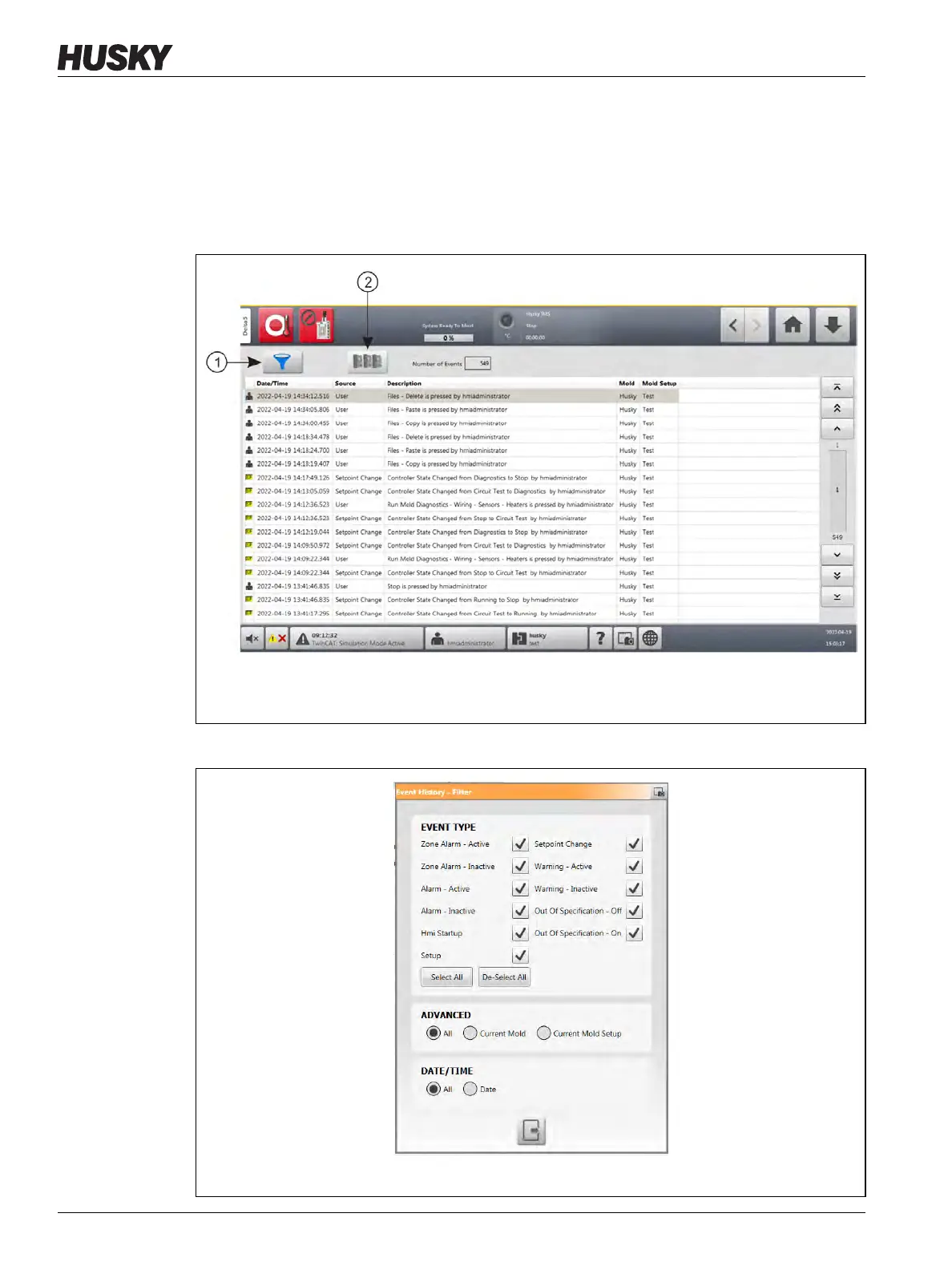
1. On the Event History screen, touch the Filter button. Refer to Figure 16-4.
The Event History - Filter dialog window shows. Refer to Figure 16-5.
Figure 16-4 Event History Screen
1. Filter Button 2. Card Layout Button
Figure 16-5 Filter Dialog Box



 To Next Page