Screen Security - Heats Page 1 Screen 41
User Guide v 2.0 — March 2023 Security and Administration
5.1.2.3 Screen Security - Heats Page 1 Screen
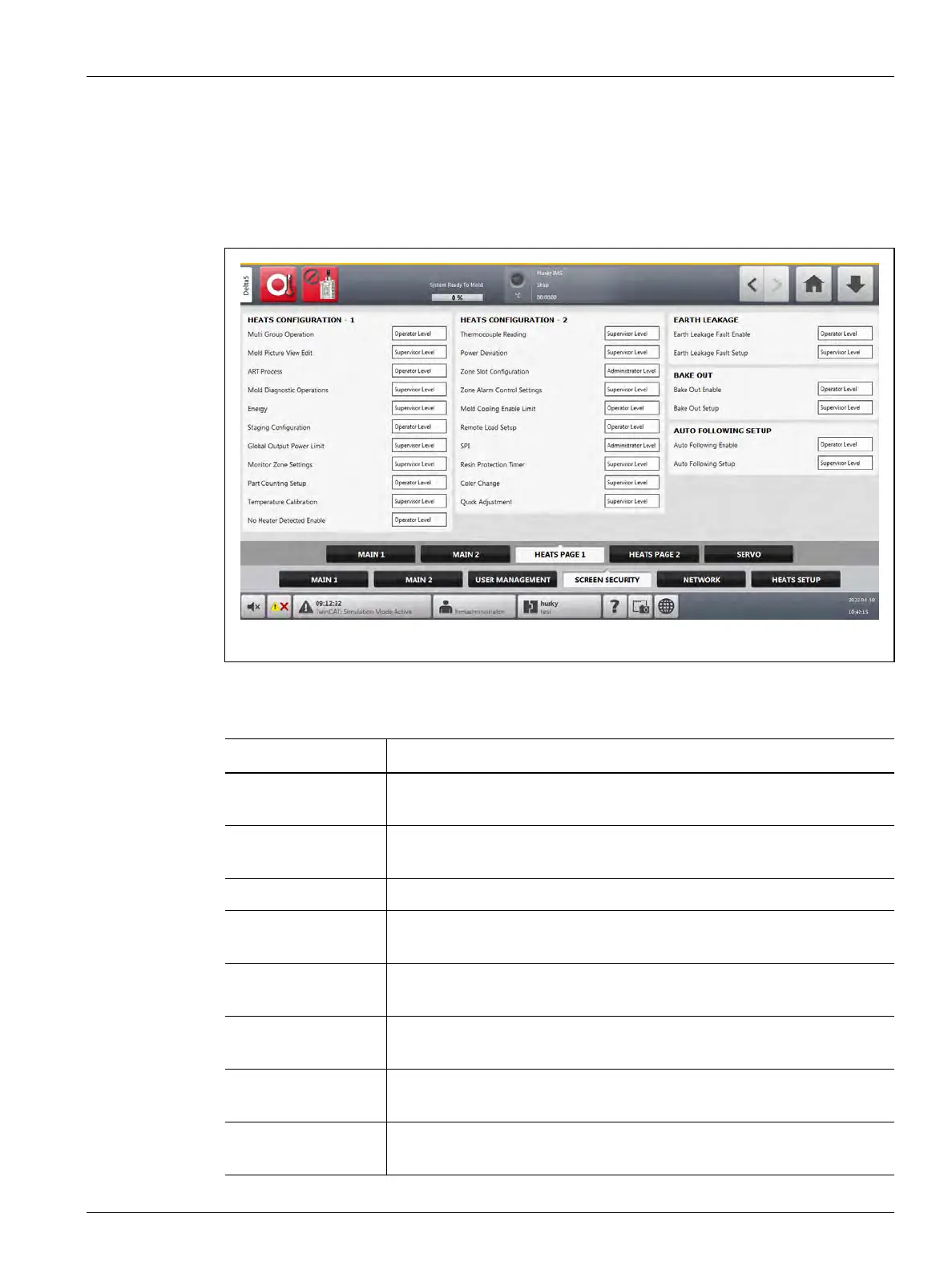
Touch the Screen Security tab on the System Setup screen and then touch the Heats Page 1
tab to see the Heats Page 1 screen user role items. Touch the field next to each item and then
select the user role for that item in the dialog window that shows.
Figure 5-5 shows the Heats Page 1 screen.
Table 5-5 describes the user role items.
Figure 5-5 Screen Security - Heats Page 1 Screen
Table 5-5 Screen Security - Heats Page 1 Screen
Item Description
Multi Group
Operations
Select the user role that can operate the Multi Group screen functions.
Mold Picture View
Edit
Select the user role that can use the edit function on the Mold Picture View
screen.
ART Process Select the user role that can operate the ART screen functions.
Mold Diagnostic
Operations
Select the user role that can operate the Mold Diagnostics screen
functions.
Energy Select the user role that can manage the Altanium energy settings on the
Energy Display screen.
Staging
Configuration
Select the user role that can configure all the parameters in the Staging
screen.
Global Output Power
Limit
Select the user role that can configure the global output power limit
parameter in the System Set up screen
Monitor Zone
Settings
Select the user role that can configure the parameters in the Monitor Zone
Settings panel of the System Setup screen.



 To Next Page