Resin Protection Timer 165
User Guide v 2.0 — March 2023 System Setup
To cancel Remote Boost, touch the Start or Stop buttons.
10.21 Resin Protection Timer
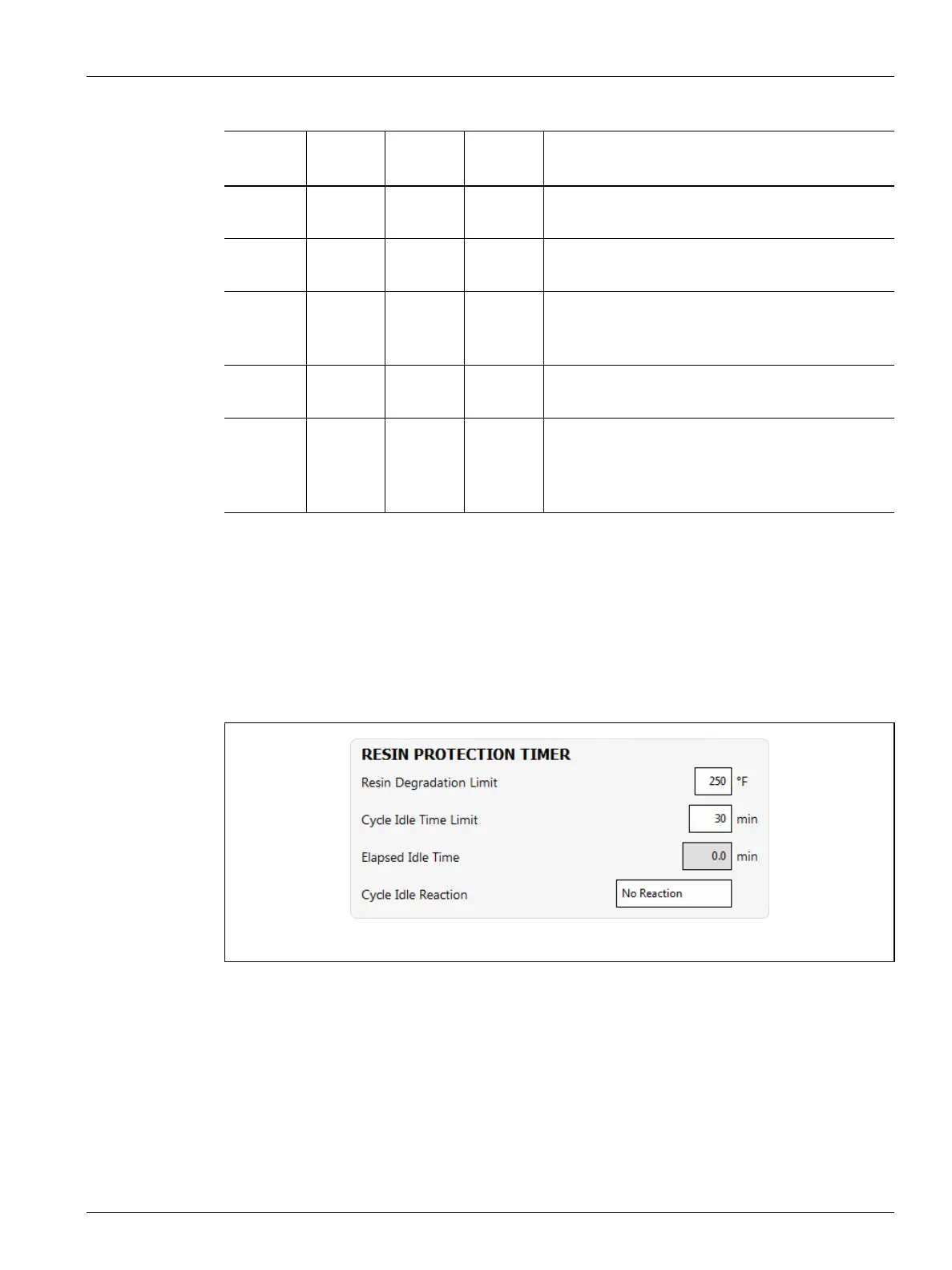
The Resin Protection Timer is used to protect the resin from degrading. Refer to Figure 10-28.
The timer is triggered when one of the heat zones is more than the user specified limit and
the controller is not auto cycling. The timer is reset by the events that follow:
• The controller starts to auto cycle.
• All of the heat zone temperatures decrease to less than the resin degradation limit
temperature.
• The user changes the controller mode to Start, Stop, or Standby.
---- 0:00:00 0:00:00 ON/OFF System enters Boost until the input signal is not
active.
---- 0:00:00 X:XX:XX ON/OFF System enters Boost until the input signal is not
active or the timer completes.
---- X:XX:XX X:XX:XX ON/OFF System delays for specified time and then enters
Boost until the input signal is not active or the
timer completes.
---- X:XX:XX 0:00:00 ON/OFF System delays for specified time and then enters
Boost until the signal is not active.
---- ---- ---- Direct System enters Standby until the input signal is not
active. If the input signal is active when the system
is started, it will immediately go into Standby
mode.
Table 10-18 Remote Boost Operational Description (Continued)
Manual
Time
Delay
Time
Remote
Time
Input
Mode
Operation - Boost Button Select
Figure 10-28 Resin Protection Timer


 To Next Page