Process Limits Screen 193
User Guide v 2.0 — March 2023 Data Recording
12.3 Process Limits Screen
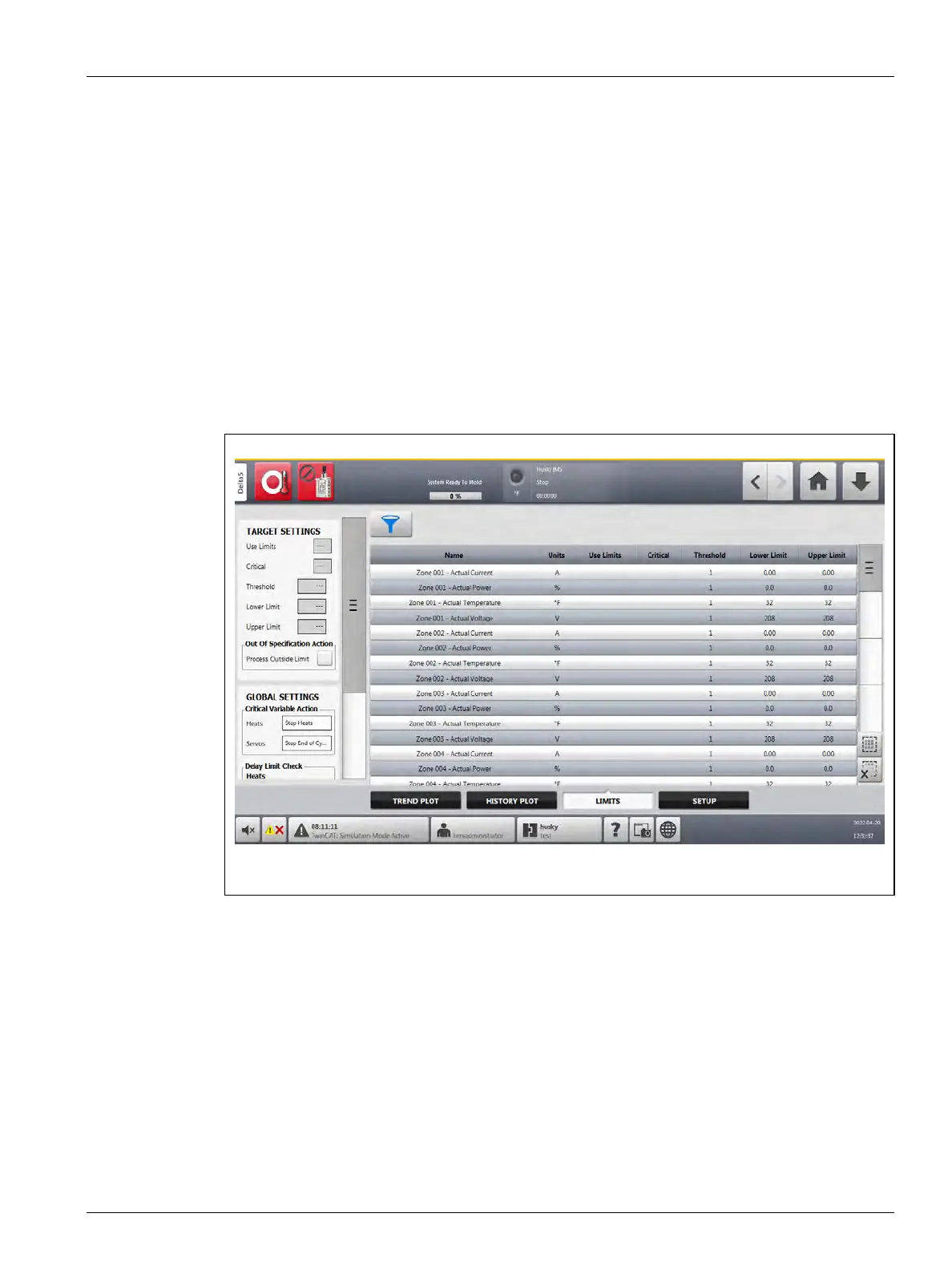
Use the process Limits screen to set up the specification limits for each variable. When a
variable value is outside the lower or upper limits, the variable is considered out of
specification and triggers an alarm, a digital output, and/or the controller may stop.
To access the process Limits screen, do the steps that follow:
1. On the Home screen, touch the Process Monitoring button.
2. Touch the Limits tab at the bottom of the screen.
The process Limits screen shows. Refer to Figure 12-6. Because of the size of the screen,
some settings are not seen in the figure. Refer to Figure 12-7 to see all of the screen
settings.
Figure 12-6 Process Limits Screen



 To Next Page