Failure Causes and Solutions 313
User Guide v 2.0 — March 2023 Maintenance
16.8 Failure Causes and Solutions
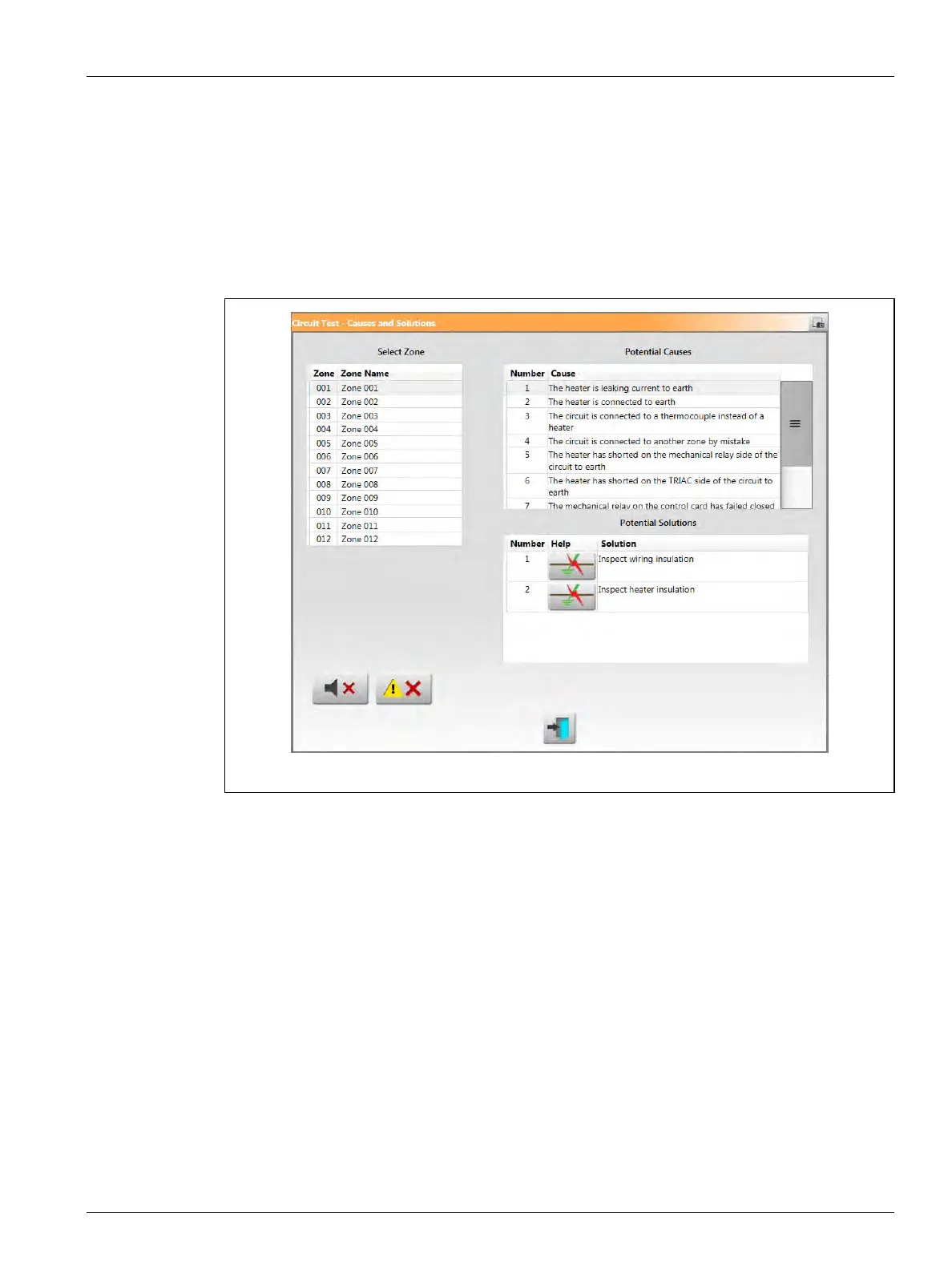
When the controller does a circuit test, it will stop the system and alert you if failures were
detected during the test. The controller shows a window of possible causes and solutions
data. Refer to Figure 16-46. This window can also be opened when you touch the Display
Failure Data button on the System Setup screen (Heats Setup tab, Monitoring tab).
NOTE: Zones that are OFF will not be shown in the list.
When you select a zone in the Select Zone field, a list of possible causes is shown in the
Possible Causes field. The first possible cause of the failure is shown as number 1. Subsequent
possible causes follow in numeric order. When you select a possible cause in the list, a list of
solutions is shown in the Potential Solutions field.
Two buttons could show under the Help column in the Potential Solutions field:
• View Electrical Fault - Touch this button to see a picture to help troubleshoot the failure.
It also shows a list of tools to use, procedure steps, and the results you should see. The
View Electrical Fault button is shown in Figure 16-46. Refer to Figure 16-47 for an
example of the troubleshooting procedure window for a “Heat leaking current to earth”
failure.
• Go To Card Layout - Touch this button to see the Card Layout screen. The backplane and
control card associated with the problem zone will be highlighted in red, similar to when
you use the Event History screen to view errors. The Go To Card Layout button is shown
in Figure 16-48. Refer to Section 16.2 for information about the Card Layout screen.
The Silence Horn and Reset Errors buttons are also available on the Cause and Solutions
window to make it easy to work with the zone failures.
Figure 16-46 Causes and Solutions Window - Wired Failure



 To Next Page