v 2.0 — March 2023 Altanium Delta5
216 Ultra Purge Process Sequences
13.4 Ultra Purge Process Sequences
This section gives the steps for different Ultra Purge process sequences.
13.4.1 Color Change and Non-Thermal Sensitive Resin
This process is followed for non-thermally sensitive resins and increases the tip and manifold
temperatures before adding the Ultra-Purge compound to the IMM. The flowcharts in
Figure 13-5 define the supported sequences when performing a color change with non-
thermal sensitive resin.
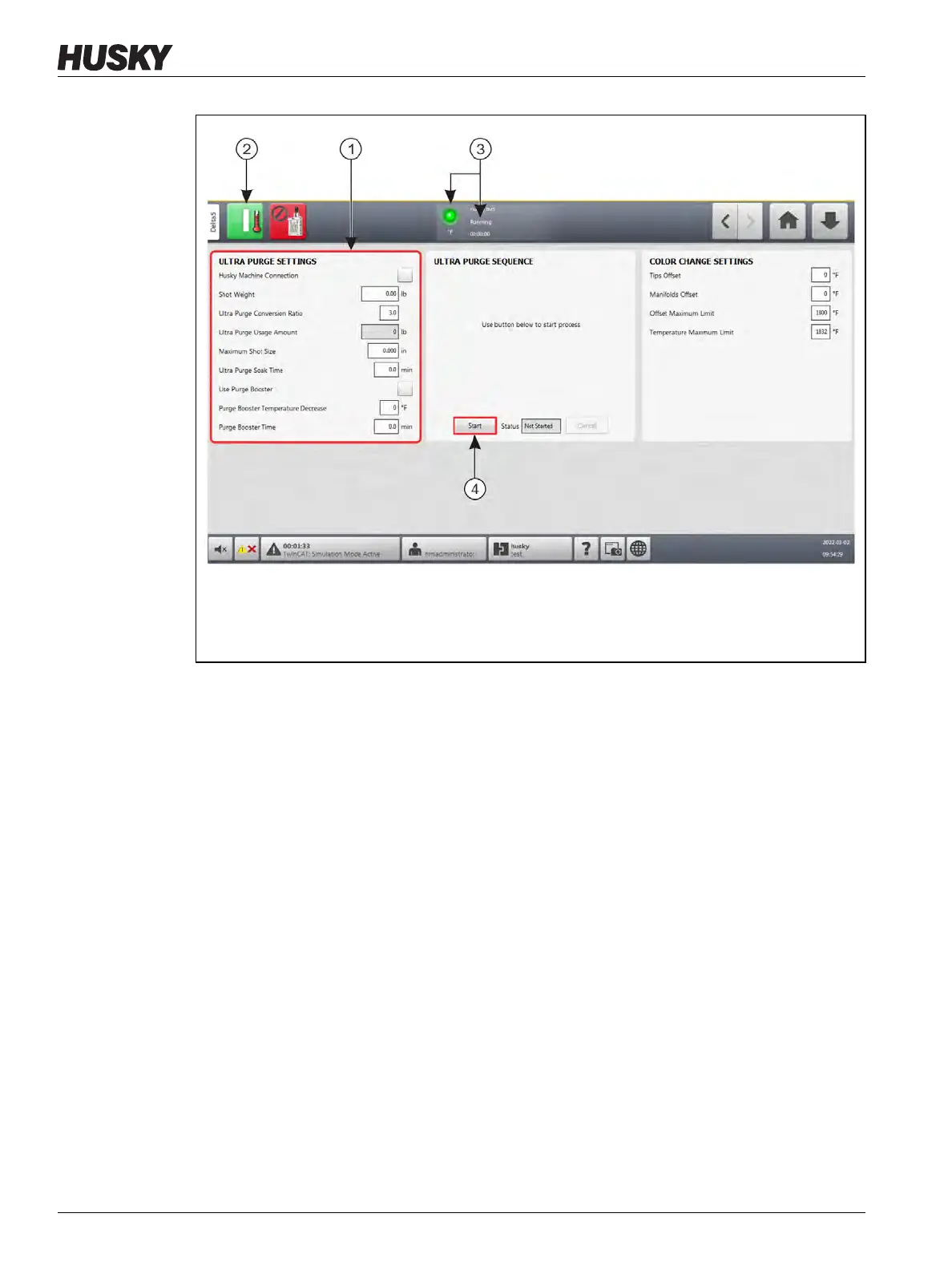
Figure 13-4 Start the Ultra Purge Process
1. Configure the Ultra Purge resin settings. 2. Touch the Start button to heat the hot runners.
3. Wait for Running mode. 4. Touch the Ultra Purge Sequence panel Start button.



 To Next Page