v 2.0 — March 2023 Altanium Delta5
144 Heats Setup - Monitoring 1 and Monitoring 2
10.3.4 Heats Setup - Monitoring 1 and Monitoring 2
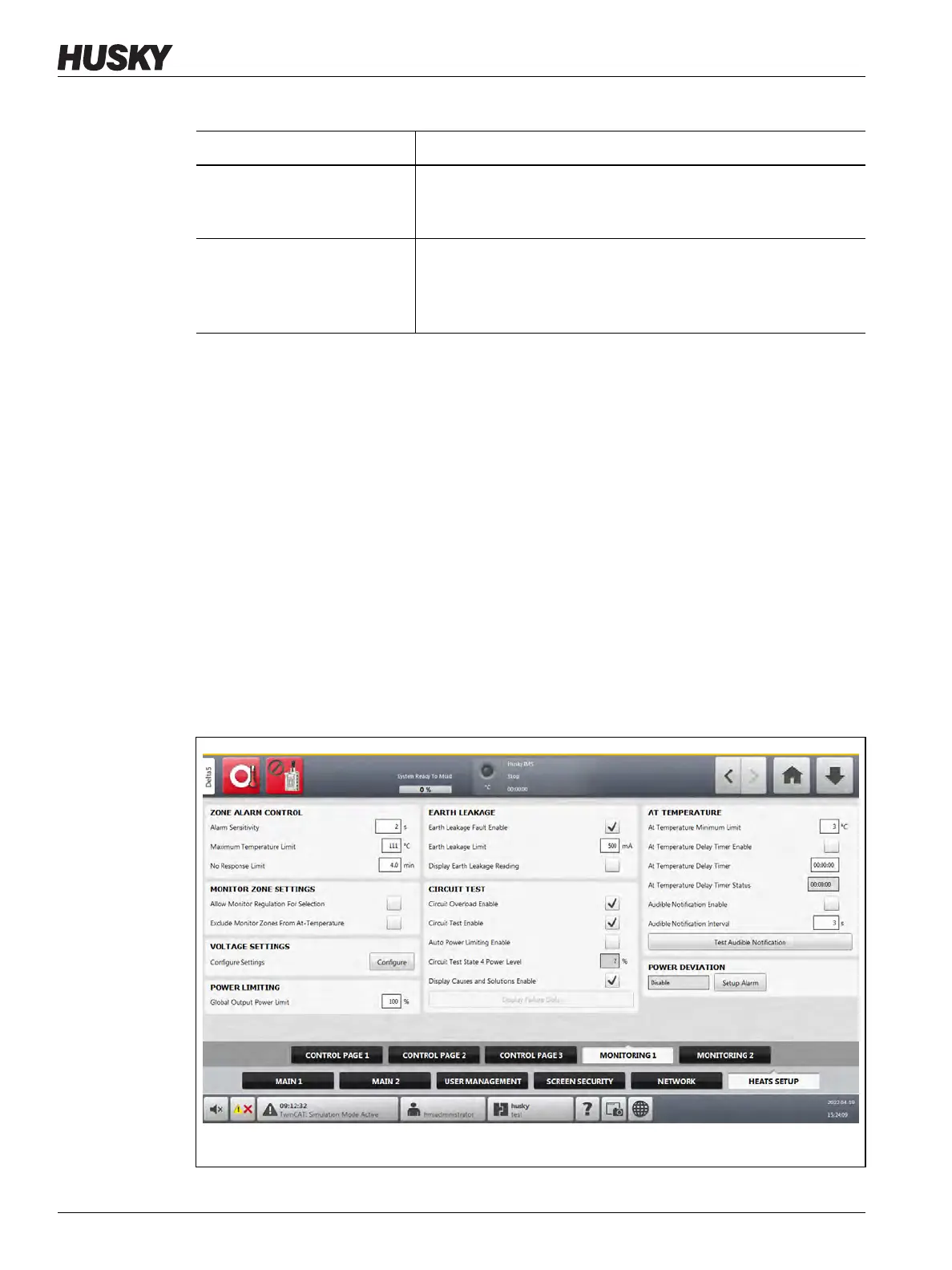
On the Monitoring 1 tab of the Heats Setup screen, mold monitoring configurations are set
for the categories that follow:
• Zone Alarm Control
• Monitor Zone Settings
• Voltage Settings
• Power Limiting
• Earth Leakage
• Circuit Test
• At Temperature
• Power Deviation
The Monitoring 1 tab is shown in Figure 10-19 with the configuration settings for each
category. The configuration settings are described in Table 10-11.
Tuning Strategy Used to select the ART Classic or ART 2.0 tuning strategy. ART 2.0
is selected by default. Refer to Section 7.9 for information on the
ART process.
Heater Classification Gap Used to specify the gap that is used to determine where tip zones
end and where manifold zones begin. The range is 1 to 9.9 dBG
and the default value is 6 dBG. Refer to Section 7.9.2 for
information on this setting.
Table 10-10 System Setup Screen - Heats Setup - Control Page 3 (Continued)
Item Description
Figure 10-19 Heats Setup - Monitoring 1



 To Next Page