v 2.0 — March 2023 Altanium Delta5
168 Options and Licensing
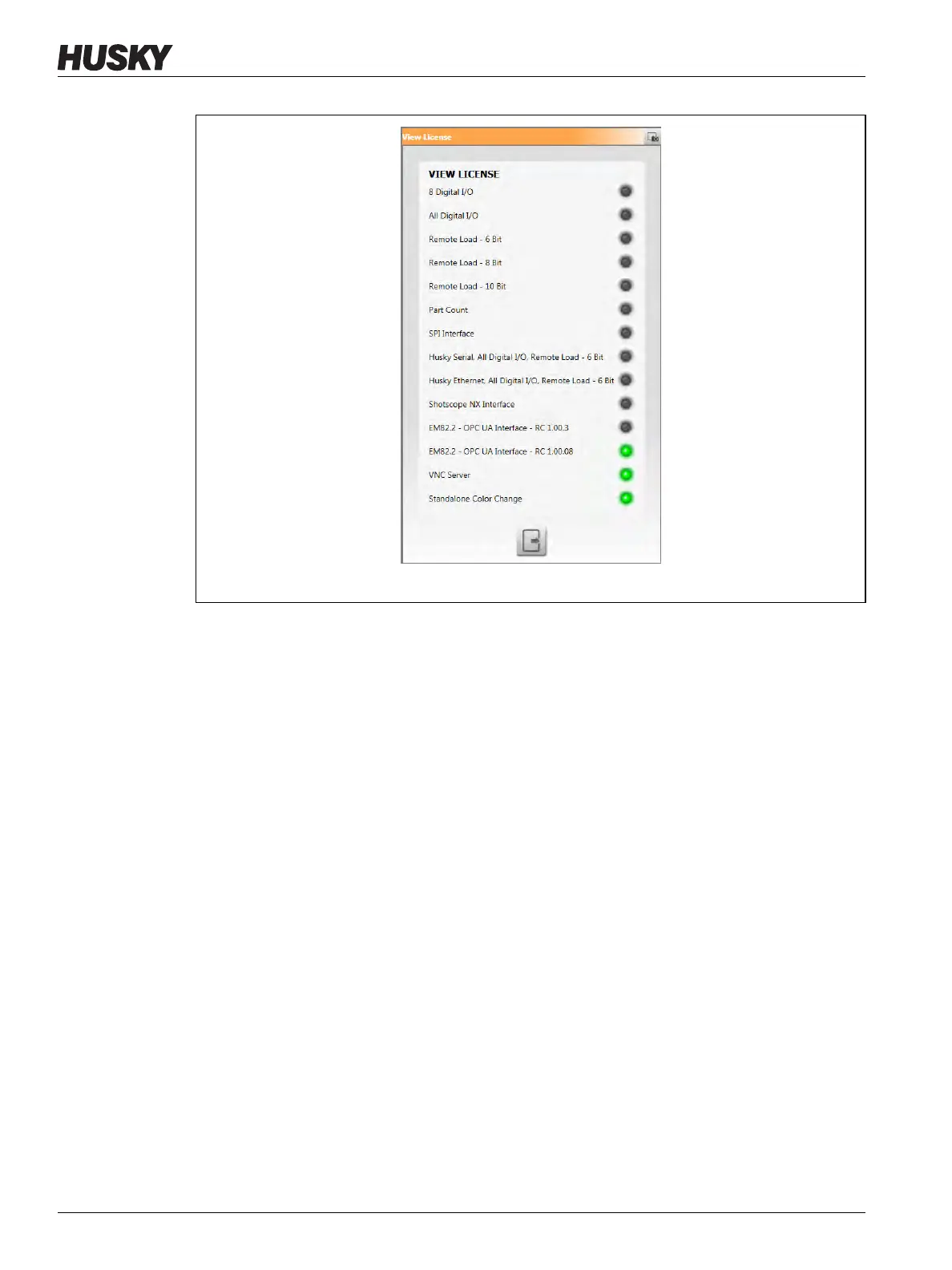
Users can update license files from local, USB, and network drives.
To update licensing information, do the steps that follow:
1. From the Home screen, touch the System Setup button.
2. Touch the Main 1 tab at the bottom of the screen.
3. Touch the Update License button that is below Options and Licensing.
4. Upload the new license, as applicable.
5. When the update has completed, a confirmation dialog shows on screen.
6. Touch the Accept button.
Figure 10-29 View License Dialog


 To Next Page