v 2.0 — March 2023 Altanium Delta5
256 Cable Connections
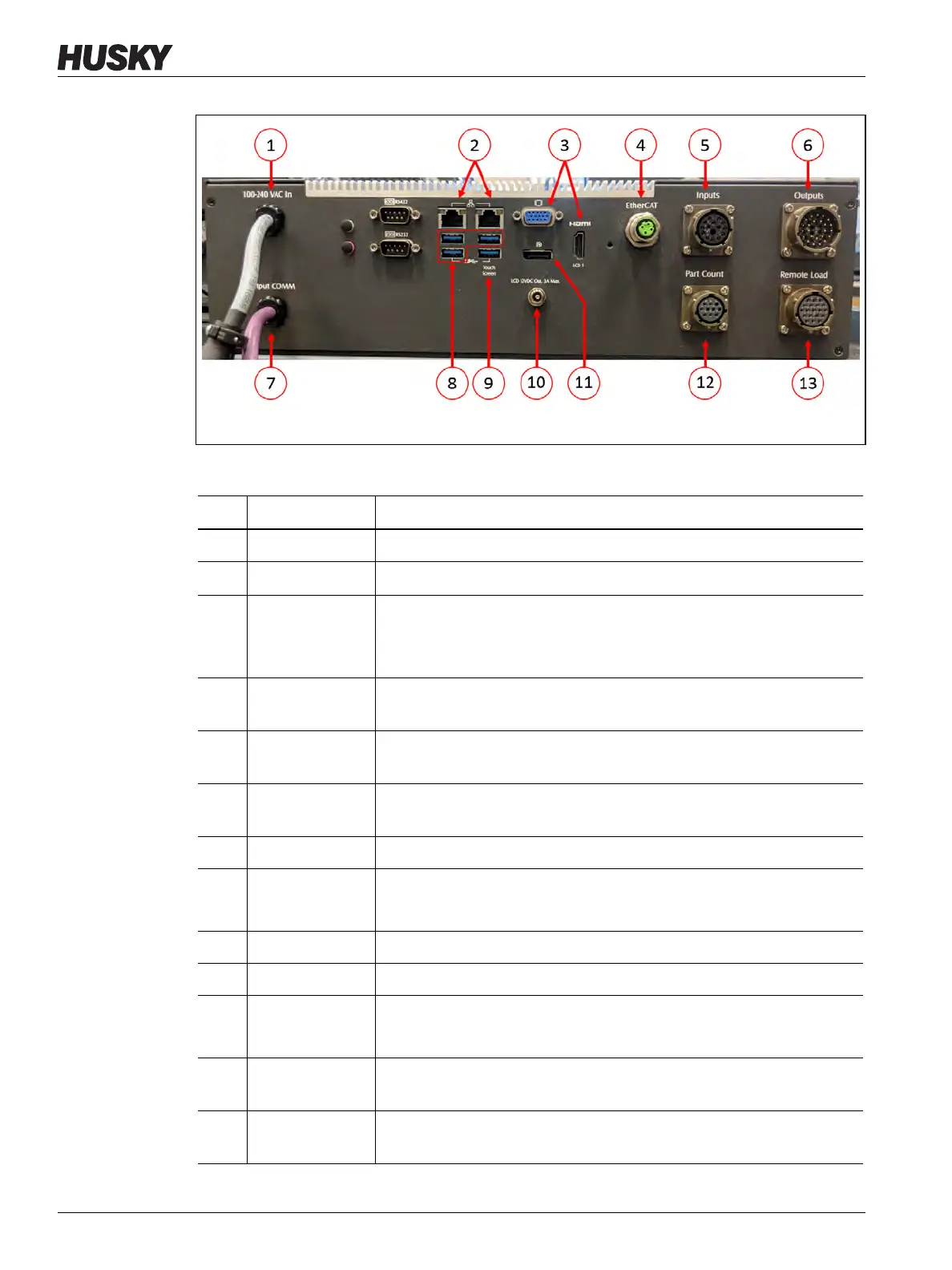
Figure 14-6 Delta5 Connectors, Typical
Table 14-10 Delta5 Connector Identification
Item Cable Connection Description
1 100-240 VAC In Main AC power from the Altanium mainframe.
2 Ethernet
Interface to customer networks.
3 HDMI or VGA Video signal to touch monitor.
NOTE: Some systems with motion (servo) control will utilize the VGA
connector.
4 EtherCAT, if
equipped
Communication to UltraSync-E Gen2, Altanium Servo Control,
Individual Servo Valve Gate, or Valve Gate Sequencer systems.
5 Inputs, if
equipped
Configurable digital inputs.
6 Outputs, if
equipped
Configurable digital outputs.
7 Output COMM CANBus communication to Altanium mainframe.
8 USB Ports Touchscreen signal to secondary touch monitor.
NOTE: Only used if controller was ordered with this option.
9 Touch Screen Touch screen signal to the primary touch monitor.
10 LCD 12 VDC Out Power to the primary touch monitor.
11 Display Port Video signal to secondary touch monitor.
NOTE: Only used if the controller was ordered with this option.
12 Part Count, if
equipped
Part count option signals.
13 Remote Load, if
equipped
Remote load option signals.


 To Next Page