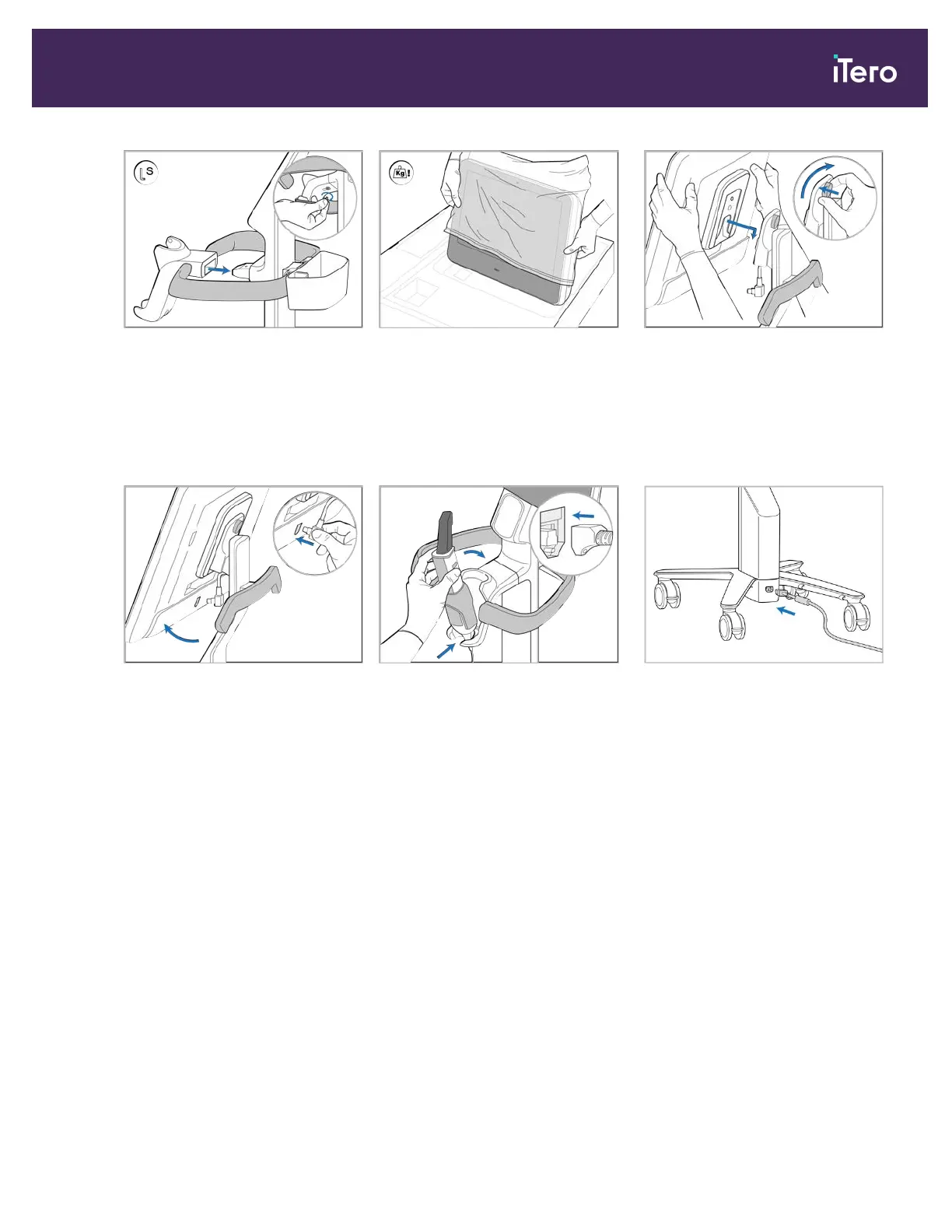
8. Attach the cradle (G) to the post
(B), and tighten using the small
Allen key.
9. Carefully remove the computing
unit (H) from its protective
wrapping.
Note: The computing unit is
heavy and must be lifted carefully.
10. Standing behind the wheel stand,
mount the computing unit on the
metal hinge and push down.
Attach the computing unit by
pushing in and tightening the
screw.
11. Tilt the screen upwards and
connect the screen cable.
12. Place the base of the wand (I) in
the cradle (G) and then apply
gentle pressure to make sure the
wand is fully inserted and secure
in the cradle.
13. Connect the wand cable to the
back of the screen (H).
14. Connect the power cable (J) to
the bottom of the wheel stand.
iTero Element® 5D Plus User manual
© 2020 Align Technology, Inc. All rights reserved. 11



 To Next Page