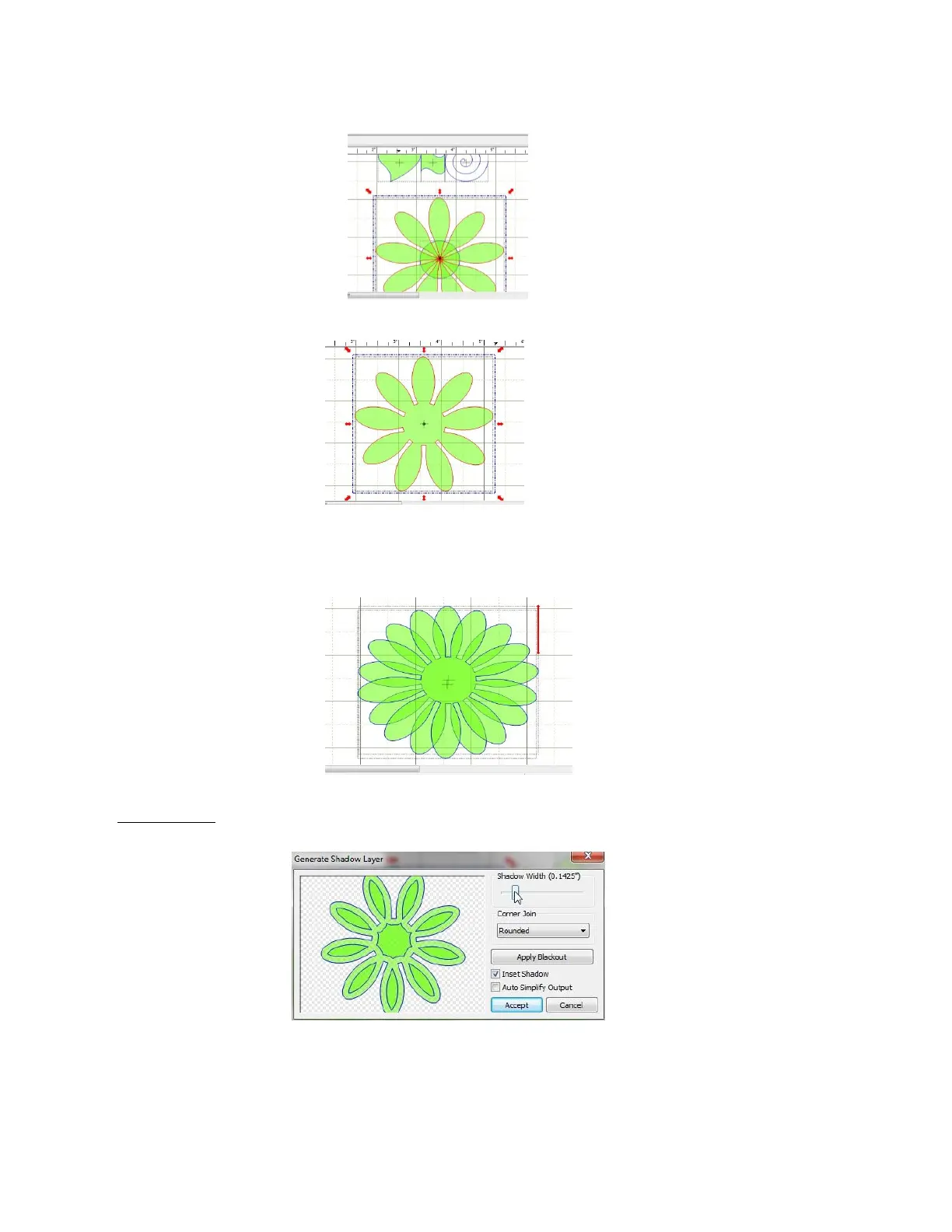
slider controls how far into the circle the Tears will be located. The Offset slider is not used because the
tears are being aligned along a circle:
Select the Circle and all of the Tears/Petals and apply the Weld function:
Click on the flower and apply a Copy and Paste In Place to create a duplicate. Double click on the
duplicate until the shape is in the Rotate mode. Then slowly rotate the copy by dragging the corner icon
around until the copy lines up with the spaces of the original:
Flower Center: Select one of the flowers and perform another Copy and Paste in Place. Move the copy
away from the other flowers and click on the Shadow Layer icon:
The above popup menu will appear. Check the Inset Shadow box. Uncheck the Auto Simplify Output box.
It is recommended that Mitered be selected as the Corner Join instead of Rounded. The shape for the
flower center is only the center shape. Use the Shadow Width slider to create the inset. Click on Accept
when you are done.



 To Next Page