12E5119 Instruction Manual QuickTOC
®
ultra
IECEx 93
7 How to Work with the Analyser
7.3 Reading Screen
LAR | PROCESS ANALYSERS AG
7.3 Reading Screen
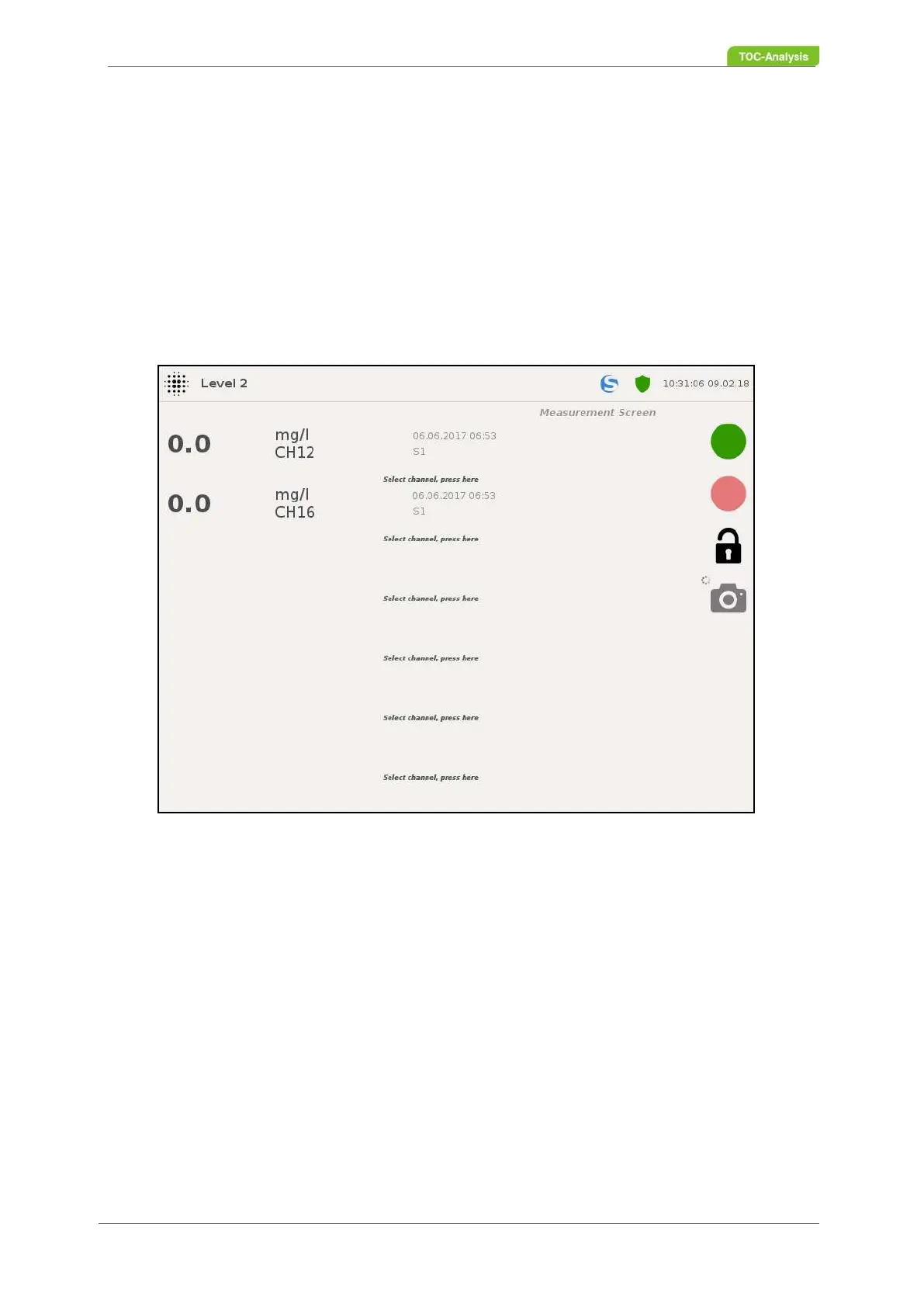
In the measured value screen, the current measured values of the online measurement and, if applicab-
le, the check function, if activated, are displayed with the associated date and time of the measurement.
The measured value screen can display a maximum of 6 measured values, which can be freely selected
via the channel selection as of user level 2.
The option to change the channel selection is given for 5 seconds after the display of the measured value
screen. Pressing one of the empty fields will take you to the "Channel selection" display.
Furthermore, under- and / or exceeded limits are displayed with the code (e.g., L12_max) for the respec-
tive measurements
Reading:
The left side of the display shows the channel's current reading.
Unit / name of the channel:
Directly next to the measured value is the specification of the unit and the name of the channel.
Date / time of the current measured value:
The middle of the display shows the date, time, number of the sample stream (#) and the name of the
sample stream for the current measured value.
Fig. 63: Reading screen (Example)



 To Next Page