108 Instruction Manual QuickTOC
®
ultra
IECEx 12E5119
7 How to Work with the Analyser
7.7 Measurement Settings LAR | PROCESS ANALYSERS AG
7.7.3 Relays
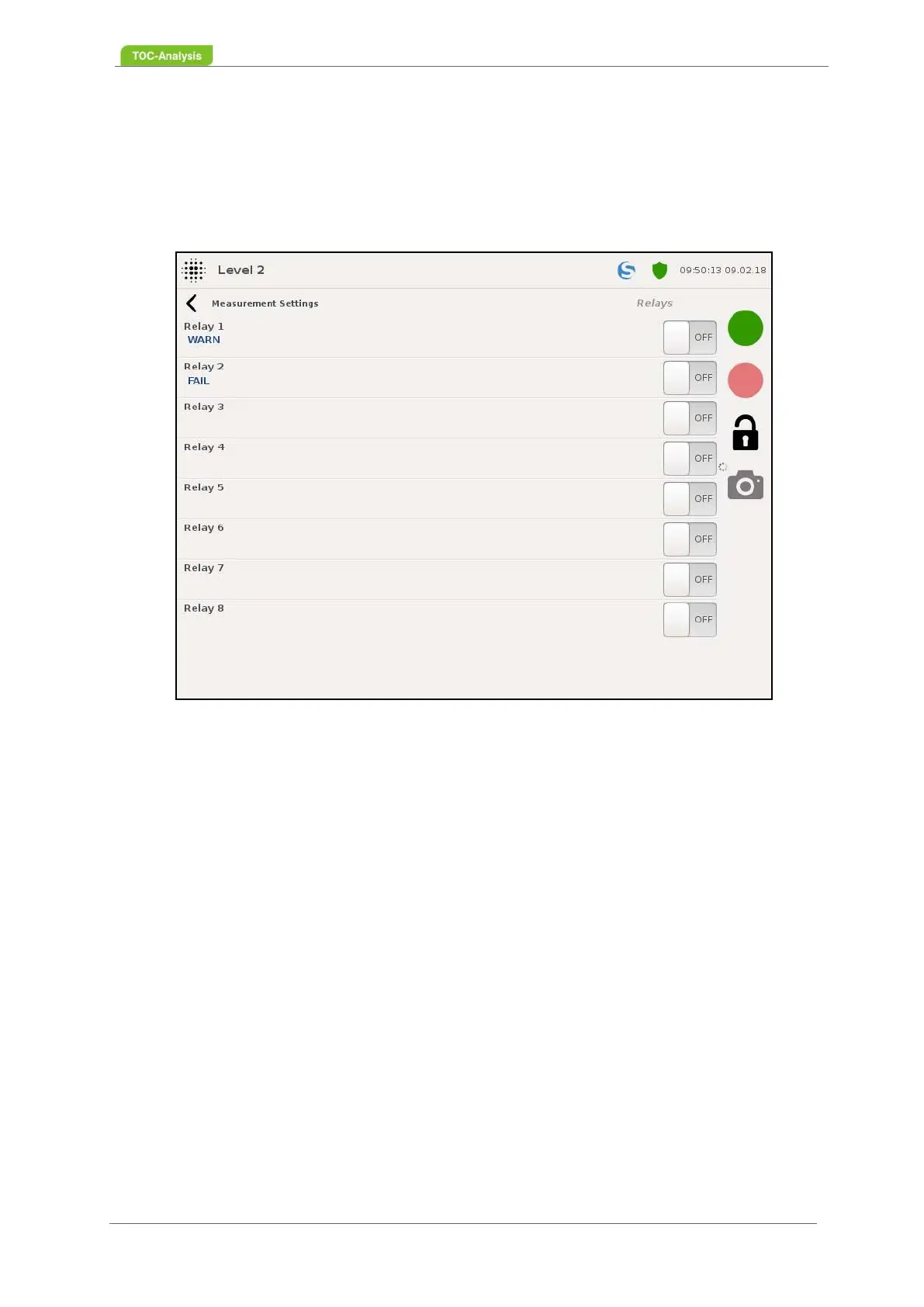
This display shows the status of the relays. The relays are used to output the alarm signals if the system
detects a fault (see Chapter 7.15.2 on page 158), the status and the limits and can be adapted by the
user. Each relay can activate a maximum of a single alarm or a collective alarm. If an alarm is activated
on a relay, it will be displayed under the respective relay.
After selecting a relay, you can choose between 3 options for assigning the relay:
• Collective alarm (yellow fault messages)
• Collective alarm (red fault messages)
• Custom Relay
If a bulk alarm or a custom alarm is assigned to a relay, the relay activates as soon as the bulk alarm or
the custom alarm occurs. With the customer-specific relays you can set and activate a relay according
to your requirements.
Fig. 74: Relays (Example)



 To Next Page