12E5119 Instruction Manual QuickTOC
®
ultra
IECEx 101
7 How to Work with the Analyser
7.7 Measurement Settings
LAR | PROCESS ANALYSERS AG
7.7.1 Measurement Parameters
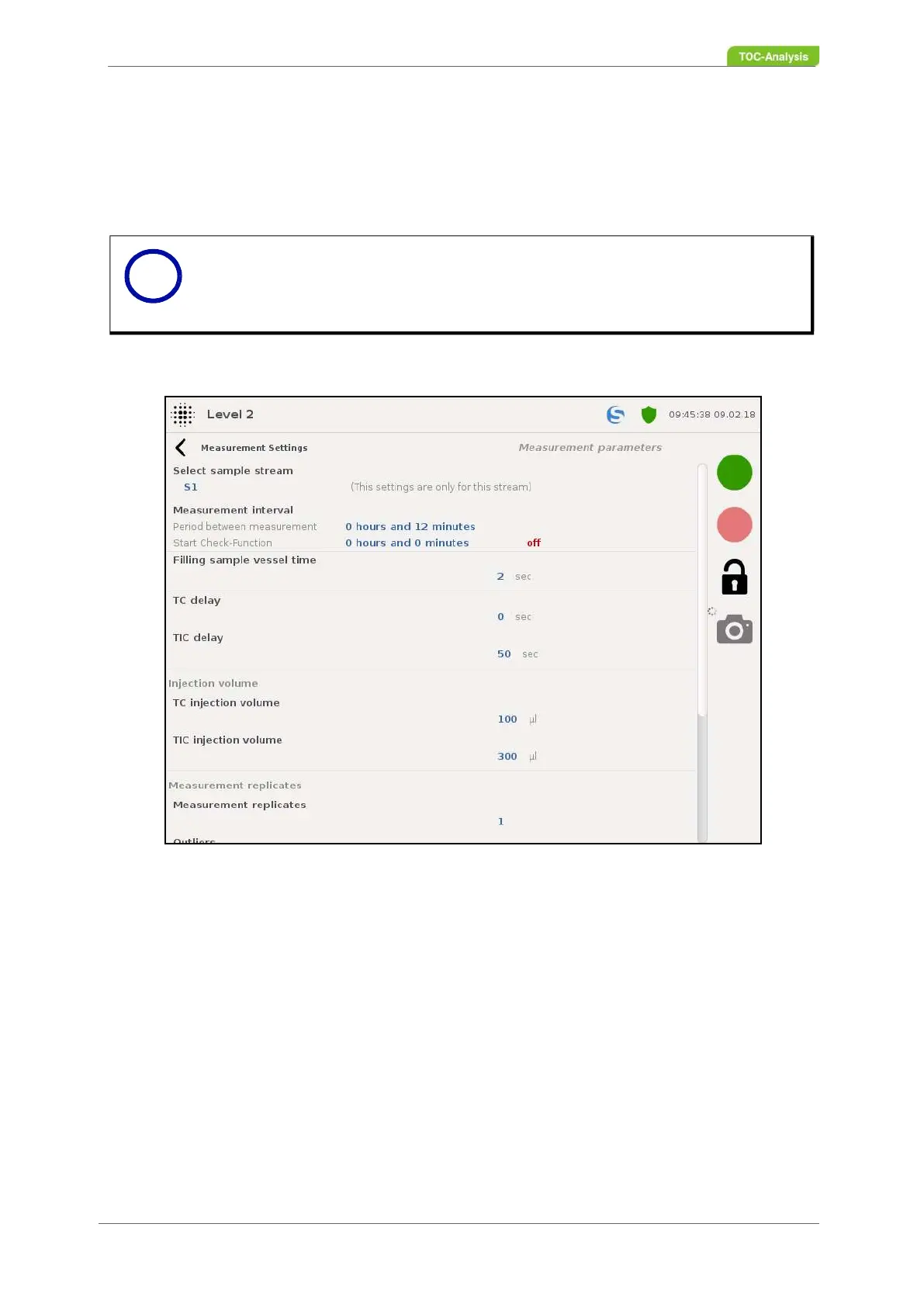
In this display, the measurement parameters for each sample stream can be set individually. The sample
stream to be set is selected via the "Sample stream selection" button. The settings made apply only to
the selected sample stream.
Measuring interval:
This value indicates the set measuring intervals for the online measurement and the check function. It
also indicates whether the remote control is on or off. Clicking on these values takes you to the setting
of the measuring intervals (chapter 7.7.1.1 on page 114).
Filling time of the sample storage vessel:
This value determines the duration of the filling of the sample vessel before the measurement (pumping
time) [sec.].
TC delay:
This value indicates the waiting time before a TC measurement (injection) [sec.].
TIC delay:
This value indicates the waiting time before a TIC measurement (injection) [sec.].
TC injection volume:
Notice
If the analyser is in online mode, no parameter changes can be made.
Fig. 70: Measurment parameters (Example)
i



 To Next Page