12E5119 Instruction Manual QuickTOC
®
ultra
IECEx 143
7 How to Work with the Analyser
7.10 Calibration
LAR | PROCESS ANALYSERS AG
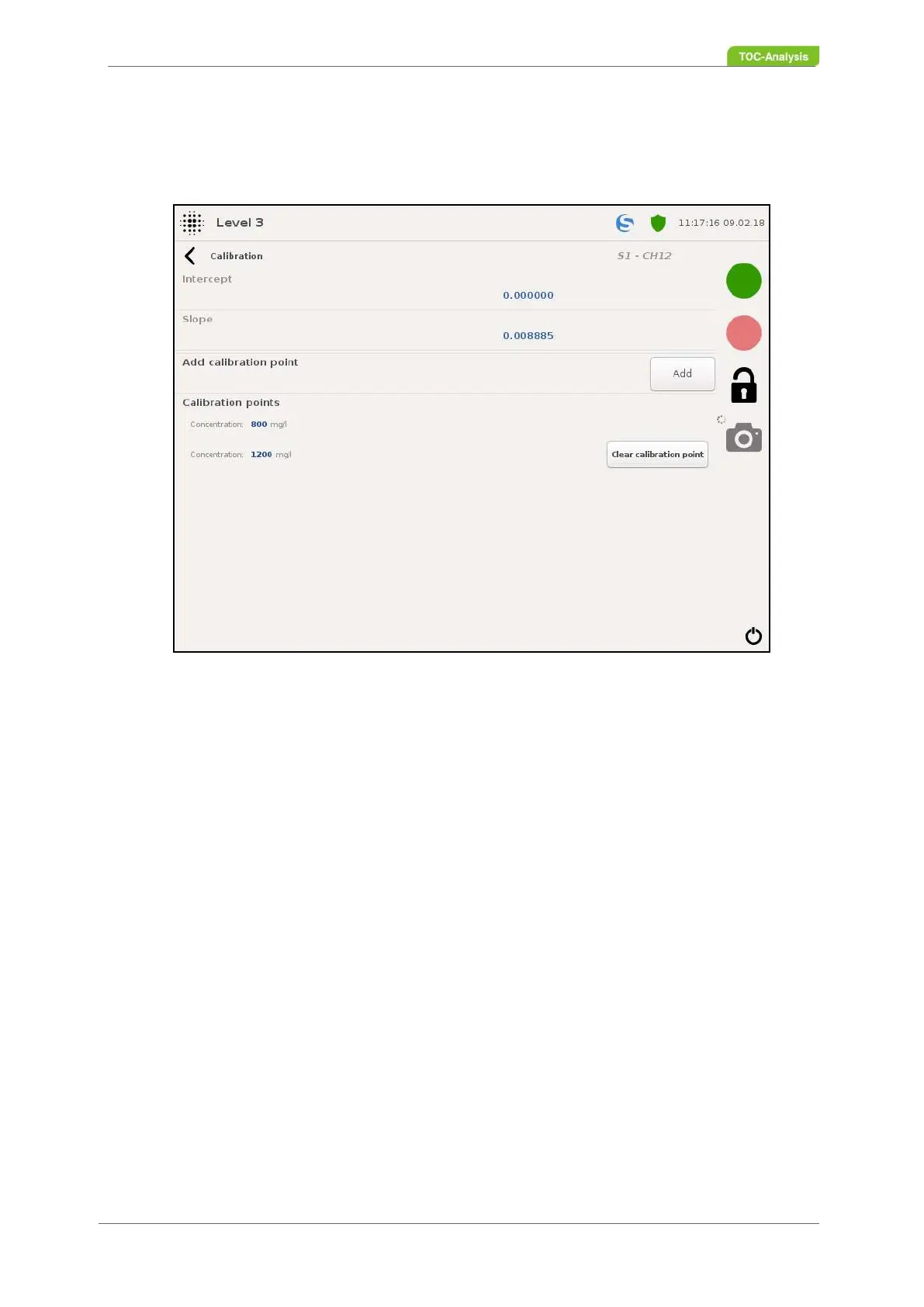
7.10.4 Calibration Parameter Settings (User Level 3)
In this view settings of the calibration parameters can be adjusted.
Intercept:
This value indicates the intercept of the calibration result.
Pitch:
This value indicates the slope of the calibration result.
Add Calibration Point (User Level 3 only):
These functions can be used to add calibration points for multi-point calibration.
Concentration:
This value indicates the concentration of the calibration point in mg / l.
Calibration points (user level 3 only):
This function can be used to view and set the set concentration. In a two-point calibration, only one ca-
libration point appears at this point, since the concentration of the first point is defined as 0 mg / l in the
system. For a multi-point calibration, you can add as many calibration points as you want using the "Add
calibration points" function.
Fig. 105: Calibration parameter setting (Example)



 To Next Page