138 Instruction Manual QuickTOC
®
ultra
IECEx 12E5119
7 How to Work with the Analyser
7.10 Calibration LAR | PROCESS ANALYSERS AG
7.10.1.2 Calibration archive - Calibration Points (Parameter) - Info
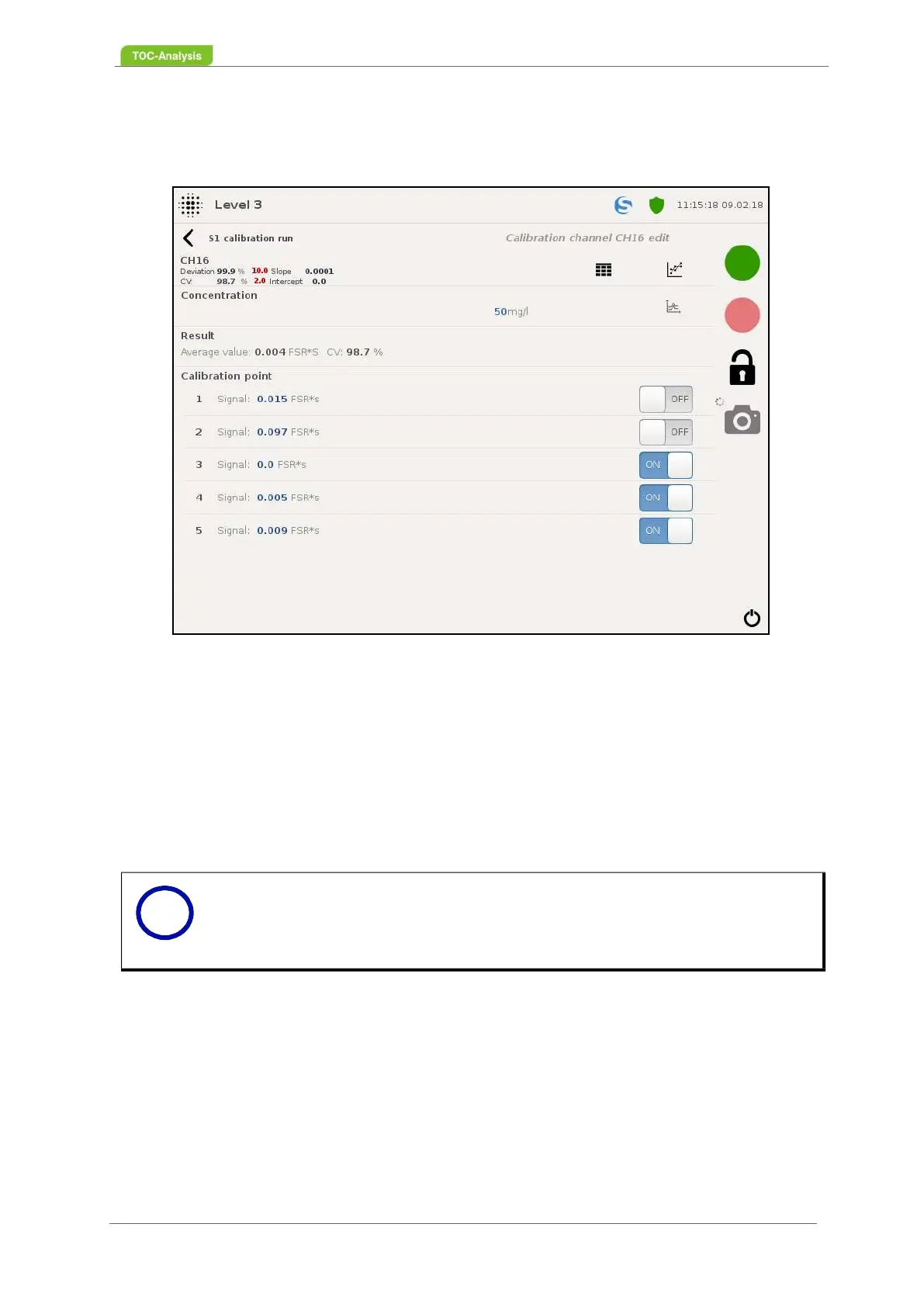
IThis display shows all information about the calibrated parameter and the associated calibration points.
Concentration:
This value indicates the concentration at which the calibration was performed.
Result:
This value outputs the mean and CV of the measured calibration points.
Calibration points (user level 3 only):
This function can be used to activate and / or deactivate calibration points / signals. The number depends
on the repeated measurements of the calibration. The signals are given in FSR * sec.
7.10.1.3 Calibration archive - Calibration points (parameters) - Calibration graph
This display shows the calibration graph of the selected calibration.
Fig. 100: Calibration archive - Calibration points (Example)
Notice
In user level 3, individual signals can be activated / deactivated.
By activating and deactivating the signals, the mean value and the CV are au-
tomatically recalculated.
i



 To Next Page