248 Instruction Manual QuickTOC
®
ultra
IECEx 12E5119
9 Accessories and Options
9.12 Internal Sample Dilution LAR | PROCESS ANALYSERS AG
Dilution factor (only Level 3):
This factor can be set from 1:5, 1:10, 1:15, 1:20 by the user. If one of the settings is changed, a new
calibration must be carried out.
Fill time of the dilution vessel (only Level 3):
This parameter shows how long the pump is active in order to pump sufficient distilled water into the di-
lution vessel. This parameter can only be viewed.
Dilution time (only Level 3):
Afte the sample has been injected into the sample dilution vessel, the dilution (mixing the sample and
water) will start. After this the sample is taken from the vessel. This parameter can only be viewed.
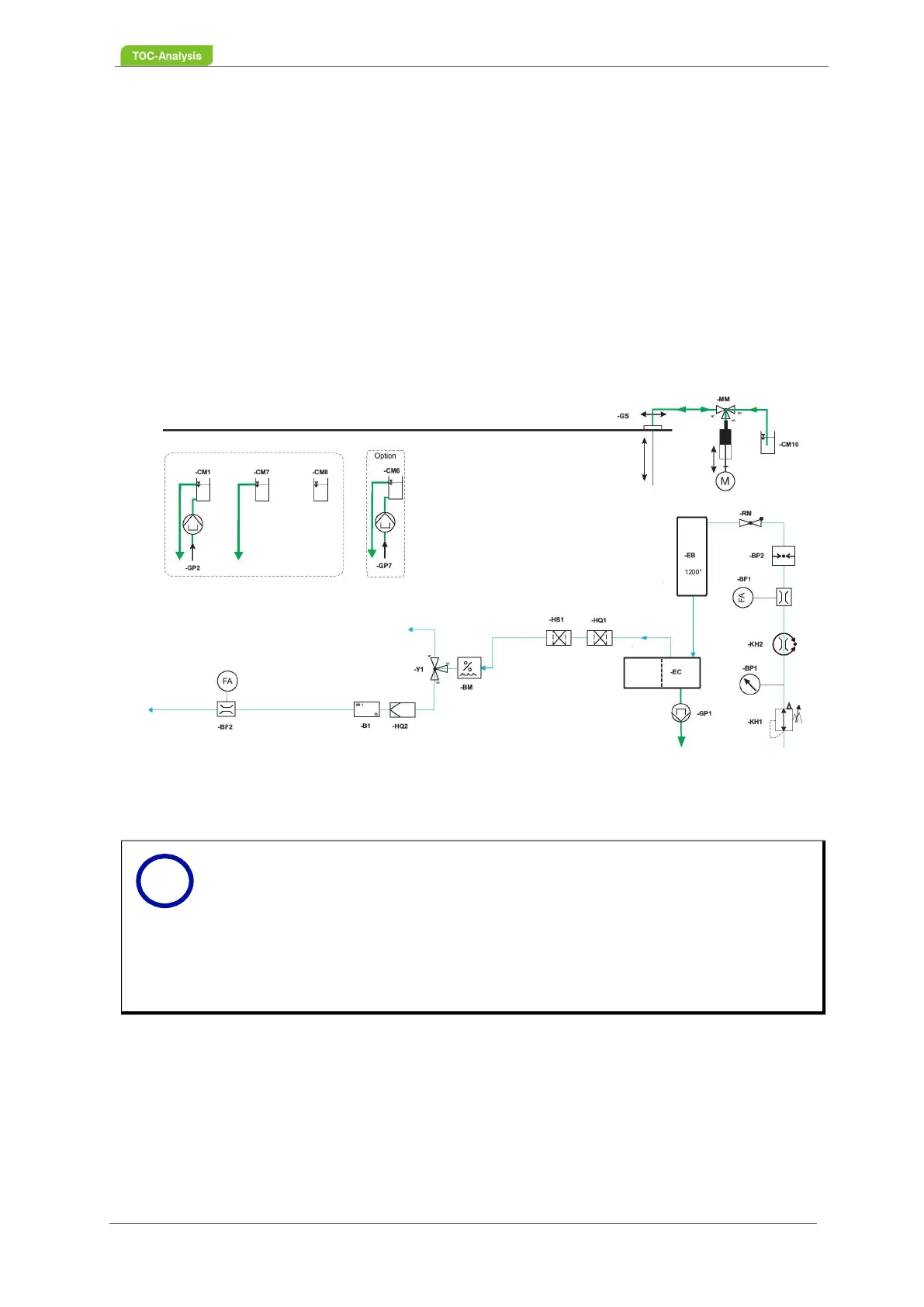
9.12.2 Flow Diagram with Internal Sample Dilution
Fig. 159: Flow Diagram with Internal Sample Dilution (TConly Method - 1 Sample Stream)
Notice
The care and maintenance of the internal dilution option includes the visual in-
spection of the glass components (Chapter 8.3.5 from page 166), the cleaning
of the glass components (Chapter 8.5.2 from page 172) as well as the replace-
ment of the silicone seals for glass components (Chapter 8.7.17 on page 196).
Note that for the dilution vessel special silicone seals are used.
If you are interested to upgrade your analyser with this option, please contact
the Sales Department of LAR (Chapter 15 on page 283).
i



 To Next Page