12E5119 Instruction Manual QuickTOC
®
ultra
IECEx 97
7 How to Work with the Analyser
7.5 Status Screen
LAR | PROCESS ANALYSERS AG
7.5 Status Screen
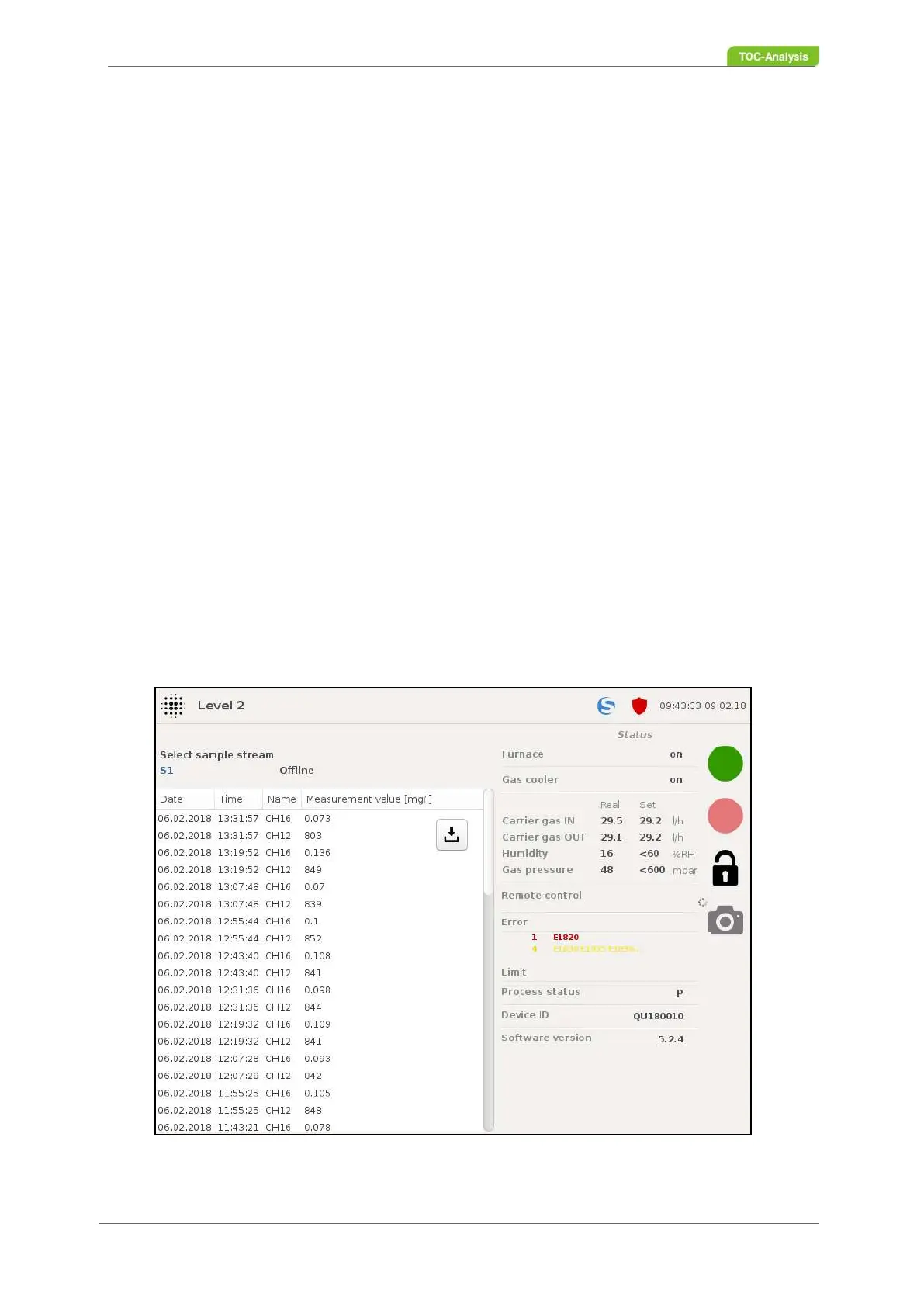
In this two-part display, the right-hand window gives an overview of the current status of the analyser. In
the left window, the last 60 measurement results of a sample stream can be viewed. In order to switch
between the different sample streams in the display, the button "Sample stream selection" must be
pressed. Next to the Sample Stream Selection button, you will find the time of the next measurement of
the selected sample stream when the analyser is in online mode. During a measurement, "measure-
ment" is displayed here and when the analyser is in offline mode, "offline" appears.
The display of the measurement results is divided into:
• Date
• Time of day
• Name (of the channel)
• Measured value [mg / l]
The status display is divided into:
• Oven (on / off)
• Gas cooler (on / off)
• Carrier gas IN: actual 19.9 / setpoint 20.2 l / h (± 10% max)
• Carrier gas OUT: (actual 19.4 / setpoint 20.2 l / h (± 10% max)
• Humidity: actual 6 / target <60 max % RH
• Gas pressure: actual 26 / target < 600 max mbar
• Remote control (on / off)
• Fault messages (see chapter 7.15.2 from page 169)
• Limit
• Process status
• Device ID
• Software Version
Fig. 67: Status screen (Example)



 To Next Page