12E5119 Instruction Manual QuickTOC
®
ultra
IECEx 141
7 How to Work with the Analyser
7.10 Calibration
LAR | PROCESS ANALYSERS AG
7.10.2 Carrying out the Calibration - Info
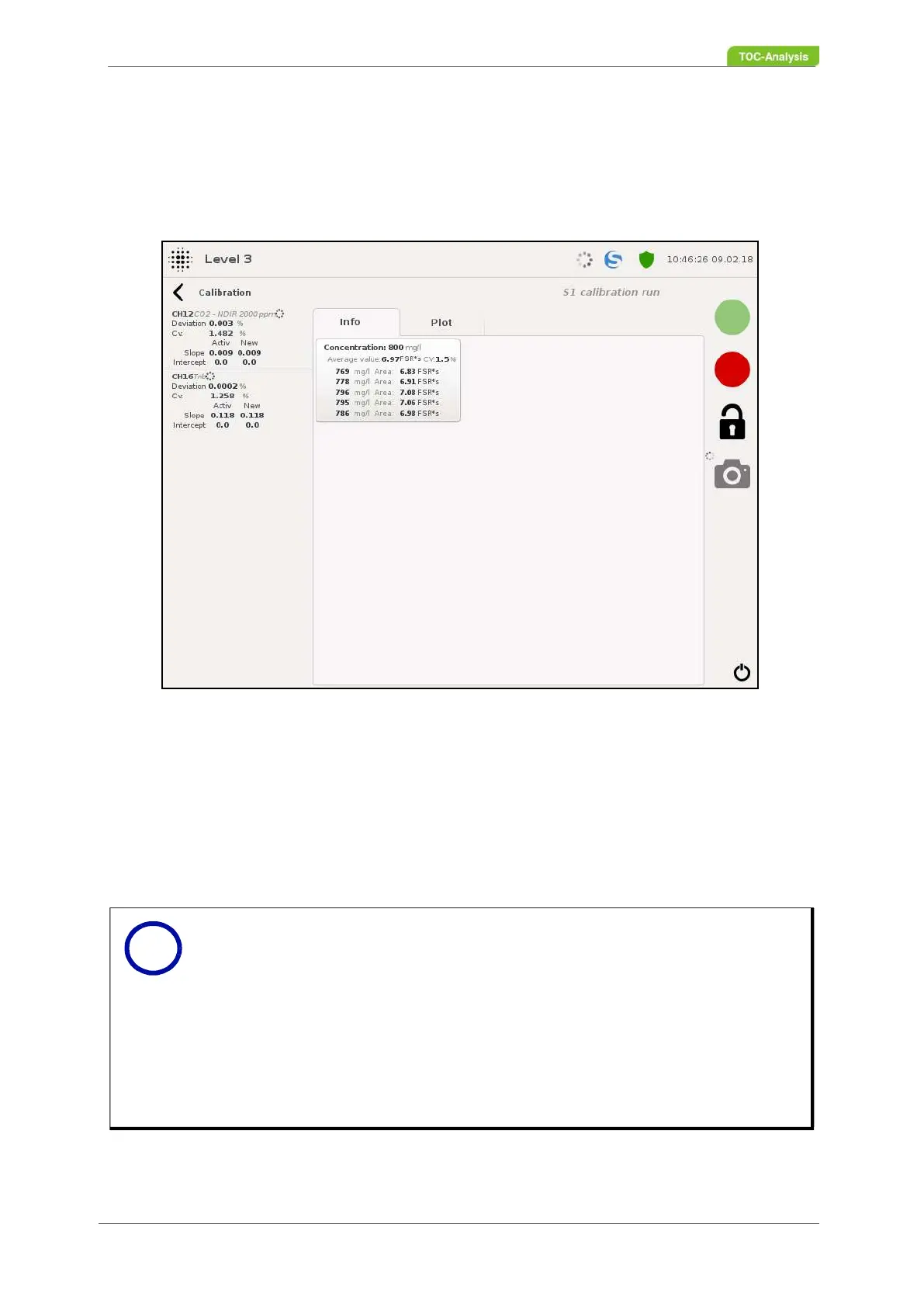
This display appears as soon as a calibration has been started. The display contains all the information
about the calibration carried out (concentration, mean of the signal, CV, calculated concentration, signal
area, deviation from the master calibration, slope and section of the current and the new calibration).
After calibration, two buttons appear in the lower display (see Fig. 104, page 142):
Delete:
This key cancels the calibration and is thus not activated. It nevertheless appears in the calibration ar-
chive and can be subsequently activated by a user with user level 3.
Activate:
This button activates the calibration if the deviation is within the allowed range.
Fig. 103: Carrying out the calibration - Info (Example)
Notice
This window appears at the start of a calibration and closes after activation or
abort of the calibration.
The calibration can be stopped with the red offline button. If a calibration is
stopped, it appears in the calibration archive (Chapter 7.10.1.1 on page 137)
with the status "Failed". This status appears on all calibrations that were not
completed.
Clicking on "Graphic" will take you to the calibration graph of the current and
the new calibration (Chapter 7.10.3 on page 142).
i



 To Next Page