OPERATION
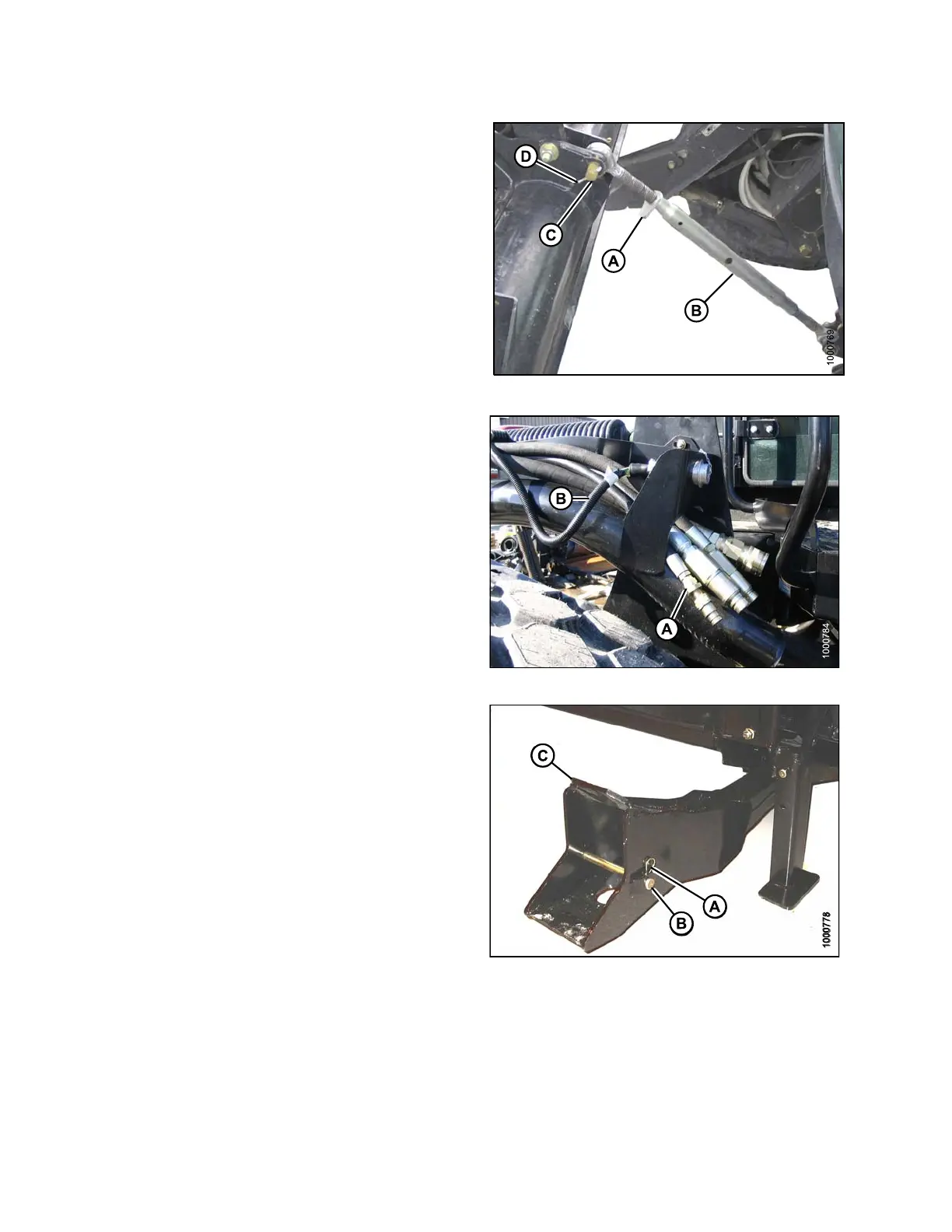
11. Loosen nut (A) and rotate barrel (B) to relieve load
on link.
12. Remove cotter pin (D) on clevis pin (C) and remove pin
to disconnect from header.
13. Reinstall clevis pin in header.
Figure 4.16
7: Mechanical Center-Link
14. Disconnect header drive hydraulics (A) and
electrical harness (B). Refer to the auger header
operator’s manual.
15. Slowly back windrower away from header.
Figure 4
.168: Header Drive Hydraulics
16. Reinstall clevis pin (B) and secure with hairpin (A) in
header boot (C).
17. Repeat for the opposite side.
Figu
re 4.169: Header Boot
169890 166 Revision A



 To Next Page