OPERATION
This mode requires setting the MINIMUM REEL SP EED and the REEL INDEX.
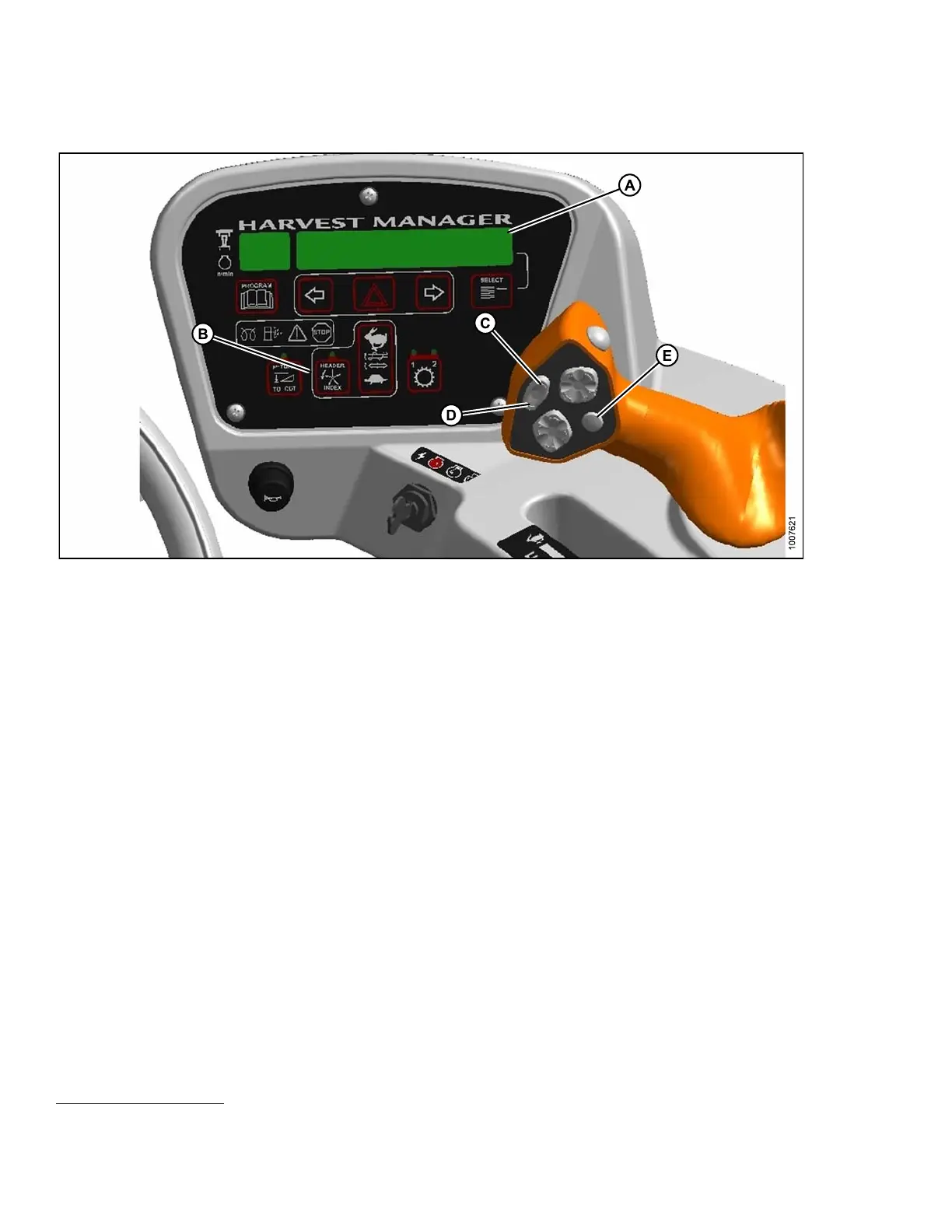
Figure 4.
177: Operator Console
A - Display B - Header Index
C - Fast
D - Slow E - Display Selector
IMPORTANT:
Windrower can be moving, but must be less than minimum reel speed.
1. Set the M
INIMUM REE L SPEED as follows:
a. Engage h
eader.
b. Set HEAD
ER INDEX switch ( B) to ON.
c. On grou
nd speed lever (GSL), press DISPLAY SELECTOR (E) to display ##.## MIN REEL or press FAST (C)
or SLOW
(D) switch .
##.## =
RPM or MPH or KPH
12
.
d. Press F
AST (C) or SLOW (D) until desired minimum reel speed is displayed.
NOTE:
The reel will continue operating at the Minimum Reel Speed setting when ground speed drops below this value.
DISPLAY (A) will flash ##.## MIN REEL (RPM or MPH or KPH) to prompt you to change the minimum set-point or
increase ground speed if Ground Speed Plus Index is LESS THAN the Minimum Reel Speed Set-Point.
2. Set t
he REEL INDEX as follows:
a. Set H
EADER INDEX (B) switch to ON.
b. On GS
L press DISPLAY SELECTOR (E) to display ##.## ##.# REEL IND or press FAST (C) or
SLOW
(D) switch.
##.#
# = RPM or MPH or KPH
12
,-1.9to+3.0
12. As per settings in CDM programming
169890 170 Revision A



 To Next Page