MAINTENANCE AND SERVICING
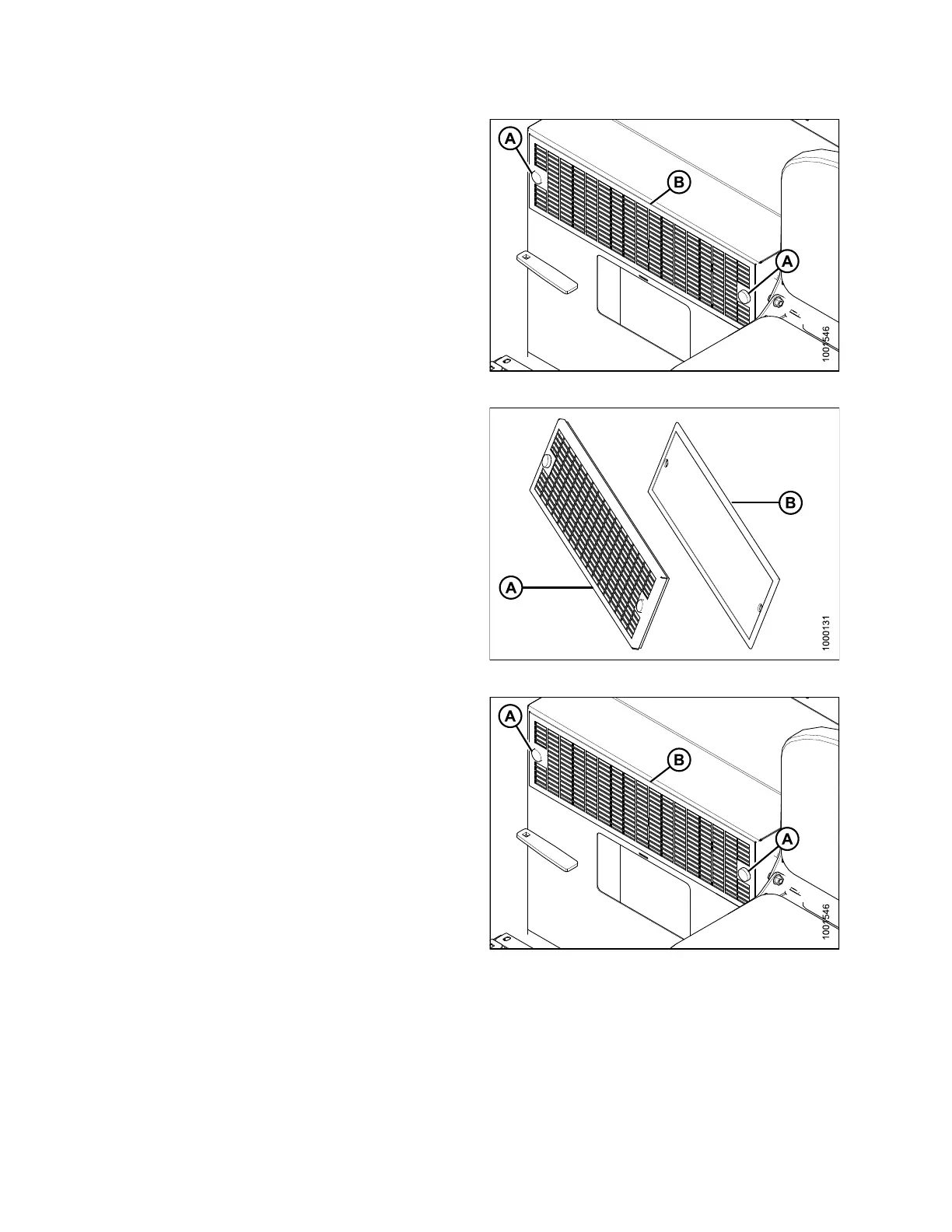
1. Unscrew the two knobs (A) attaching cover and filter to
cab wall, and remove the cover and filter assembly (B).
Figure 5.47: Return Air Filter
2. Separate the filt er (B) from the c ov er (A).
3. Clean or replace filter. If cleaning filter, refer to
Cleaning Return Air Cleaner, page 220.
4. Assemble the cleaner (B) and cover (A), and position
on cab wall over opening.
Figure 5.48: Return Air Filter
5. Secure fi lter assembly (B) to c ab wall w ith knobs (A).
Figure 5.49: Return Air Filter
Cleaning Return Air Cleaner
Clean the electrostatic filter as follows:
169890 220 Revision A



 To Next Page