MAINTENANCE AND SERVICING
Removing Battery
CAUTION
Do not attempt to service battery unless you have the proper equipment and experience to perform the
job. Have it done by a qualified Dealer.
DANGER
Stop engine and r
emove key from ignition before leaving operator's seat for any reason. A child or even a
pet could engag
e an idling machine.
1. Open the hood, refer to 5.4.3 Opening Hood (Highest
Position), page 203.
2. Open the platform, refer to 5.5.1 Opening Platform
(Standard Position), page 205.
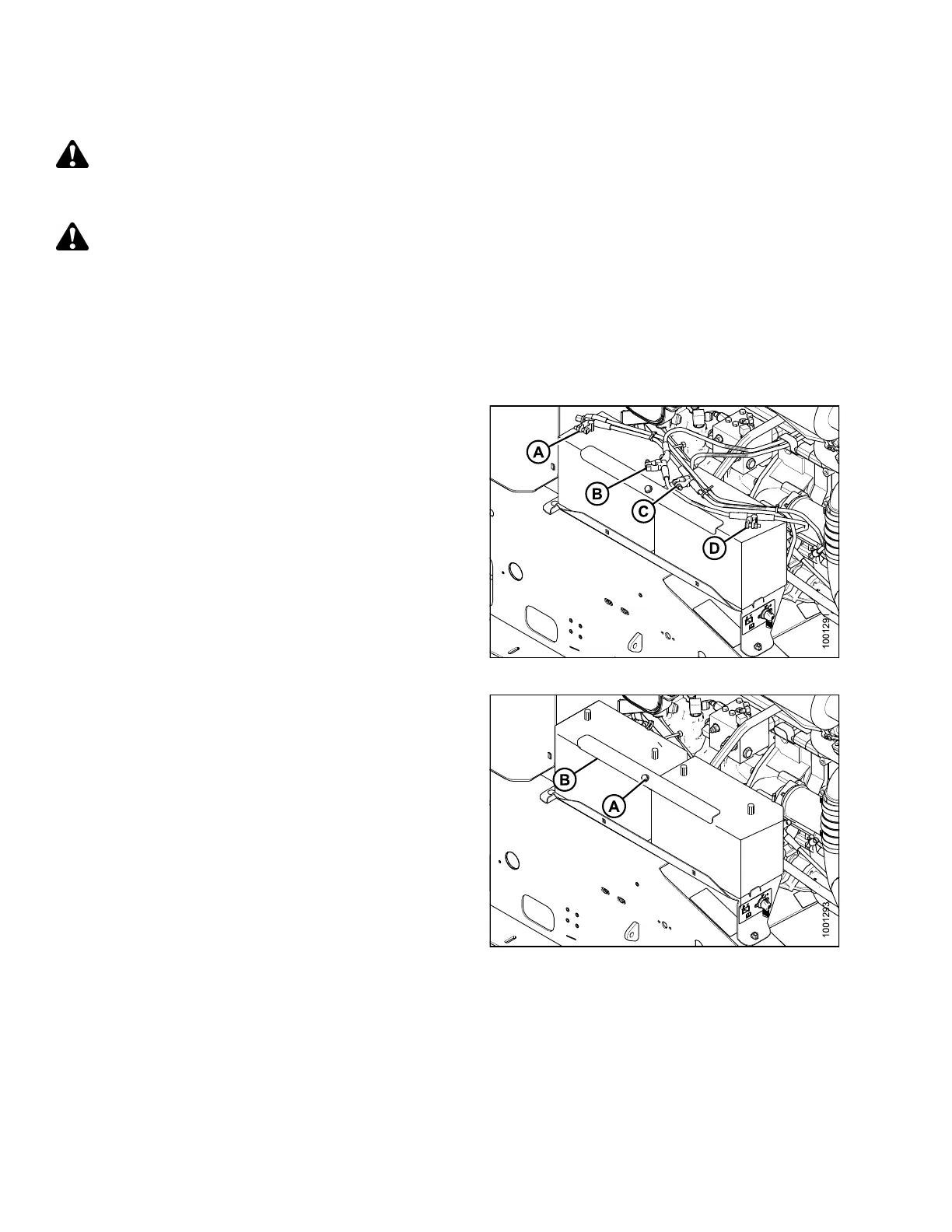
3. Remove the red plastic
cover from positive c ab le
clamps (A, C). Loosen t
he clamps and remove cable
from batteries.
4. Loosen clamps (B, D) o
n nega tiv e terminals and
remove cable from bat
teries.
Figure 5.129: Electrical System
5. Remove the bolt (A )
that secures the battery angle (B)
to the battery str
ap. Remove the battery angle (B).
Figure 5.130: Electrical System
169890 266 Revision A



 To Next Page