MAINTENANCE AN D SERVICING
1. Shut down engine and remove key. Turn lights ON.
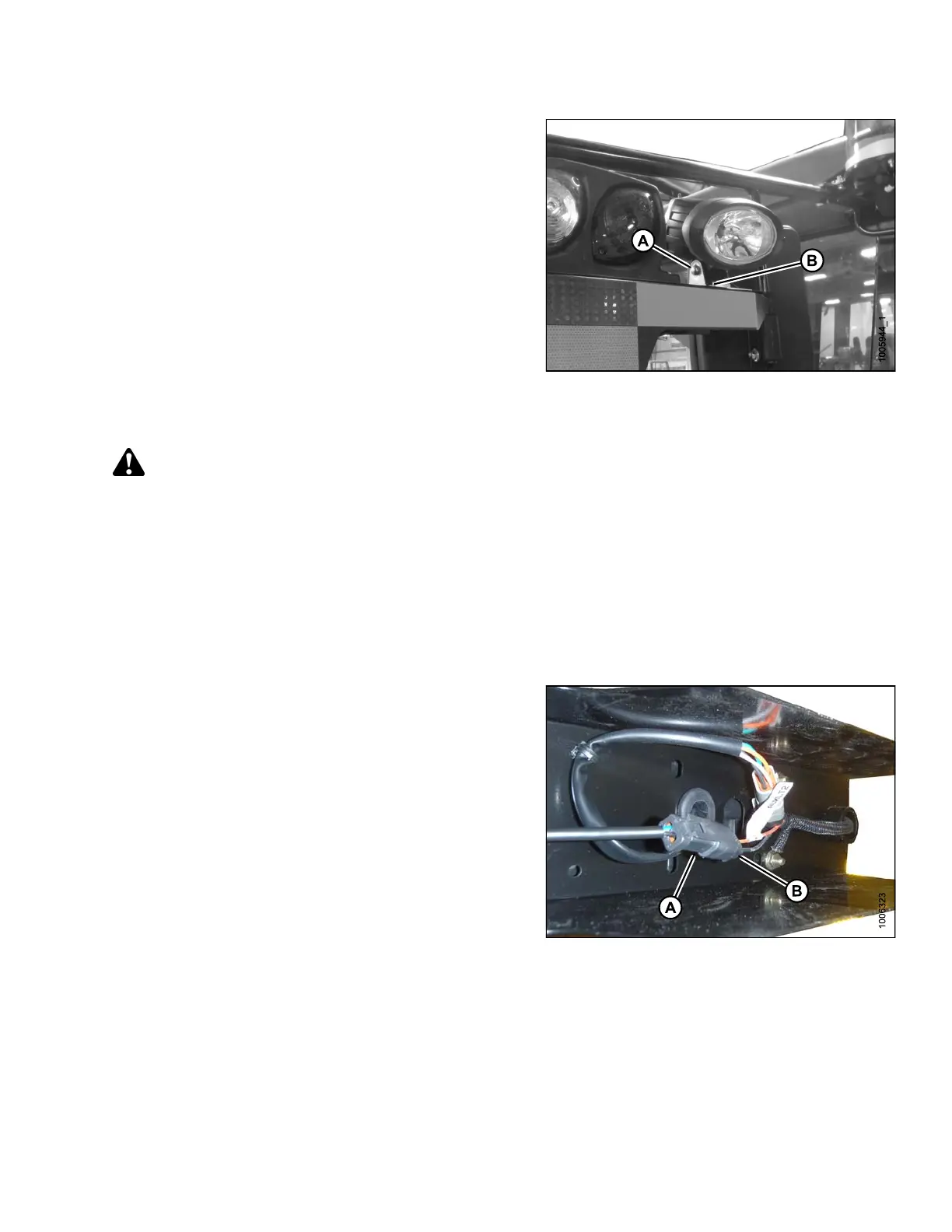
2. Loosen bolt (A) and nut (B) (located inside light /
mirror support).
3. Position light to desired position.
4. Tighten bolt (A) and nut (B).
Figure 5.144: HID Auxiliary Lights
Replacing HID Lamp (if Installed)
DANGER
Stop engine and remove key from ignition before leaving operator's seat for any reason. A child or even a
pet could engage an idling machine.
1. Shut down engine and remove key. Turn lights OFF.
NOTE:
Hold onto the handholds on the cab front corners
and stand on the header anti-slip strips, or stand on
the maintenance platform when accessing the HID
auxiliary lights.
2. Disconnect lamp connector (A) from electrical
harness ( B).
Figure 5.145: HID Auxiliary Light Harness
169890 273 Revision A



 To Next Page