Selecting settings and entering values
Introduction
All parameters of the printing system can be set at the operator panel. The following
prerequisites have to be satisfied:
■
The necessary rights are available. These rights are assigned by the respective "Key
Operator" in the 'Edit user' menu.
■
The access ticket for this operator panel is requested.
■
The printing system is in the 'Stop' or 'Operator intervention necessary' status. While
the printing system is running, you can check the parameters but not reset them.
You can select predefined settings and values through various operating elements, such
as selection lists, option fields, checkboxes, slide controls.
You can also enter new values in the input fields using the keyboard.
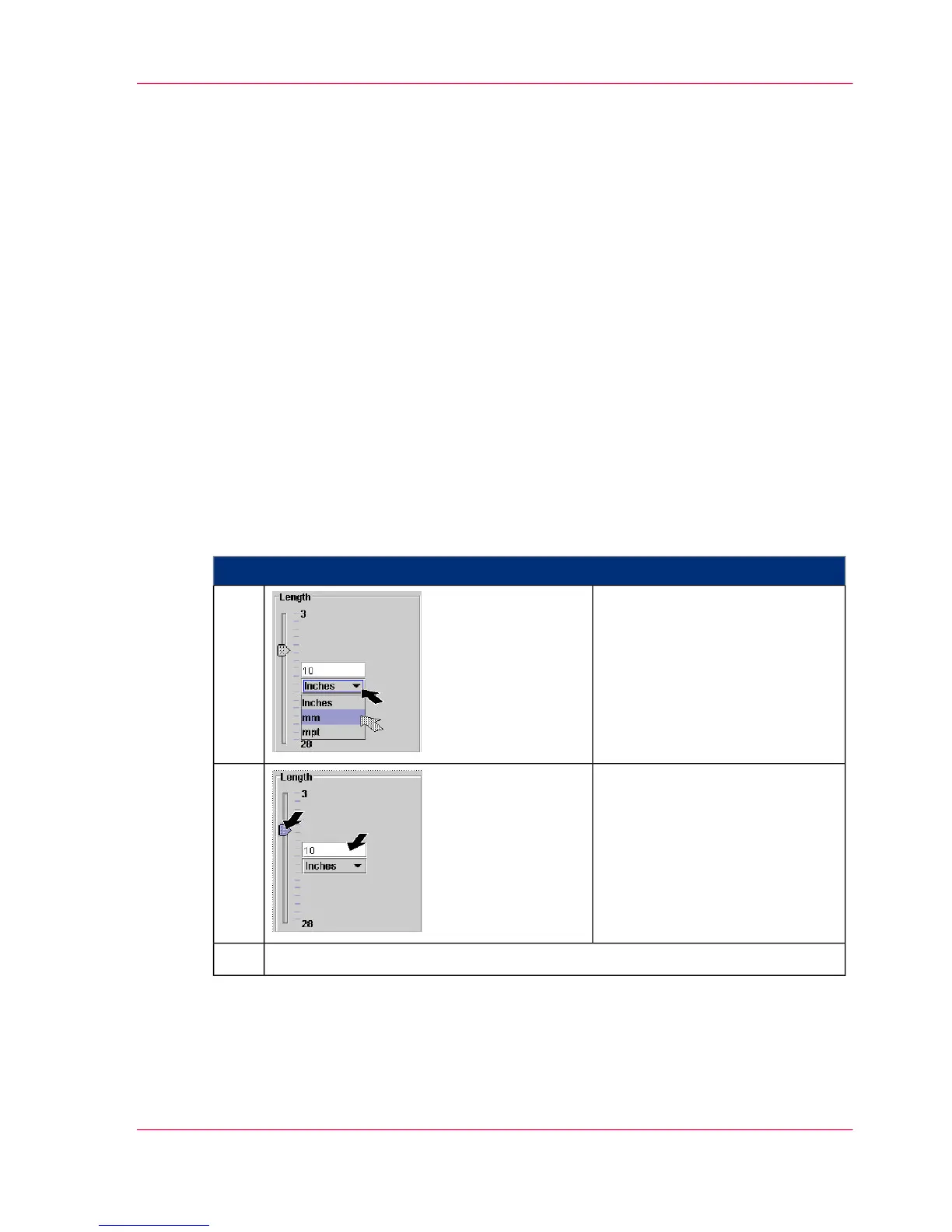
Example: Entering the Paper Length
#
Proceed as follows:
Select unit for paper length.
The first click opens the selec-
tion list, the second click selects
the unit.
1.
Select the number via the slide
control, or enter it into the input
field using the keyboard.
2.
‘Applying or resetting settings’ on page 1223.
Chapter 5 - Working with the Operator Panel 121
Selecting settings and entering values



 To Next Page