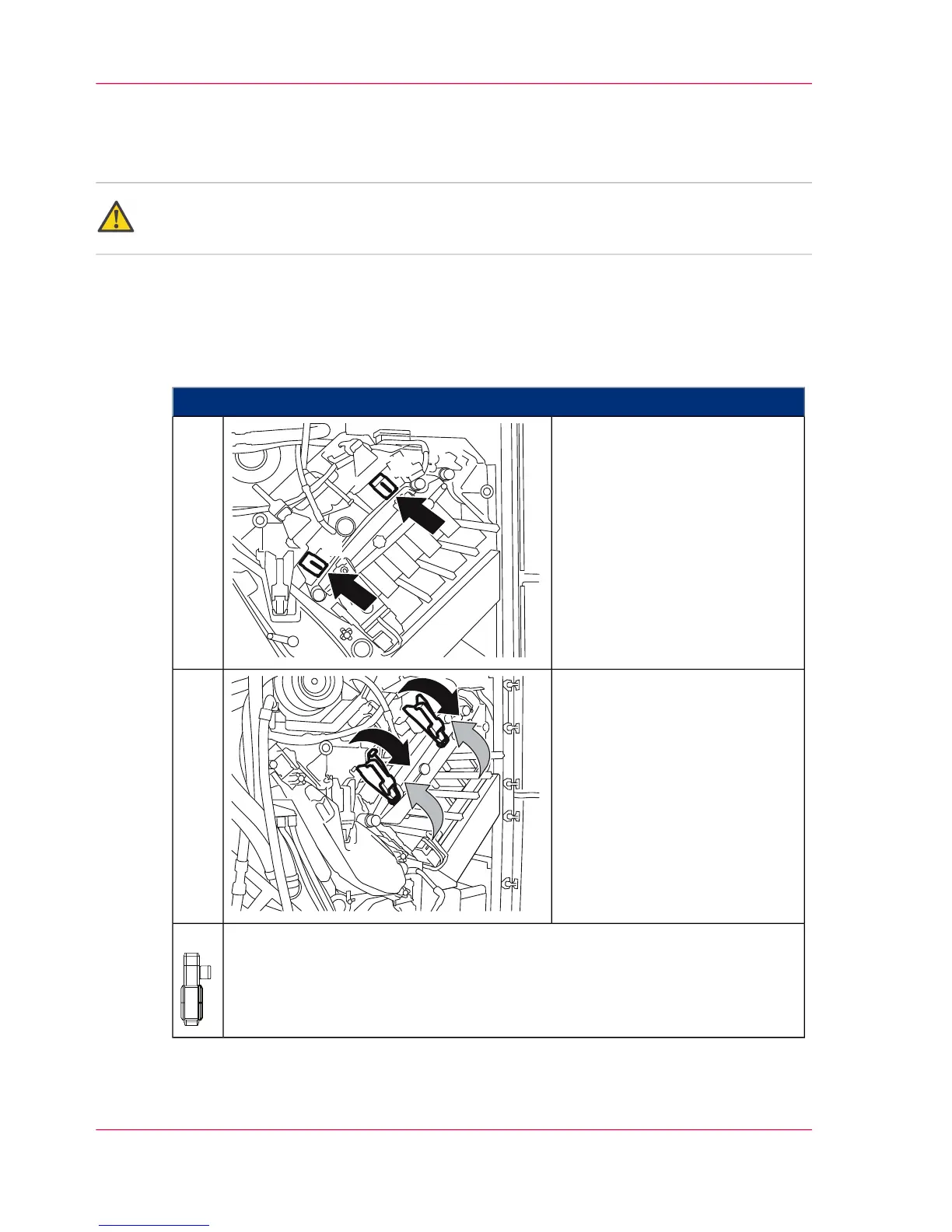
Installing the cleaning corotron slide-in unit or charge
corotron slide-in unit of the photoconductor unit
Attention:
Observe the safety directives in the ‘Replacing the corotron — overview’ on page 412 section.
To Install the Cleaning Corotron Slide-in Unit or the Charge Corotron Slide-in
Unit of the Photoconductor Unit
#
Proceed as follows:
Push in corotron slide-in unit
until it latches:
A) Cleaning corotron slide-in
unit
B) Charge corotron slide-in unit
The gloves are no longer re-
quired.
1.
Swivel locking flaps down
against the stop point.
Then close the handles.
2.
When installing a corotron slide-in unit in the upper print unit:
Close all doors on the right-hand side of the printing system.
3.
Chapter 9 - Replacing Expendables416
Installing the cleaning corotron slide-in unit or charge corotron slide-in unit of the photoconductor unit



 To Next Page