Inserting a Photoconductor Belt in the Lower Print Unit
Attention:
Observe the safety directives in the ‘Replacing the Belt — Overview’ on page 350 section.
To Insert the Photoconductor Belt in the Lower Print Unit
#
Proceed as follows:
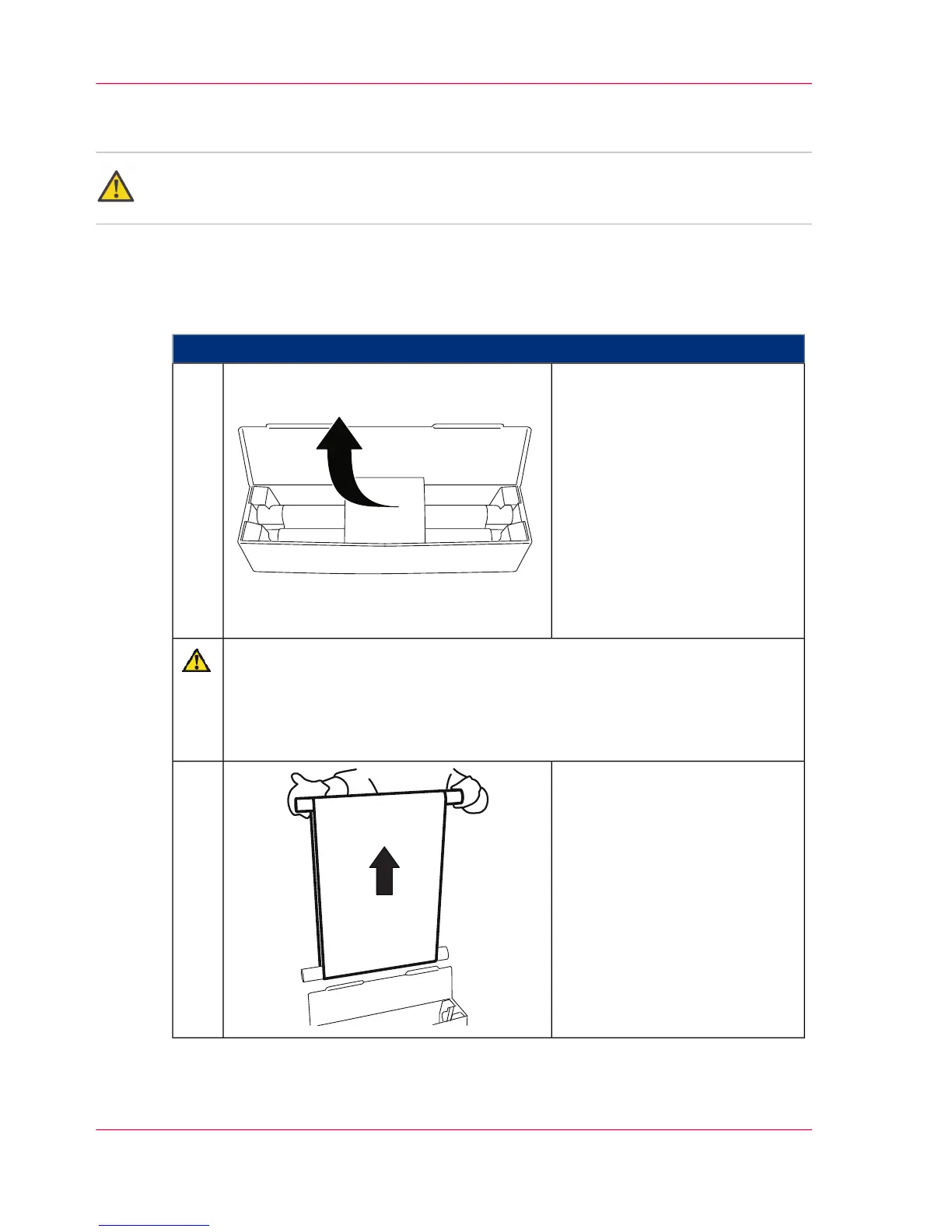
Open packaging of the new
photoconductor belt.
1.
Caution
The surface of the photoconductor belt is extremely sensitive and can be easily
damaged.
Avoid exposure to direct sunlight and do not touch.
Wear the gloves provided in the packaging.
Remove photoconductor belt
from the packaging by the green
tube.
One red tube is already in the
photoconductor belt, a second
red tube initially remains in the
packaging.
2.
Chapter 9 - Replacing Expendables370
Inserting a Photoconductor Belt in the Lower Print Unit



 To Next Page