Inserting the Transfer Belt in the Lower Print Unit
Attention:
Observe the safety directives in the ‘Replacing the Belt — Overview’ on page 350 section.
To Complete Insertion of the Transfer Belt in the Lower Print Unit
#
Proceed as follows:
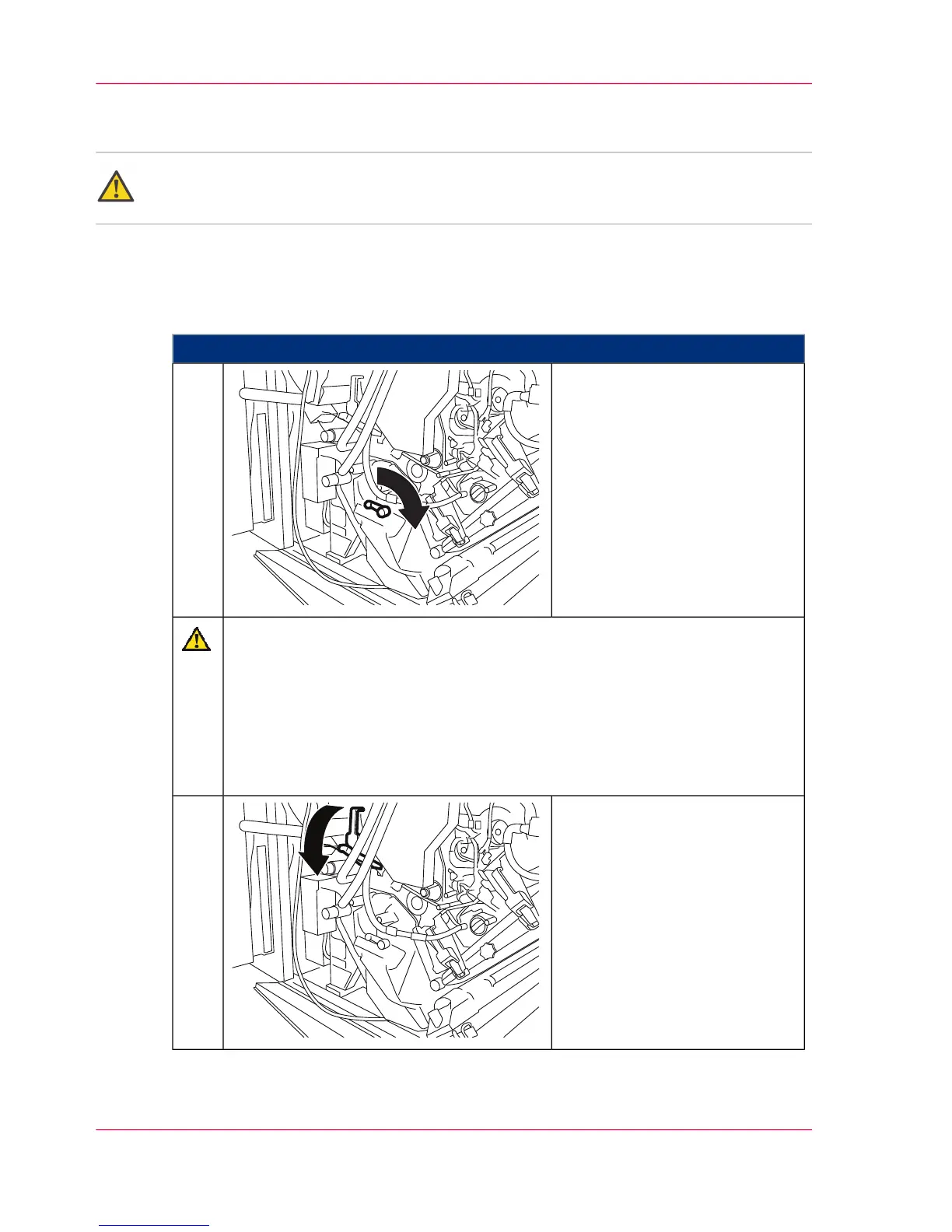
Turn the belt tensioner 180° in
the direction of the arrow to the
stop point to tighten the transfer
belt.
1.
Caution
The movement of the transfer belt is checked by the device control.
If the test run is not successful, the transfer belt was not pushed up to the
correct position. In this case, again:
■
Release the belt tensioner.
■
Move the transfer belt so that the control LED turns green.
■
Tighten the transfer belt.
Swivel locking flap down against
the catch point.
2.
Chapter 9 - Replacing Expendables408
Inserting the Transfer Belt in the Lower Print Unit



 To Next Page