Removing the Transfer Belt in the Lower Print Unit
Attention:
Observe the safety directives in the ‘Replacing the Belt — Overview’ on page 350 section.
To Remove a Transfer Belt in the Lower Print Unit
#
Proceed as follows:
Prepare the original packaging of the soft transfer belt and place it next to the
printing system.
1.
Caution
The inner sliding surfaces of the slide foils must be clean. Dirt on the sliding
surfaces can damage the soft transfer belt.
Wear the gloves provided in the packaging.
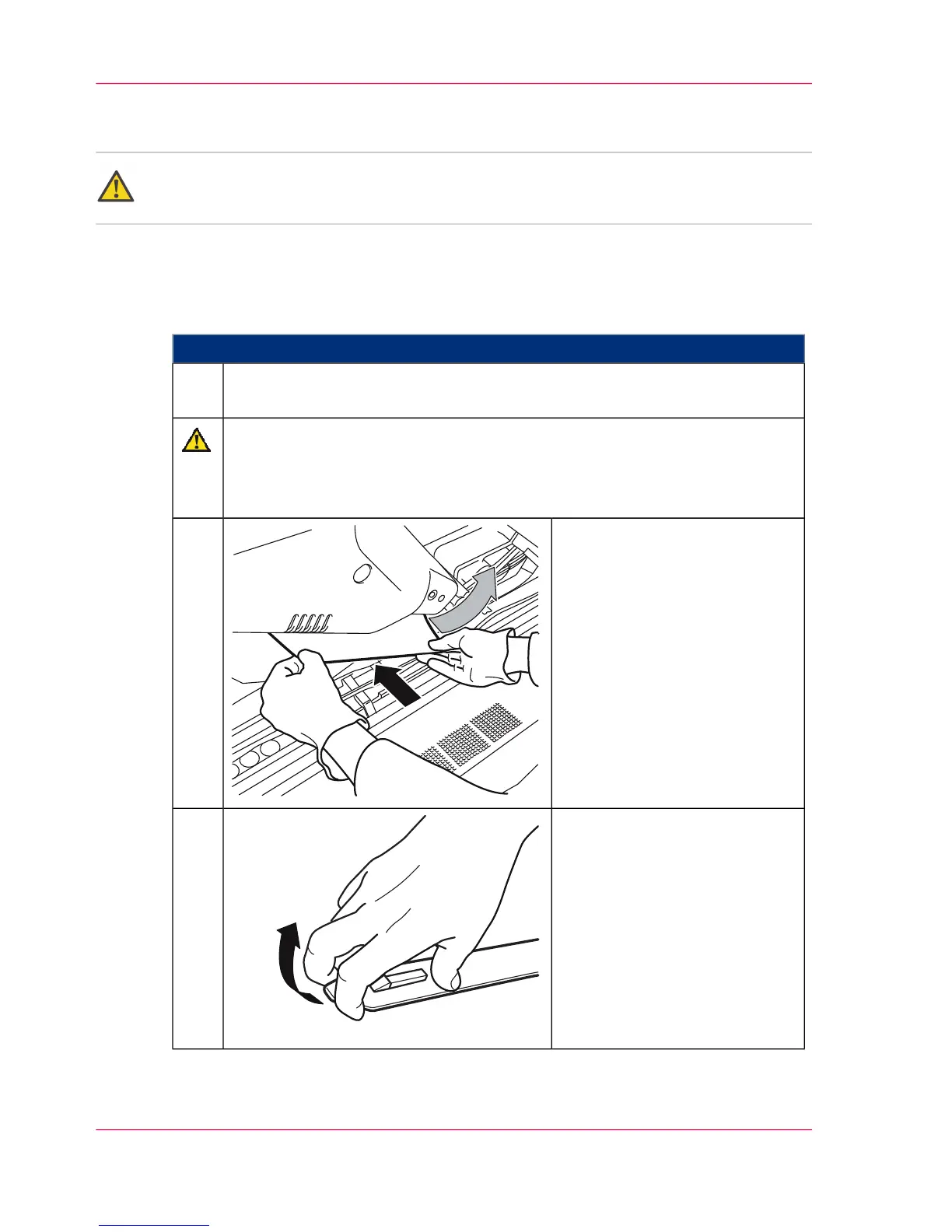
Carefully slide the sliding foil in
snugly between the transfer belt
and cover and push it around the
roller in the direction of the ar-
row.
2.
Open the insertion tool.3.
Chapter 9 - Replacing Expendables398
Removing the Transfer Belt in the Lower Print Unit



 To Next Page