Replacing the Developer Station from the Stacking Tray
Caution:
■
Heavy weight
Note the heavy weight of the developer station (approx. 70 kg/145.35 lb) and the
correct functioning of the locks on the replacement cart.
■
Danger of tilting
Lower the developer station to the lowest position of the hoisting lift before transporting
it, otherwise there is an increased danger of tilting on uneven floors.
■
Danger of crushing
There is a danger of injury due to crushing when lowering or raising the hoisting lift.
Keep hands, feet and objects out of the hoisting area.
■
Hot surfaces
After a longer period of printing, the motor of the developer station may be hot. Do
not touch the motor.
Attention:
Avoid damage
Bear in mind the width and height of the replacement cart when moving it.
To Replace the Developer Station from the Stacking Tray
#
Proceed as follows:
Move the maintenance cart to the developer station shelf or the stacking tray
with the new developer station.
1.
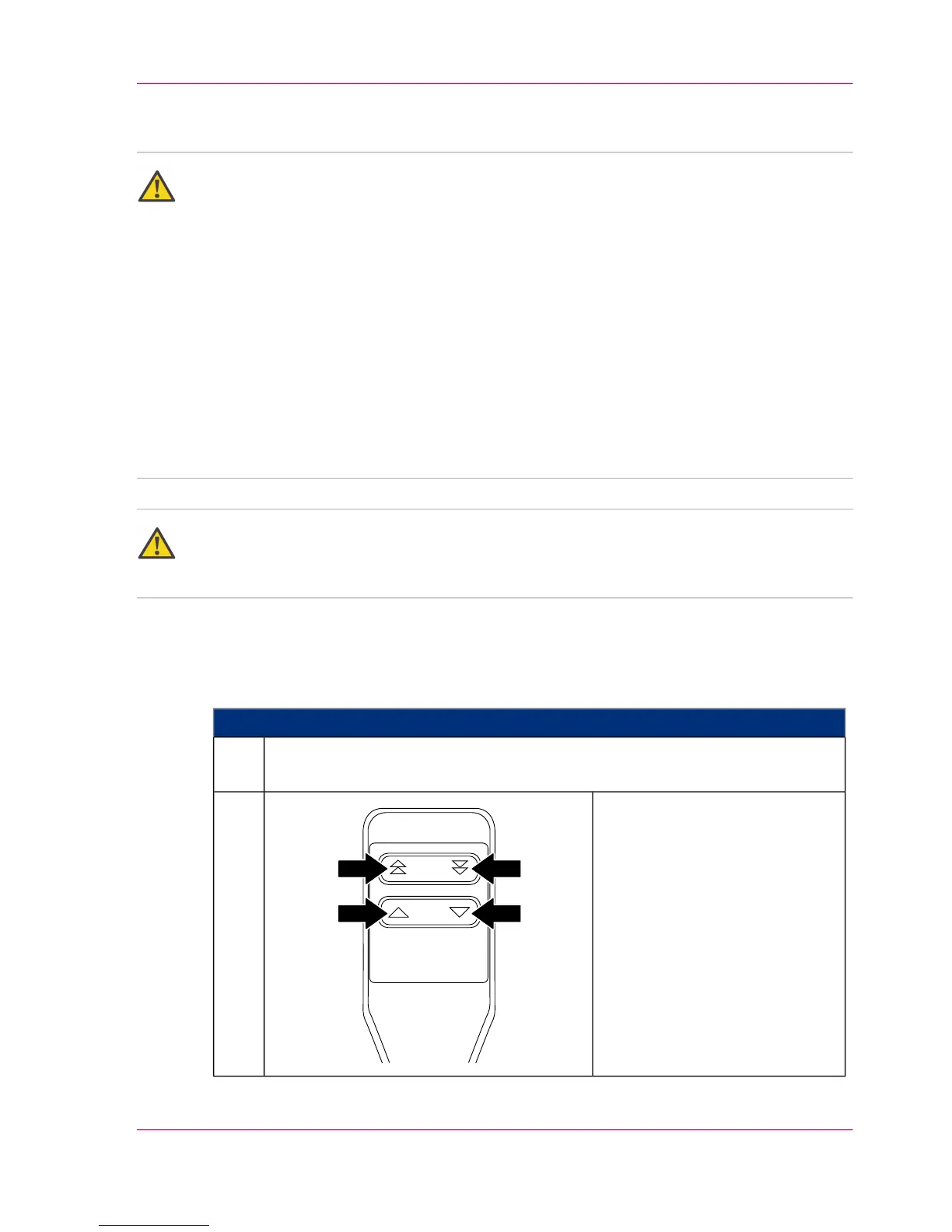
Position the hoisting lift of the
replacement cart at the height of
the developer station adapter.
2.
Chapter 6 - Operating the Printing System 187
Replacing the Developer Station from the Stacking Tray



 To Next Page