'User' menus
Overview
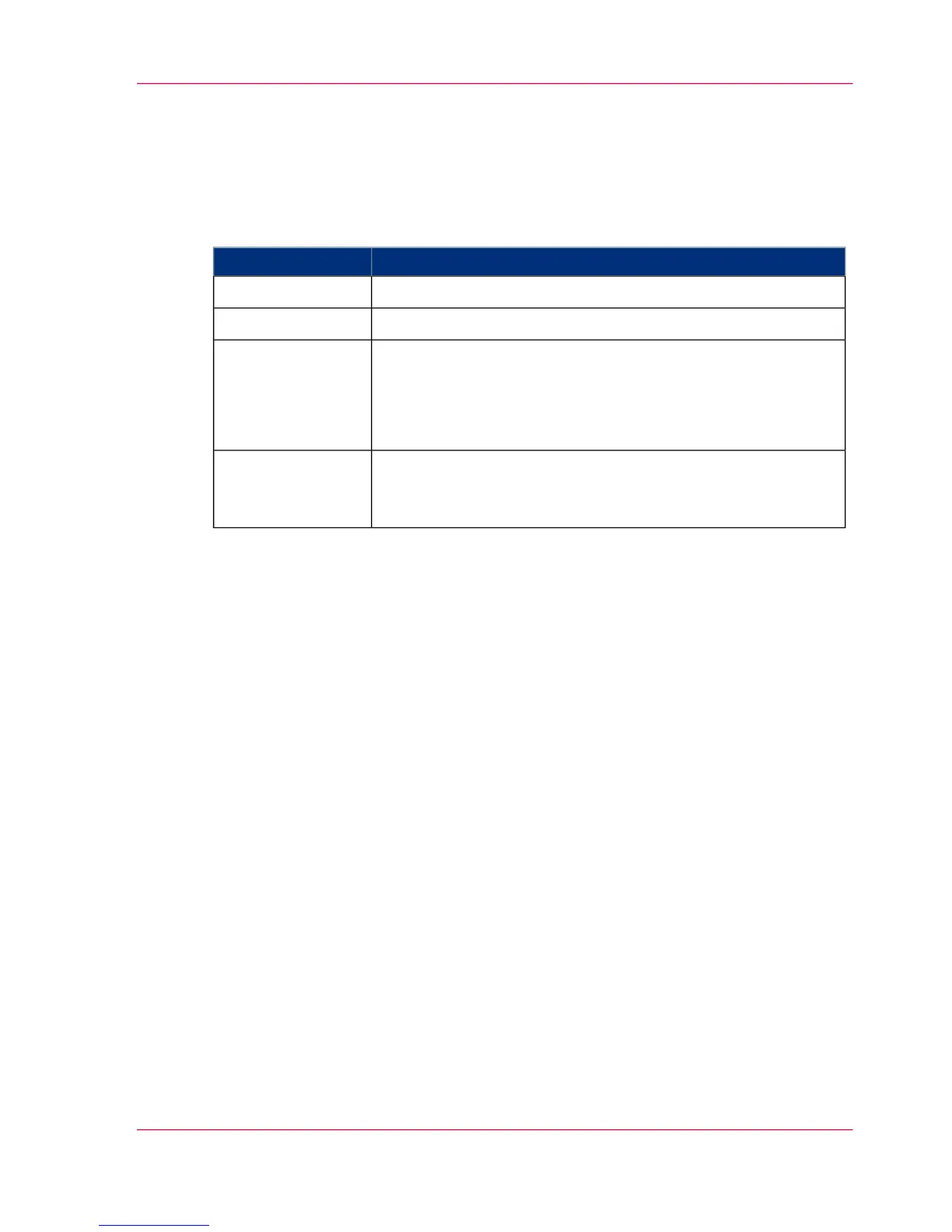
The menus under 'User' contain the user settings relating to the Operator.
#
DescriptionMenu
Log a user on or off'Change user'
Select the operator panel language and change the password'User profile'
Two different functions are combined into this menu:
■
Facilitate screen cleaning during printing
■
Also write an error log when the 'Operator trace' menu can
no longer be started.
'Tools'
Display of current error and warning messages and information
in the event that the printing system-specific menus and conse-
quently the 'Errors and warnings' menu cannot be opened.
'Emergency display
for error'
Chapter 4 - Description of the Operator Panel 95
'User' menus



 To Next Page