Operator Attention Light (OPAL)/Bundle 10 Version
Displays
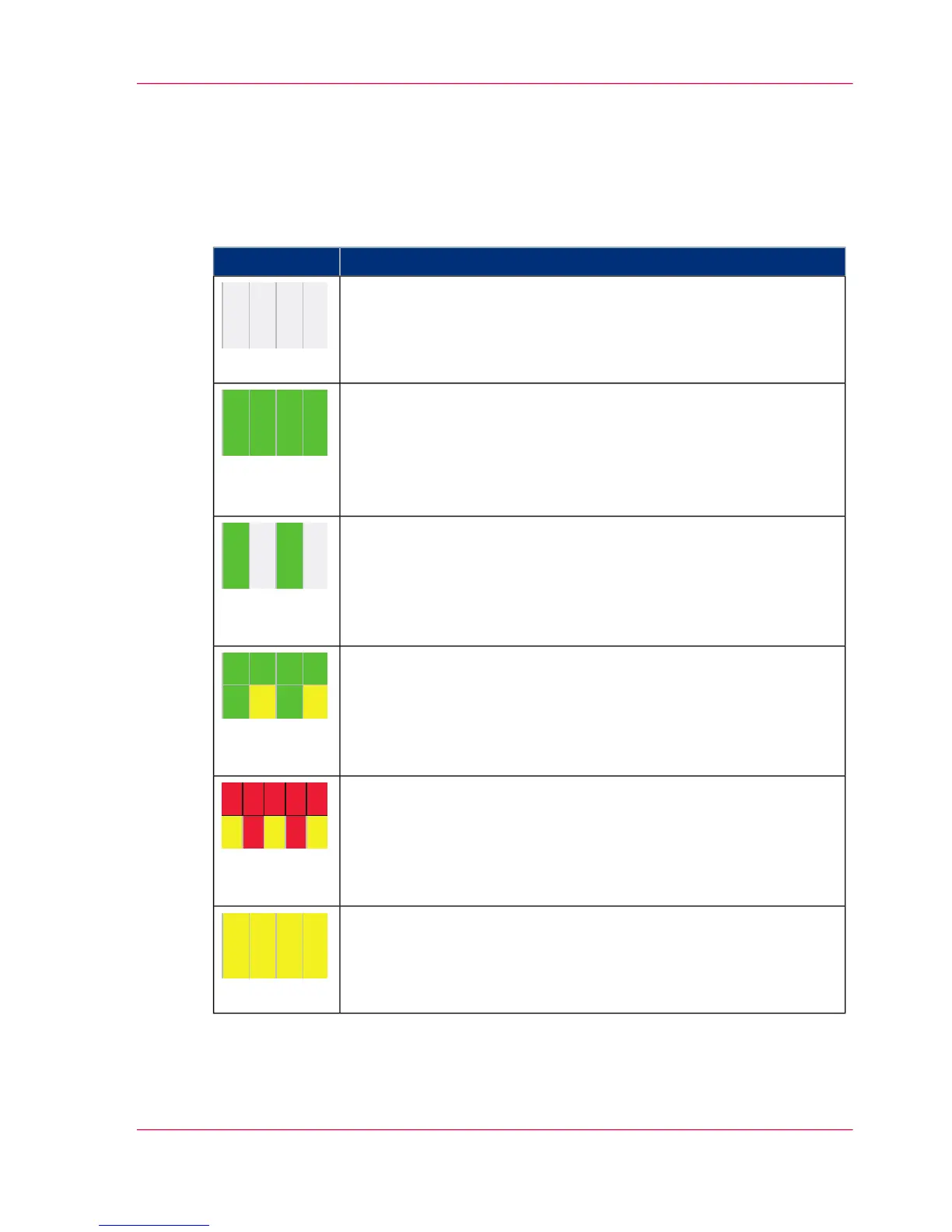
The most important displays are summarized in the following table:
#
MeaningDisplay
The printing system is in standby mode.
(Main switch is on).
(off)
The printing system is in the status
■
'Ready'
■
or 'Energy saving mode ready' (the operating temperature of the
fuser station has cooled down)
■
or in a transitional status.
(green)
Print data is available; the printing process has started.
(flashing
green)
The 'Ready' status indicates a "Toner empty" warning.
(flashing
green/yellow)
The 'Stop' status indicates a "Toner empty" warning.
(flashing
red/yellow)
One of the 'Special functions' is being executed
or the printing system is cooling down
or a software update is being executed (until restart).
(yellow)
Chapter 3 - Description of the Printing System 75
Operator Attention Light (OPAL)/Bundle 10 Version



 To Next Page