Installing the cleaning brush of the transfer unit.
Caution:
Observe the safety directives in the ‘Replacing the cleaning brush — overview’ on page 433
section.
To Install the Cleaning Brush of the Transfer Unit
#
Proceed as follows:
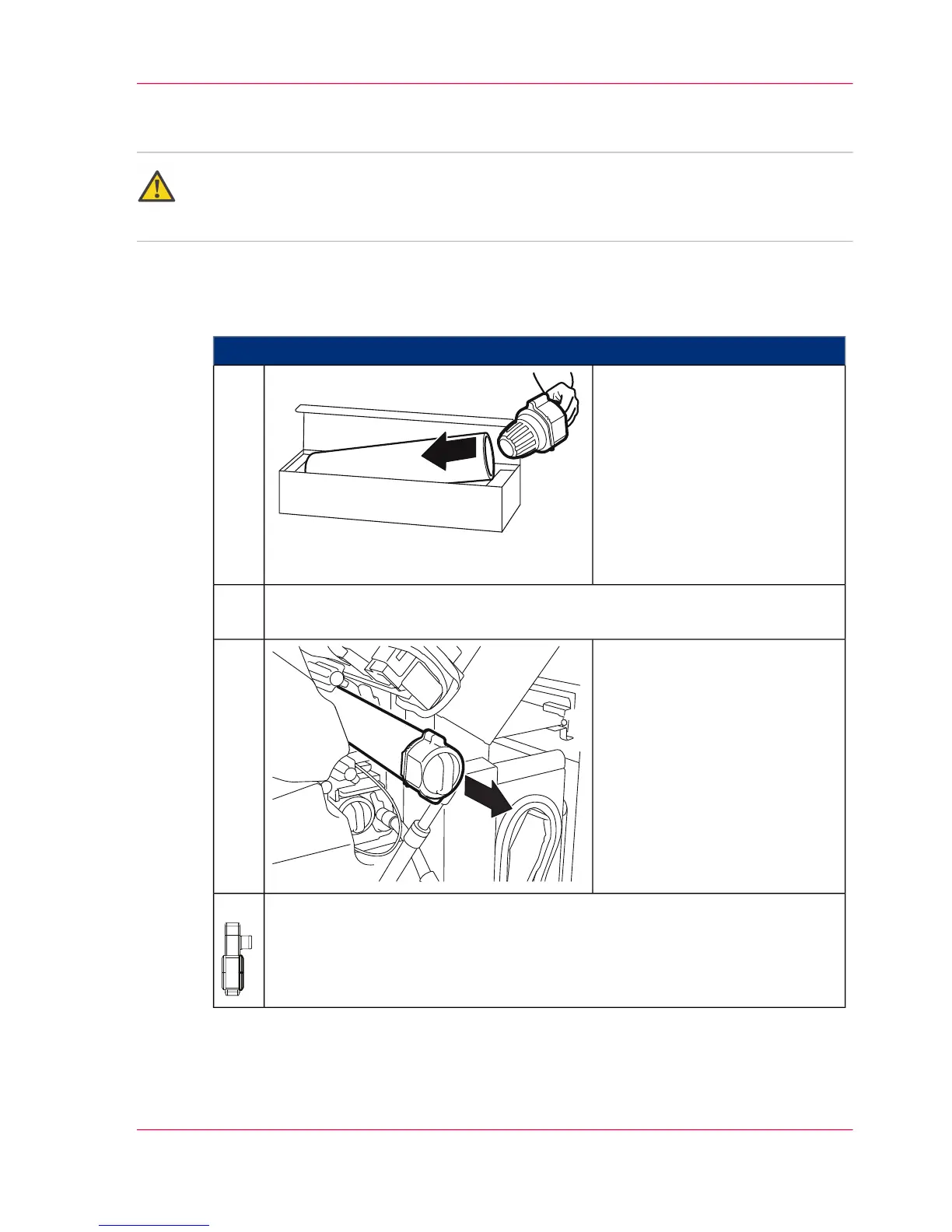
Open packaging and place inter-
lock lid on the new cleaning
brush as shown.
1.
Remove new cleaning brush on the interlock lid from the packaging and remove
edge protection.
2.
Push cleaning brush in until it
latches (flat side of the interlock
lid to the transfer belt).
The gloves are no longer re-
quired.
3.
Close all doors on the right-hand side of the printing system.4.
Chapter 9 - Replacing Expendables 441
Installing the cleaning brush of the transfer unit.



 To Next Page