Proceed as follows:
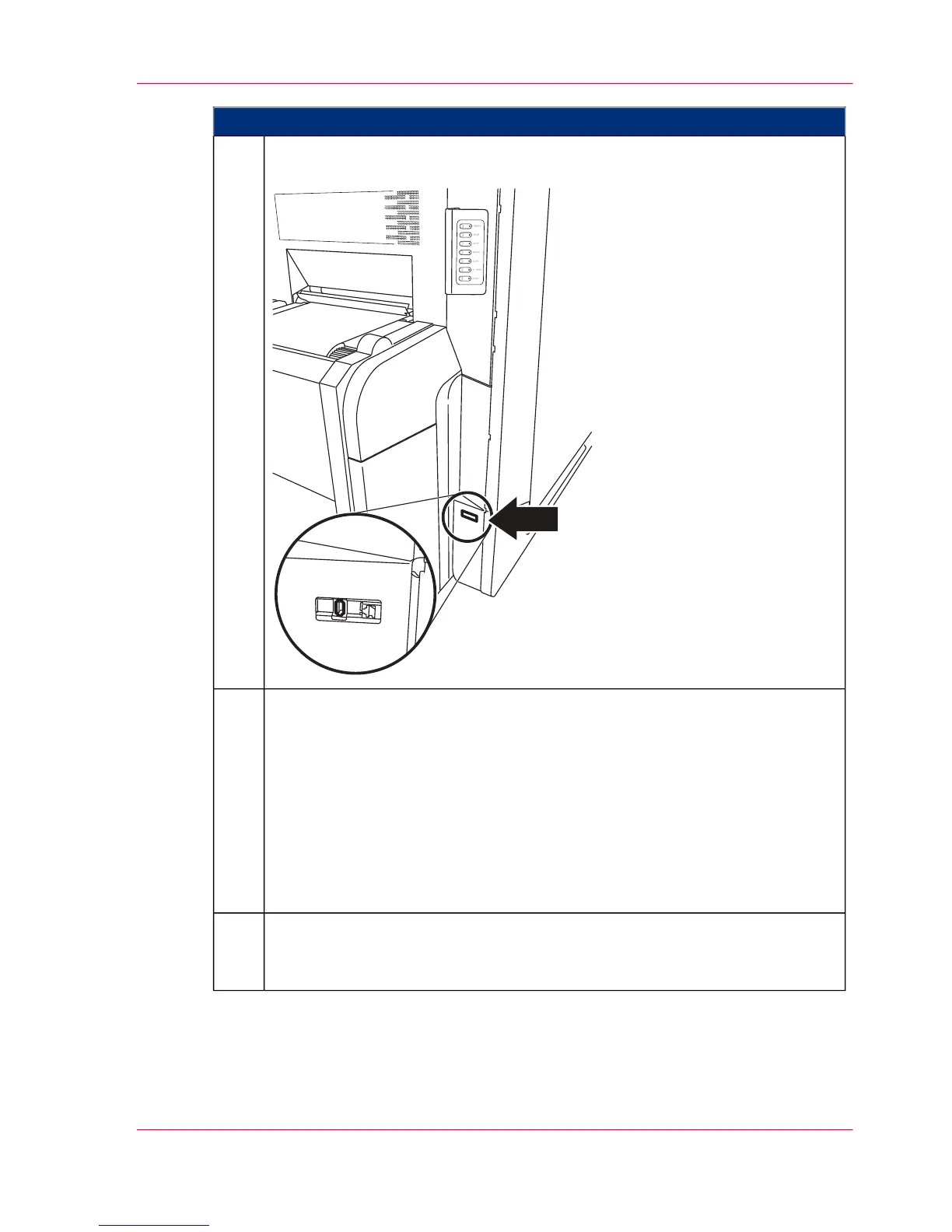
Insert the USB memory stick with the new resources into the USB port. The
USB port is located below the operator panel near the paper input.
3.
On the operator panel, select:
■
For I mode:
'Configuration' -> 'Emulations' -> 'I mode' -> 'Resource management'
menu
■
For PCL mode:
'Configuration' -> 'Emulations' -> 'PCL mode' -> 'Resource management'
menu
■
For colors:
'Configuration' -> 'Color' -> 'Resource management' menu
4.
Under 'New', select one of the displayed resources and click the 'Install' button.
The file will be tested and converted. Once the installation is complete, the
file will be displayed under 'Current'.
5.
Chapter 5 - Working with the Operator Panel 131
Installing Resources



 To Next Page