Proceed as follows:
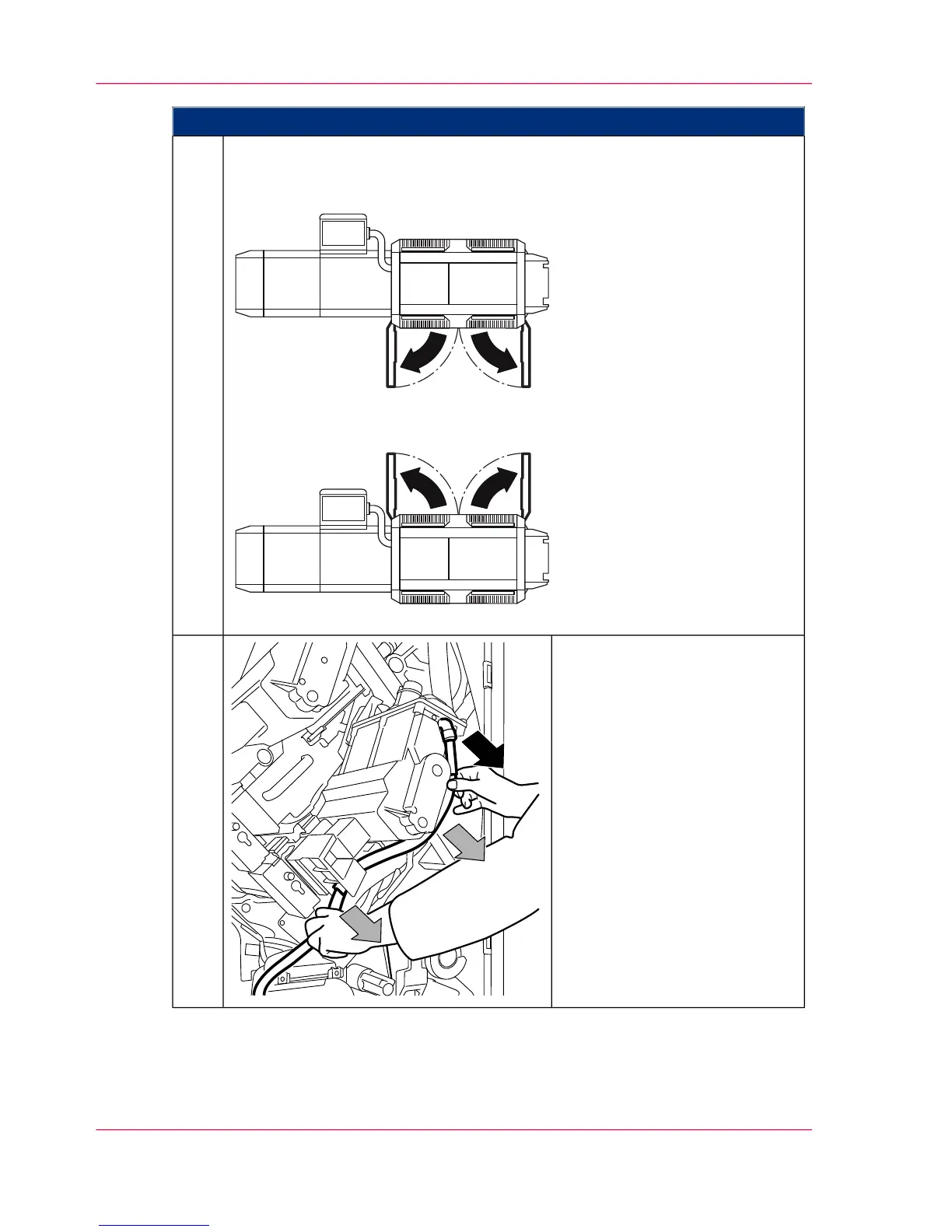
If the doors are not yet open, open them now:
To remove a developer station in the upper print unit; open all doors on the
left-hand side of the printing system.
To remove a developer station in the lower print unit; open all doors on the
right-hand side of the printing system.
3.
Detach the toner feed hose from
the developer station, take it out
of the two mountings and attach
it to the parking tube.
If the developer station is cooled
via a cooling air tube, disconnect
the tube from the developer sta-
tion and set it aside.
4.
Chapter 6 - Operating the Printing System172
Removing the developer station



 To Next Page