Proceed as follows:
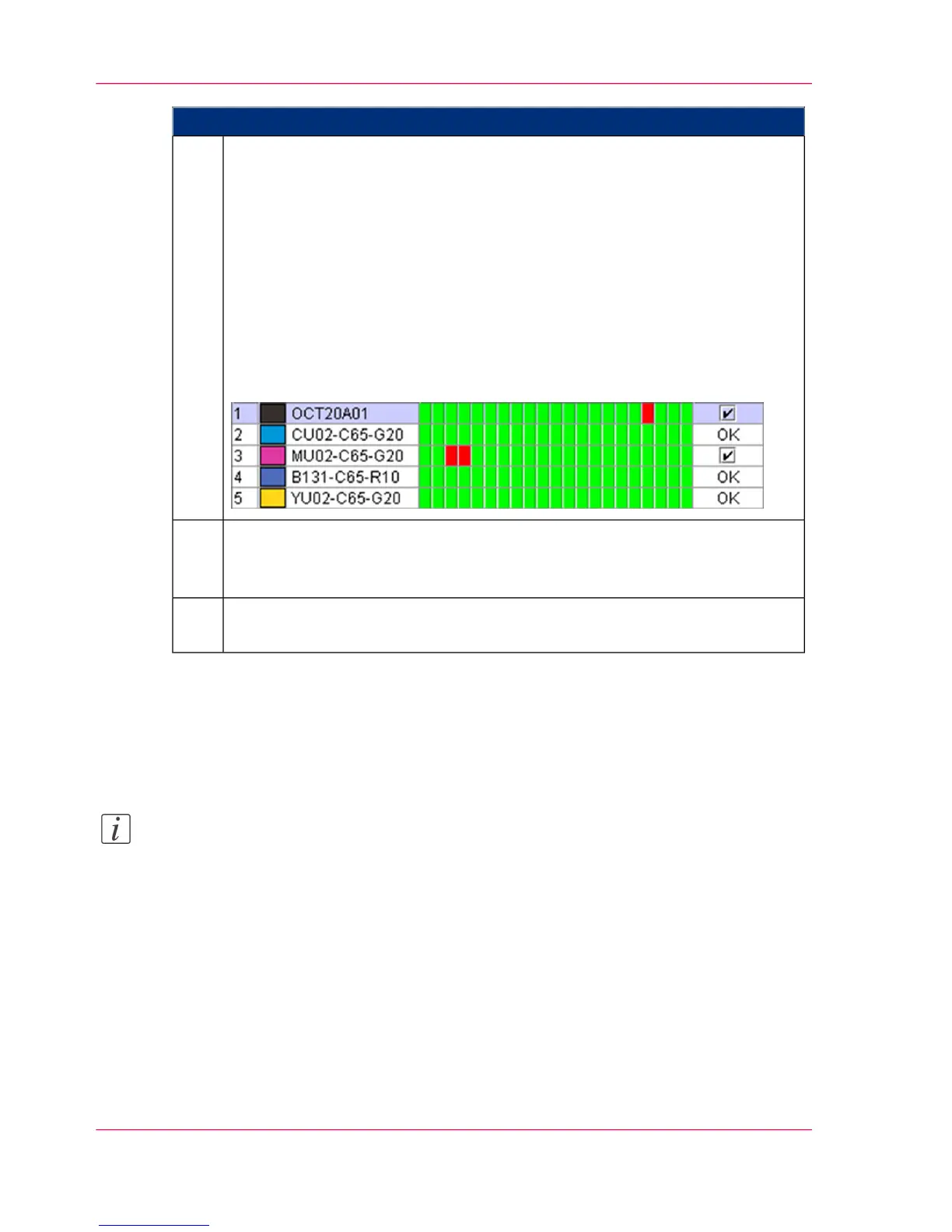
The system displays the recorded data for each color station in the upper and
lower print units. Each field in the test strips is displayed in color:
■
Green
The values for this field are OK; no correction is necessary.
■
Red
The values for this field were measured outside of the tolerance area; a
checkmark is set under 'Correction'. The test strips should be re-scanned.
If a visual check of the relevant test strip determines that it is OK, the cor-
rection can be deactivated by clicking on the checkbox.
In the following example, correction is recommended for black and magenta;
cyan, blue and yellow are OK:
3.
For those color stations requiring corrections, the printing, scanning and
evaluation of the test print pages must be repeated (see ‘Printing Test Pages for
Color Calibration’ on page 246).
4.
Once you have completed the evaluation of the test print pages, press the
'Complete calibration' button.
5.
Result
Once the data has been imported into the printing system, the active raster kit is adjusted.
This completes the calibration process.
Note:
If the color calibration is cancelled, the original raster kit is then restored.
Chapter 6 - Operating the Printing System254
Analyzing Test Pages for Color Calibration



 To Next Page